81
VIEWING IMAGE INFORMATION
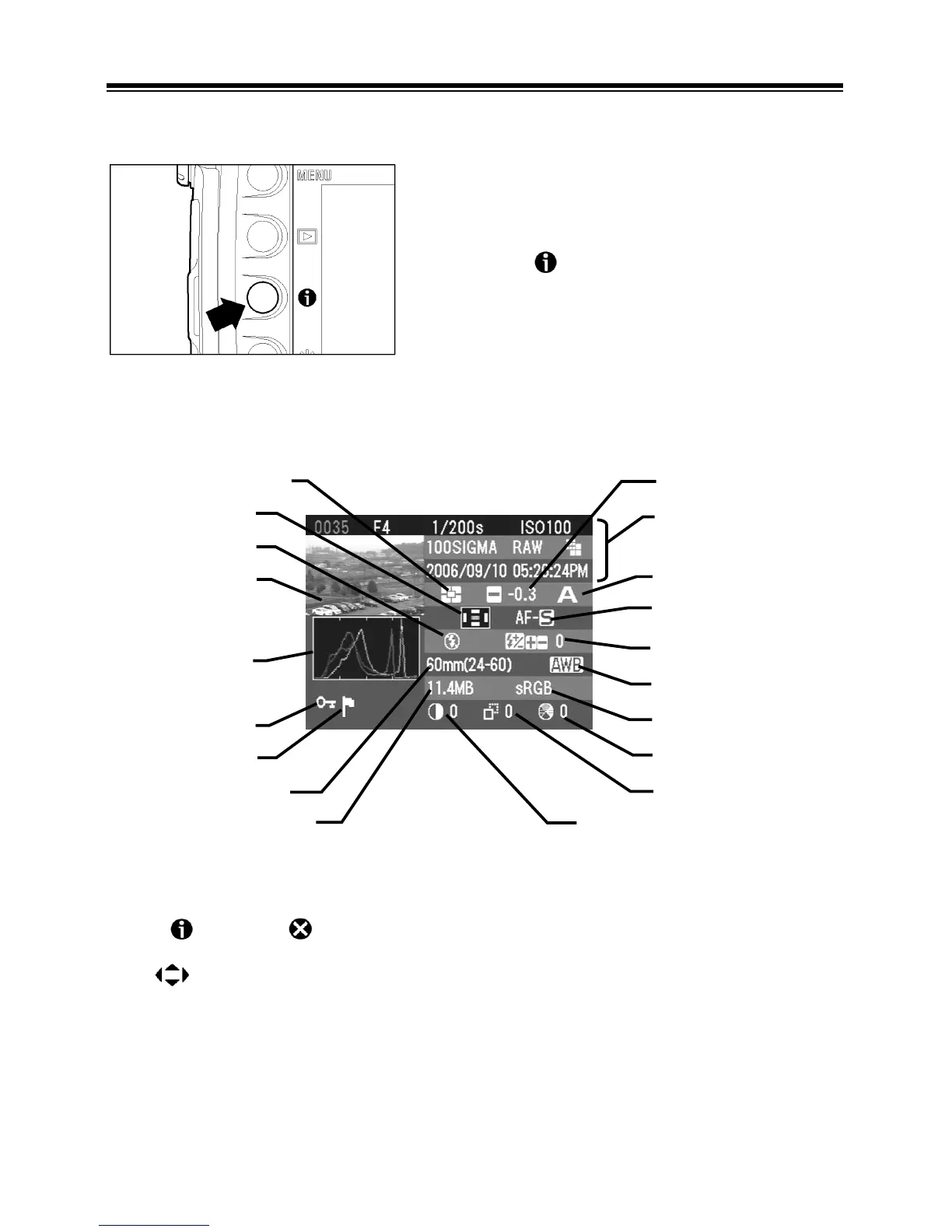
The Image Info Screen contains additional information about each image.
TO DISPLAY IMAGE INFO SCREEN
Press the
button from Single-Image,
Contact Sheet, or Zoomed-In View.
While in Image Info Screen:
Press
again or to close the Image Info Screen and return to the previous
view.
Use
arrows on the 4-way controller to change the image selection the same
way as in Single-Image View. (See next section for the exception.)
Exposure mode
Focus mode
Exposure compensation
Flash exposure compensation value
Information bar
(
P. 7 7
)
White balance
Color Space
Saturation
Sharpness
Contrast
Focal length
File size
Marked status
Locked status
Three-colo



 To Next Page