32
5
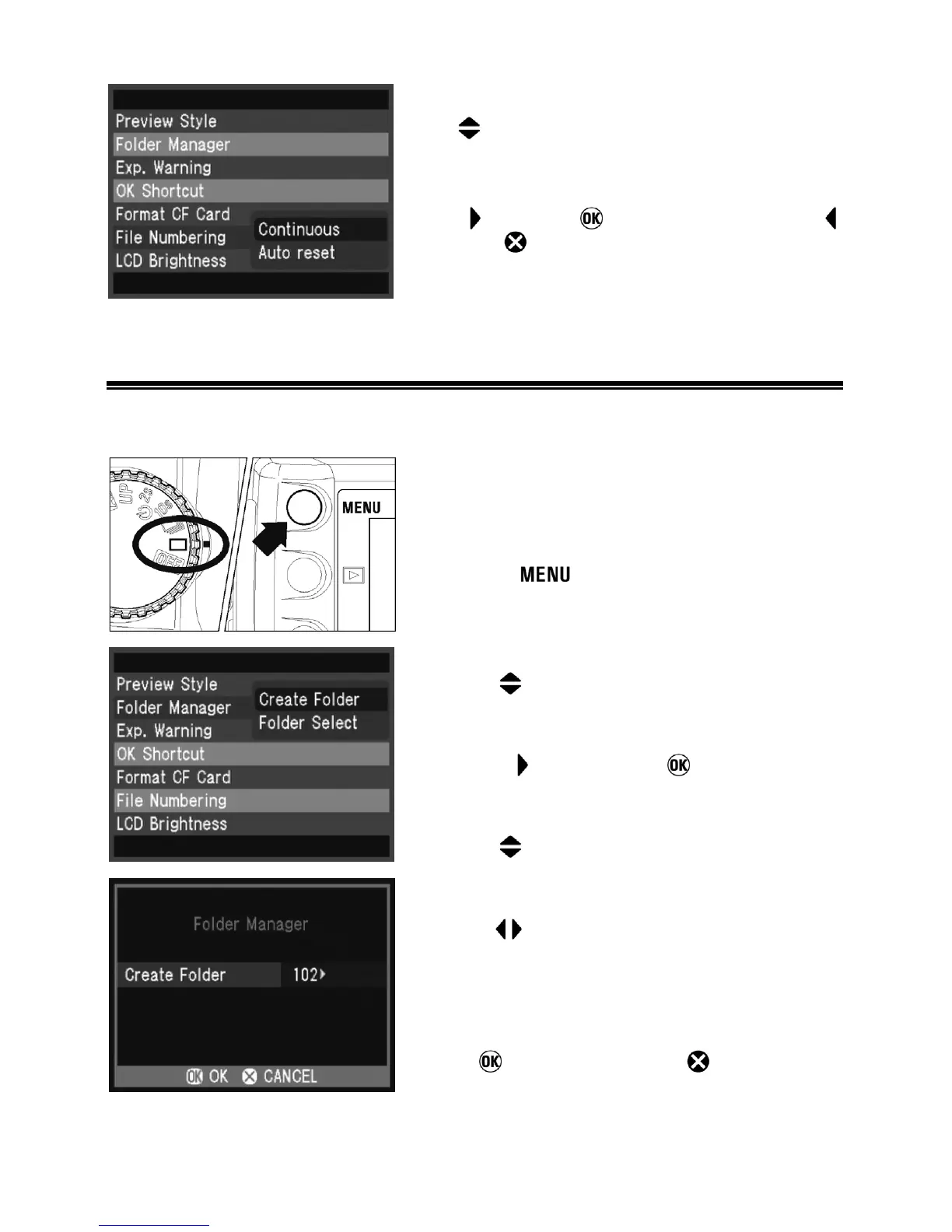
Use arrows on the 4-way controller to
select numbering system.
6
Press arrow or to apply the setting or
arrow or
to close the sub-menu without
making any changes.
FOLDER MANAGER
You can create and choose folders in which photographs will be stored.
1
Turn the “D”-dial to the drive area to turn on
the camera.
2
Press the button on the back of the
camera to display the Camera Set-up Menu.
(P. 1 0 4 )
3
Use the arrows on the 4-way controller to
select “Folder Manager”.
4
Press the arrow or the button to open
the sub menu.
5
Use the arrows on the 4-way controller to
select “Create Folder”.
6
Use the
arrows on the 4-way controller to
select the desired folder number. (Default
number is the lowest number). It is possible to
select a folder number up to 999.
7
Press
to create the file or
to cancel.



 To Next Page