110
If you feel qualified to clean the image sensor, prepare the following tools:
• Dedicated AC adapter “SAC-2” (Cleaning cannot be done when the camera is
powered by the Lithium battery. Please use the AC adapter SAC-2 (sold
separately) only as the power source when cleaning ).
• Blower (Do not attach the brush, as it can scratch the image sensor surface.)
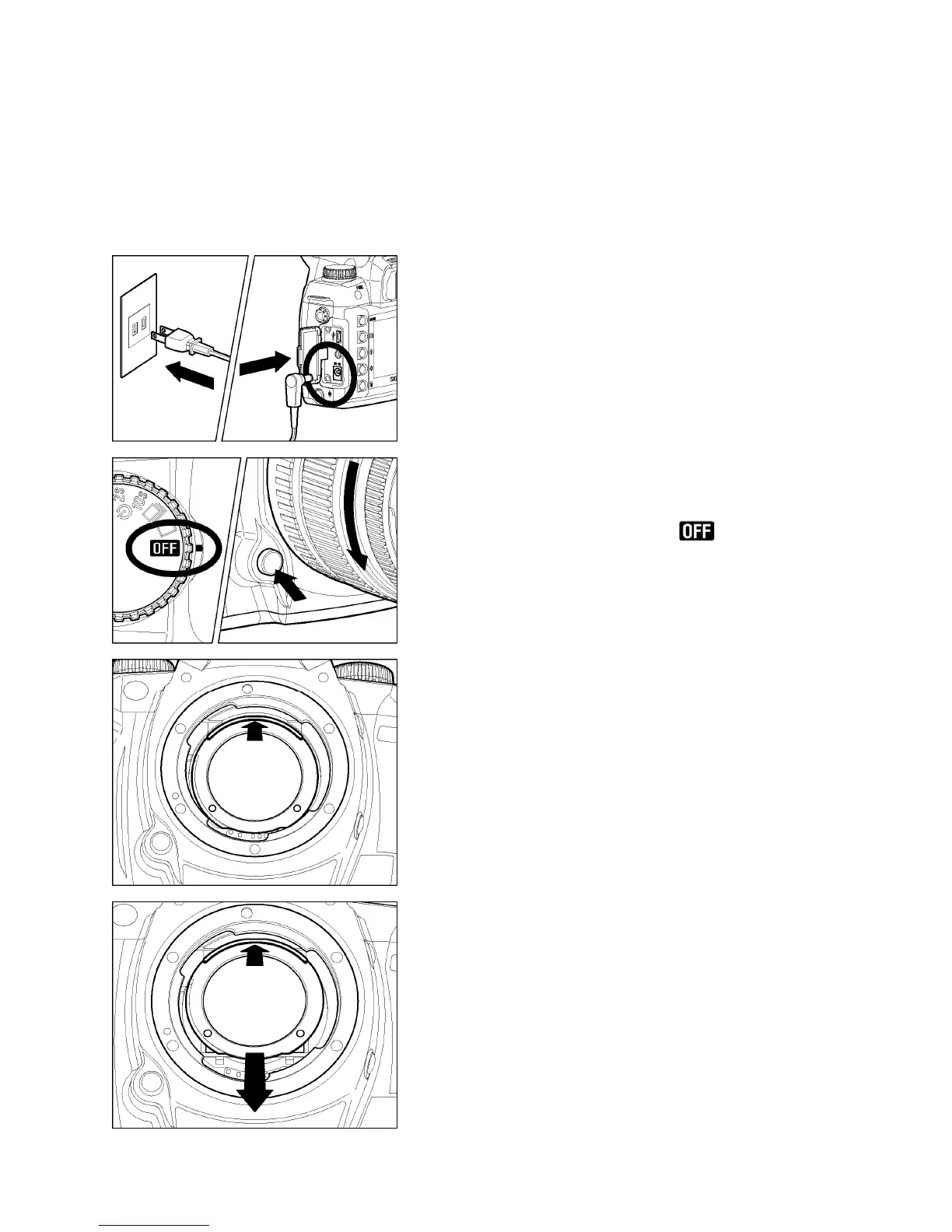
1
Connect the AC adapter to the camera and
plug it into a wall socket. (P. 2 3 )
2
Turn the “D”–Dial to the position and
remove the lens.
3
To detach the dust protector, slide it upwards
from its projecting lip with your fingernail. Be
careful not to touch the glass on the dust
protector.
4
Once the dust protector slides upwards, the
lower part of the dust protector is released.
Grasp it and remove the dust protector. (Be
careful not to touch the glass on the dust
protector.)



 To Next Page