CONTROLLERS AND INDICATORS
TB20J Plus Operation Manual 31
© Feb. 2023
6.3 TURNTABLE DISPLAY
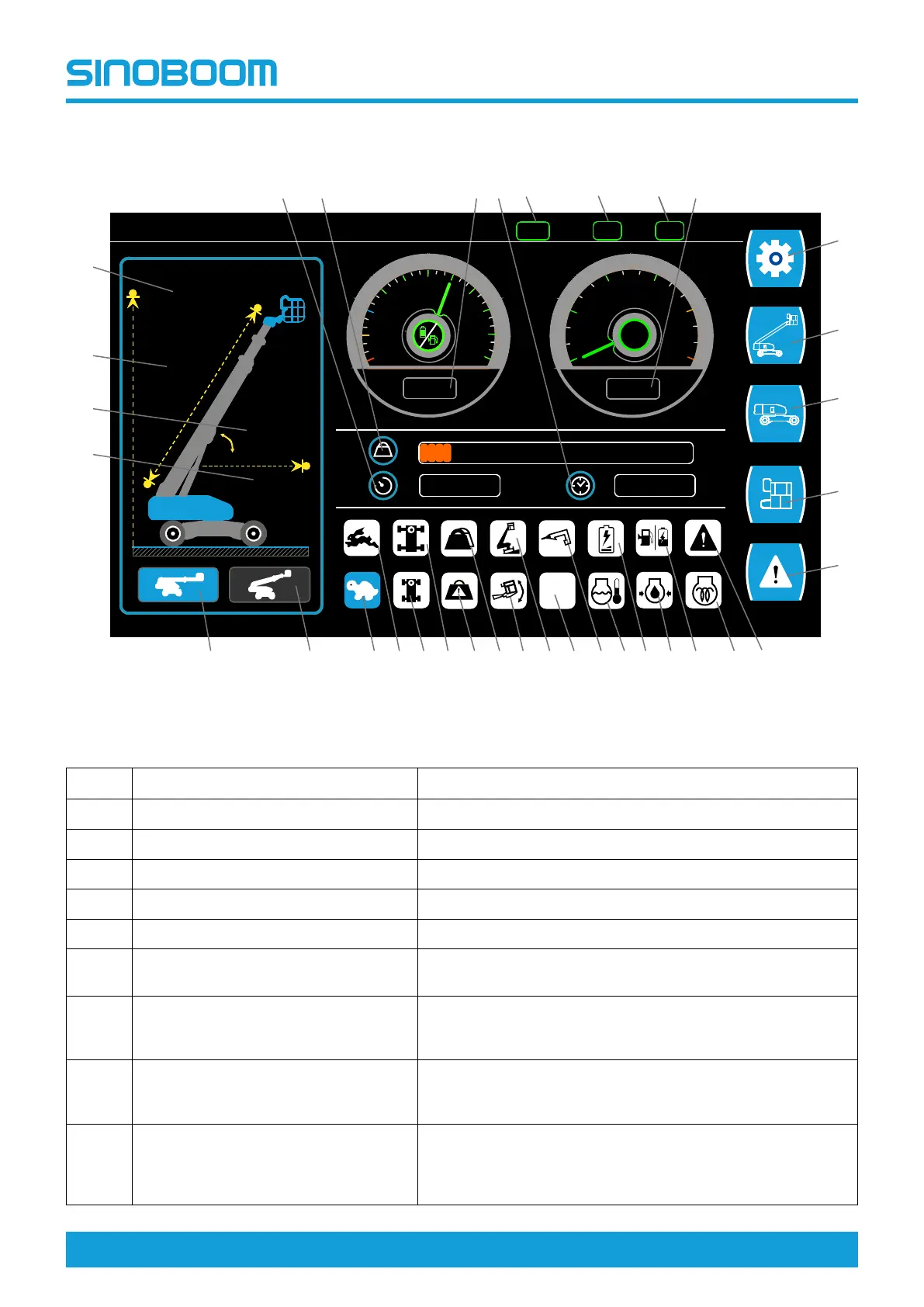
Fig 3 Ground controller display
Table 6-3
No. Indication
Description
1
Current working hours To display the machine’s current working hours.
2 Platform load
To display the load weight on the platform.
3
Fuel/battery level indicator To display the remaining fuel oil/battery level in percentage.
4
Accumulated working hours To display the machine’s accumulated working hours.
5 Tachometer
To display the current engine speed.
6
Setup menu
Press the key to the right of the icon to enter the setup inter-
face for language and debugging setting.
7 Machine info
Press the key to the right of the icon to enter the machine infor-
mation interface for time setting, and sensor, detection switch,
proportional valve and engine information query.
8 Turntable info
Press the key to the right of the icon to enter turntable informa-
tion interface to check the input state of switches on the
ground controller panel.
9 Platform info
Press the key to the right of the icon to enter platform informa-
tion interface to check the input and output states of switches
on the platform controller panel and the handles state on the
platform controller.
33
E
20
40
60
80
F
60 %
2.40 m
9.92 m
2.44 °
10.92 m
0
1
2
3
4
5
0
RPM
X1000
H H
11.5
0011.5
32
15
1 2
6
5
7
4
10
1112
9
13
8
14
3
20 1925 24 1622 172123 182627
30
28
29
31
KG
33
DR
D/B
34
35
FE







 To Next Page