CONTROLLERS AND INDICATORS
TB20J Plus Operation Manual 33
© Feb. 2023
Table 6-3 (Continued)
No. Indication
Description
33 KG
This icon lights up to indicate that many movements of the ma-
chine in operating position are restricted when the platform is
overloaded.
34 DR
This icon lights up to indicate that traveling movement is re-
stricted when the machine is in operating position.
35 D/B
This icon lights up to indicate that traveling and boom move-
ments can be performed simultaneously.
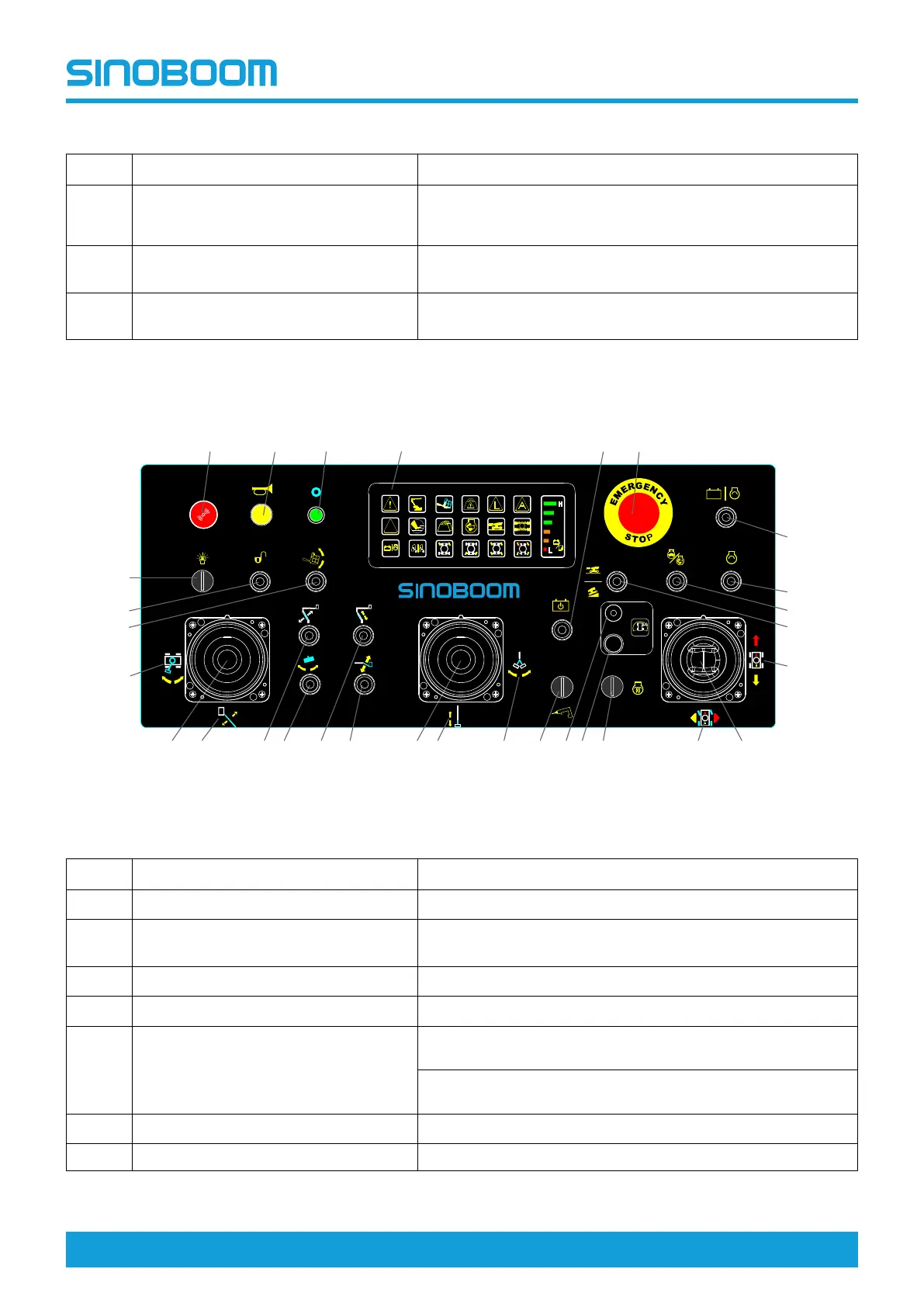
6.4 PLATFORM CONTROLLER
Fig 4 Platform Controller
Table 6-4
No. Indication
Description
1
Working lamp switch (if equipped) To turn on/off the working lamp.
2
Release switch (if equipped)
After the anti-pinch function is triggered, flip this switch to con-
tinue the override operation.
3
Platform leveling switch To adjust platform levelness while traveling up/down the slope.
4 Turntable rotation control orientation
To provide indication for turntable rotation control orientation.
5
Main boom luffing/turntable rotation
control handle
Push the handle to the left/right to rotate the turntable clock-
wise/anti-clockwise.
Push the handle forward/backward to raise/lower the main
boom.
6
Main boom luffing control orientation To provide indication for main boom luffing control orientation.
7 Not used /
CAUTION
- +
DC FE
1
2
3
4
5 6 7 8 9 10 11 12 13 14 15 16 17 18 19
20
21
22
23
24
252627282930
DC
FE
Scope







 To Next Page