Sinterit LISA X User Manual | 15
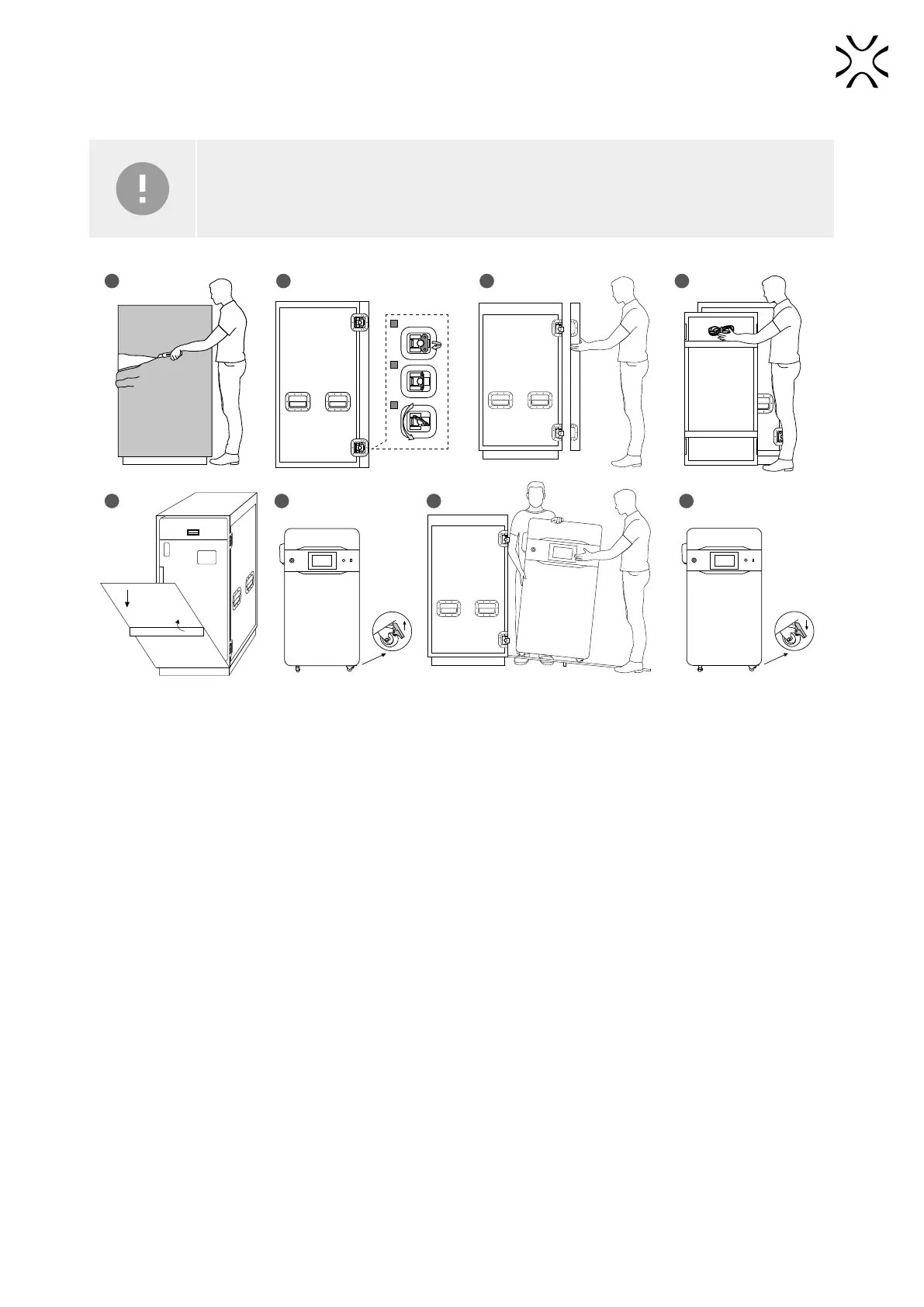
4. Unpacking Lisa X
IMPORTANT!
Please make sure that the printer was not damaged during shipping. In case of any issues or
questions, please contact technical support: support@sinterit.com
1
2
3
1
5 6 7 8
2 3 4
1. Cut through the protective foil covering the ight case.
2. Unlock the locks on the ight case door (4 pcs.). Lift the lock handle up to a perpendicular position, then turn it
clockwise.
3. Take the ight case cover off.
4. Remove the power cable attached to the ight case cover.
5. Lift the gangway support and lower the gangway.
6. Unlock the wheels (there are 2 locks).
7. Slide the printer out of the ight case. Guides were installed on the gangway for a comfortable and safe descent. This
step requires the help of another person.
8. Place the printer in its desired location, then lock the wheels.



 To Next Page