Sinterit LISA X User Manual | 22
IMPORTANT!
It is always possible to go back to the main menu on the screen without interrupting the printing
process.
6.3 FILLING THE PRINT CHAMBER WITH POWDER
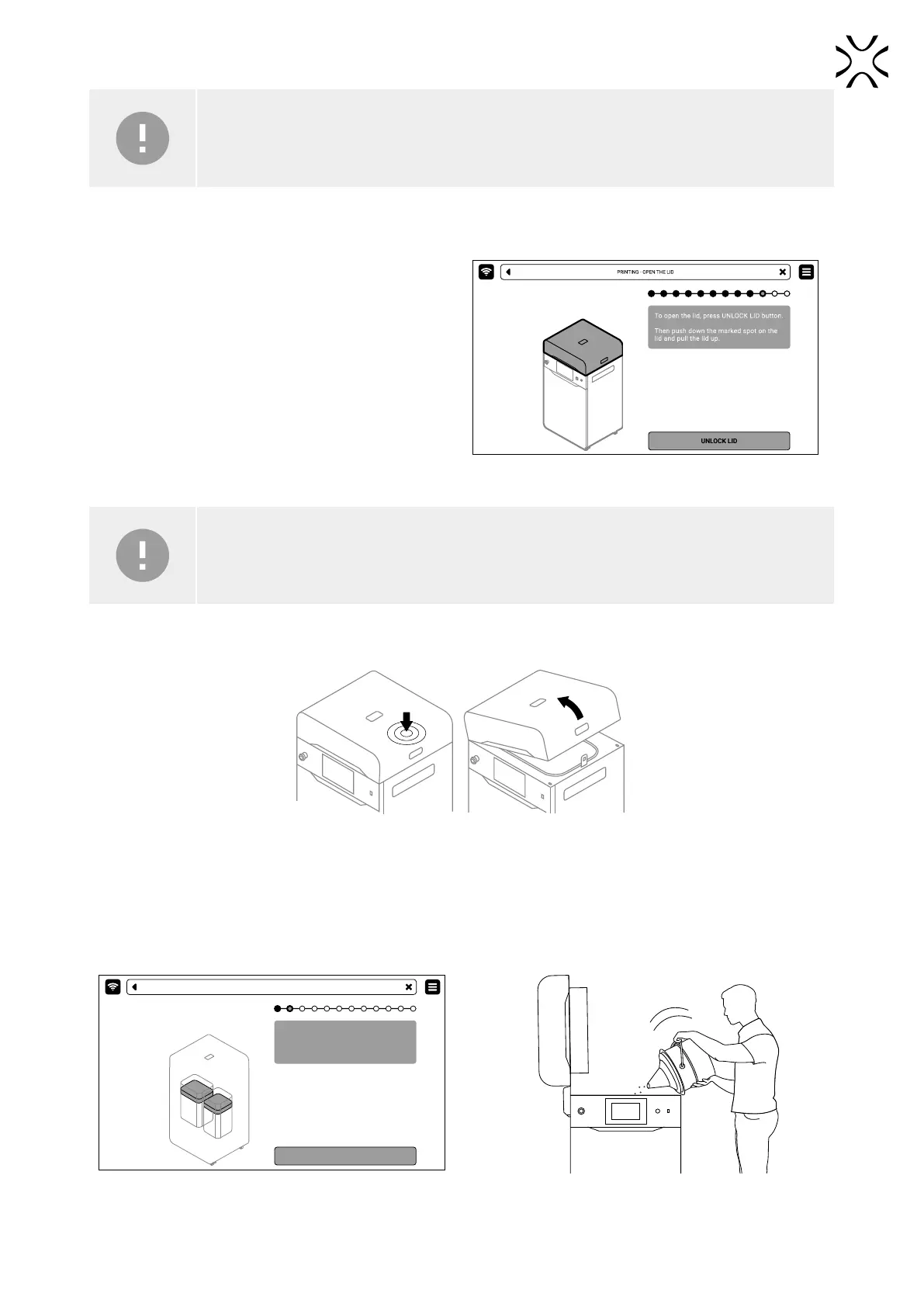
1. Slide the UNLOCK LID button to release the electrolock
and allow the print chamber to be opened (g. 6.3).
Fig. 6.3 Releasing the electrolock.
IMPORTANT!
After 10 seconds the electrolock will activate and it will no longer be possible to lift the lid. If you
still want to open the printer, press the UNLOCK LID button again on the printer screen.
2. Push on the lid and pull it up using the lid handle (g. 6.4).
Fig. 6.4 Lifting the printer lid.
3. Make sure the print chamber is free of any unwanted items that may interfere with moving the Recoater.
4. Press POSITION BEDS to begin the positioning process of the Beds (g. 6.5).
5. Once the positioning process is nished, ll the Feed Bed up with the desired powder. You may use the powder funnel
provided in the Dedicated Powder Tools (g. 6.6). Press DONE.
Position Beds for printing.
Make sure that the path of Recoater is not
obstructed
POSITION BEDS
PRINTING - POSITIONING
Fig. 6.5 POSITIONING BED screen. Fig. 6.6 Filling the print chamber with powder using a funnel.



 To Next Page