Sinterit LISA X User Manual | 23
IMPORTANT!
Add a little more powder than ts in the Feed Bed.
IMPORTANT!
The information which powder to use has been displayed on the printer screen as well as in the
Sinterit Studio software end report.
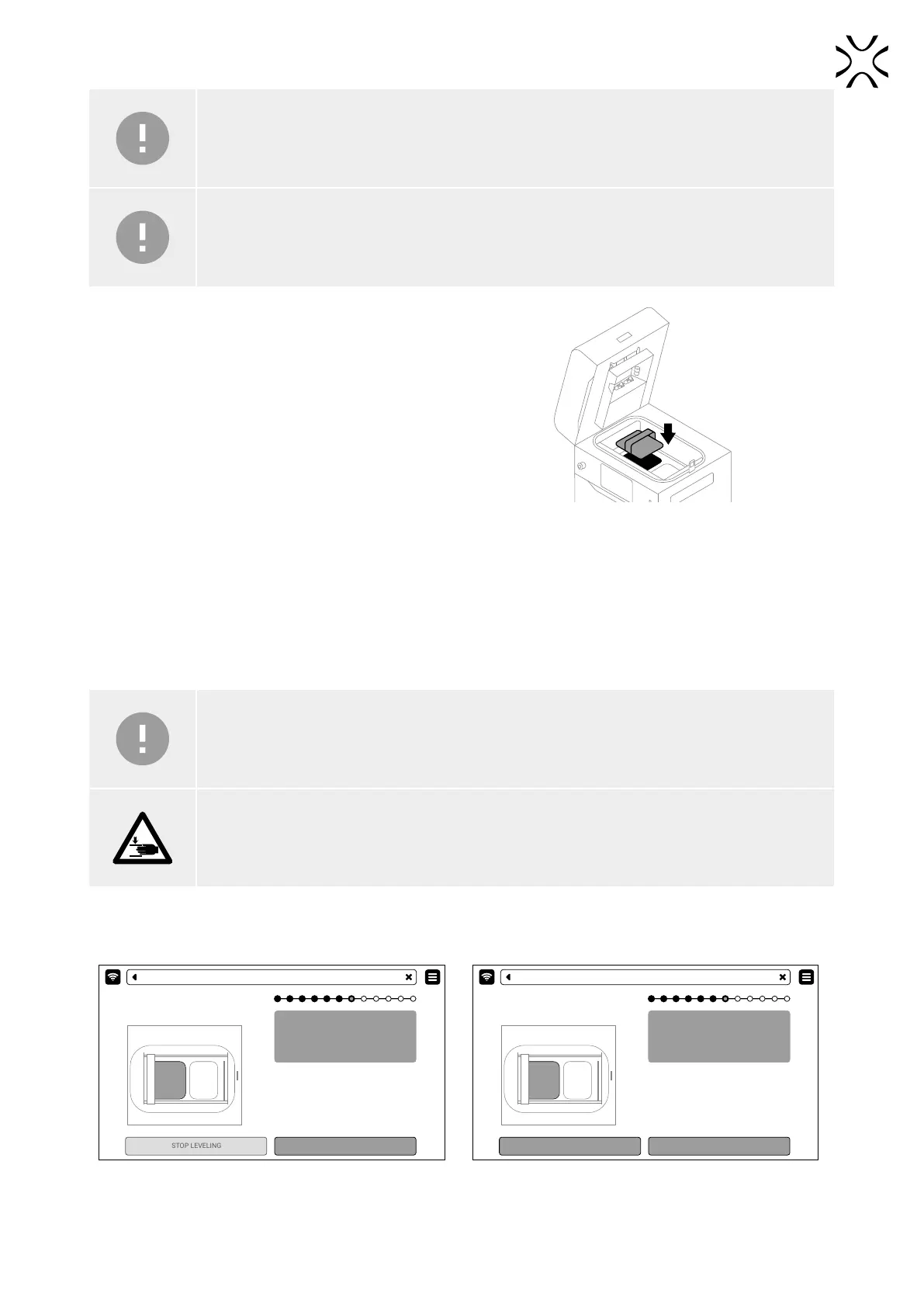
6. Compress the powder using the powder trowel provided
in the Dedicated Powder Tools. This will release any
residual air accumulated in the Feed Bed. Press DONE.
Fig. 6.7. Compressing the powder using the powder trowel.
6.4 PREPARING THE PRINTING CHAMBER
1. Remove powder remaining under the guide bars. You may use the brushes and spatulas provided in the Dedicated
Powder Tools. Press DONE.
2. Press START LEVELING to begin leveling the powder surface (g. 6.8).
IMPORTANT!
During the powder leveling process you can scrape the excess powder from under the guides with
a plastic spatula, for example from the Dedicated Powder Tools set.
ATTENTION!
Risk of crushing hands! The moving Recoater can cause hand injuries.
3. Press STOP LEVELING if the surface of the powder in the print chamber is smooth or wait until the Recoater completes
the process by itself. You can repeat the process by pressing REPEAT LEVELING. Press DONE (g. 6.9).
Automatic LEVELING of powder.
Press STOP LEVELING button when the
Print Bed area is all covered with a
smooth layer of powder.
START LEVELING
PRINTING - LEVELING
Automatic LEVELING of powder.
Press STOP LEVELING button when the
Print Bed area is all covered with a
smooth layer of powder.
DONE
REPEAT LEVELING
PRINTING - LEVELING
Fig. 6.8 Start AUTOMATIC LEVELING screen. Fig. 6.9 Repeat the Leveling process or move on.



 To Next Page