Sinterit LISA X User Manual | 32
10. Printing with speciality powders
Some powders used in the Sinterit Lisa X printer need a protective atmosphere. In this situation, an inert gas connection is
required. Powders in the Sinterit range that require an inert gas connection are PA11 Onyx, Pa11 CF and PA11 ESD.
WARNING!
• The Lisa X printer with the inert gas installation should only be operated in a
well-ventilated space.
• Do not inhale the gas.
• Danger of unsealing – inert gasses displace oxygen from the air. Low enough
oxygen concentrations may cause loss of consciousness or even death by
asphyxiation.
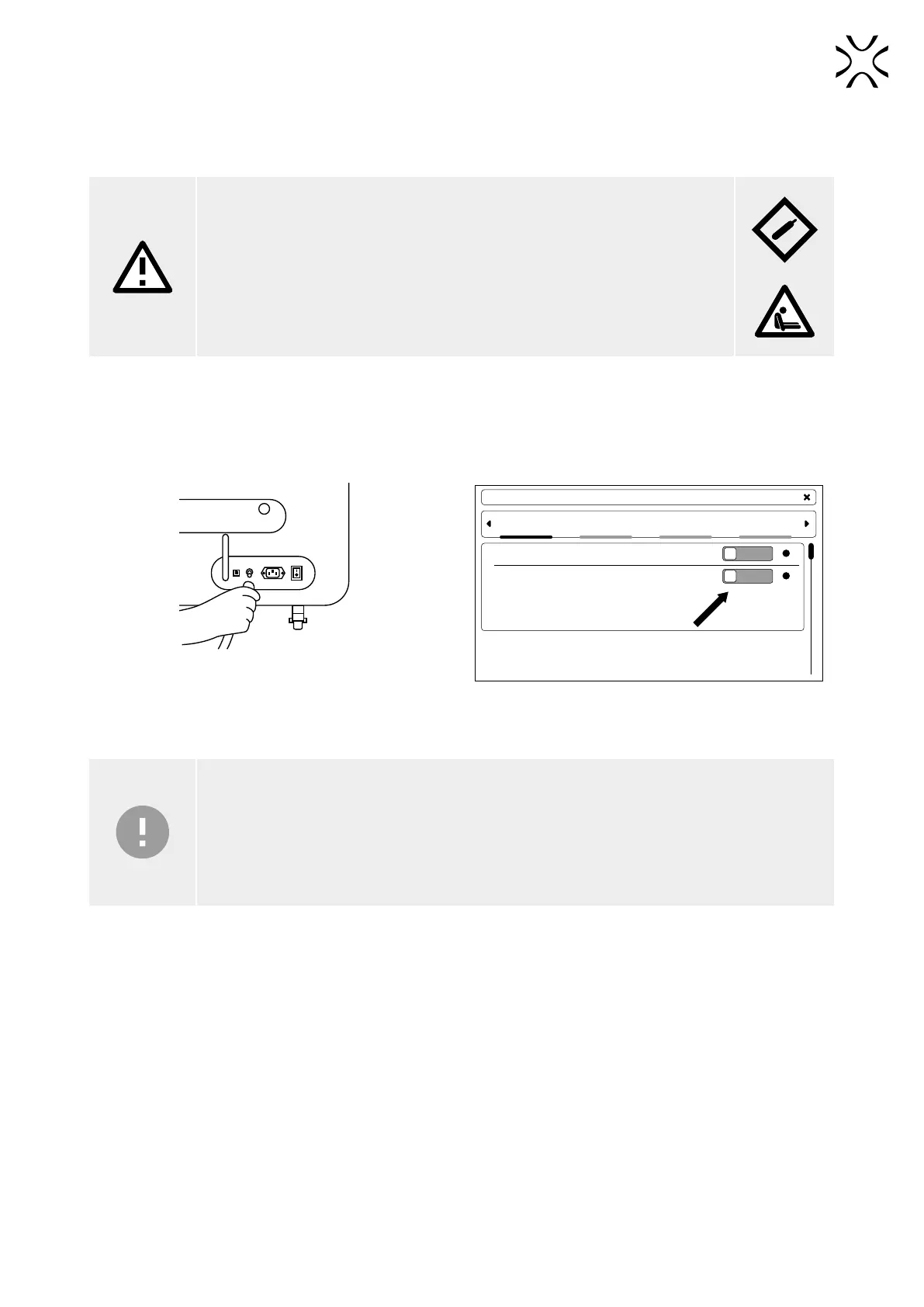
1. Connect the source of inert gas to the gas inlet nipple on the back of the printer. It is a quick connect tting (g. 10.1).
2. On the main menu screen, in the SETTINGS tab, go to MORE OPTIONS.
3. Under the ACCESSORIES tab, switch to ON next to INERT GAS (g. 10.2).
4. Start the printing process. The process is no different than the process outlined in Chapters 6-9.
MORE OPTIONS
ACCESSORIES
POWDER HANDLING STATION
INERT GAS
UPDATE FACTORY SETTINGS DATE AND TIME
OFF ?
OFF ?
Fig. 10.1 Connecting the inert gas source. Fig. 10.2 INERT GAS activation in the printer.
IMPORTANT!
• The inert gas source may safely be connected even if the printer is turned off. The connection
is equipped with an electronic safety valve.
• Make sure that the inert gas pressure remains between 4 and 8 [bar] / 58 to 116 [psi] throughout
the whole process. Please note that it may uctuate if a gas tank and a pressure regulator are
in use.



 To Next Page