Sinterit LISA X User Manual | 16
5. First start-up
IMPORTANT!
When the printer is turned on for the rst time, a short introduction will be shown on the screen,
allowing you to familiarise yourself with the machine’s operation.
IMPORTANT!
The accessories in the Dedicated Powder Tools recommended when working with the printer are
not part of the printer you purchased. For more information, visit our website: www.sinterit.com.
5.1 POWERING ON AND STARTING THE PRINTER
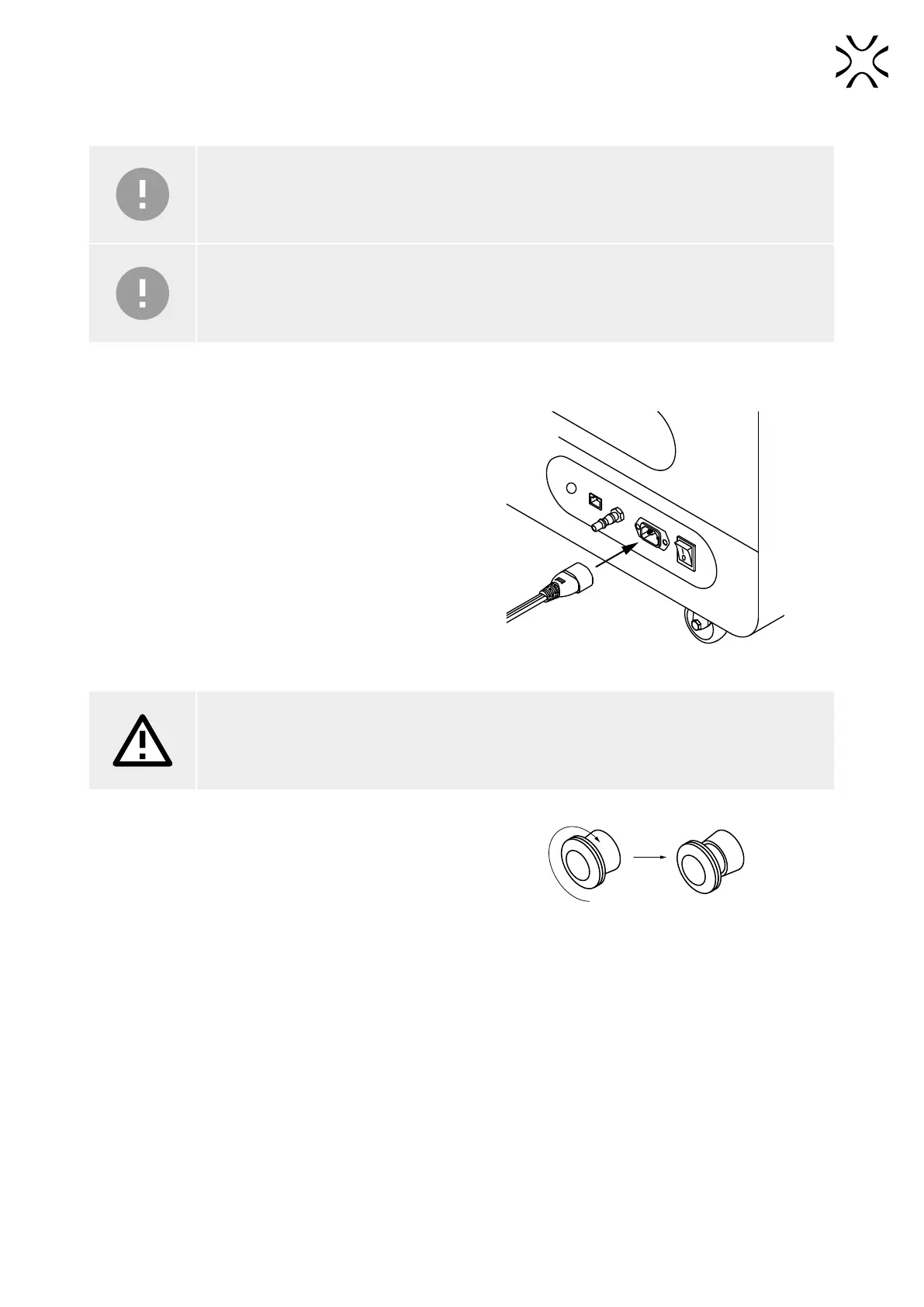
1. Connect the printer to power (g. 5.1).
Fig. 5.1 Connecting the power cable to the power socket.
ATTENTION!
Lisa X is supplied with 230 [V]. If you wish to connect the machine to 110 [V], use the voltage
converter included with the printer.
2. Flip the power button on the back of the printer to the
I position.
3. Make sure that the E-STOP button is released. If not,
twist it clockwise up to the stop and release (g. 5.2).
Fig. 5.2 Releasing E-STOP button.
4. After a few seconds, a short tutorial will appear on the screen. The following steps will be explained in detail later in
the tutorial.
5. Adjust the position of the screen to yourself. Pull the strap and change the orientation of the screen.
6. Connect the source of inert gas to the inlet nipple on the back of the printer. After connecting, toggle the button on
the screen.This step is optional.
7. Choose UNLOCK LID on the printer screen.
8. Push on the lid and pull it up using the lid handle (g. 5.3).



 To Next Page