Sinterit LISA X User Manual | 37
12.2 CLEANING THE PYROMETER WINDOW
You will need: 2 x cotton cloth, 2% salicylic spirits (ethanol solution) or another ethanol-based cleaning solution.
1. Choose UNLOCK LID on the printer screen.
2. Push on the lid and pull it up using the lid handle.
IMPORTANT!
After 10 seconds the electrolock will reactivate and it will no longer be possible to lift the lid. If you
still want to open the printer, slide the UNLOCK LID button again on the printer screen.
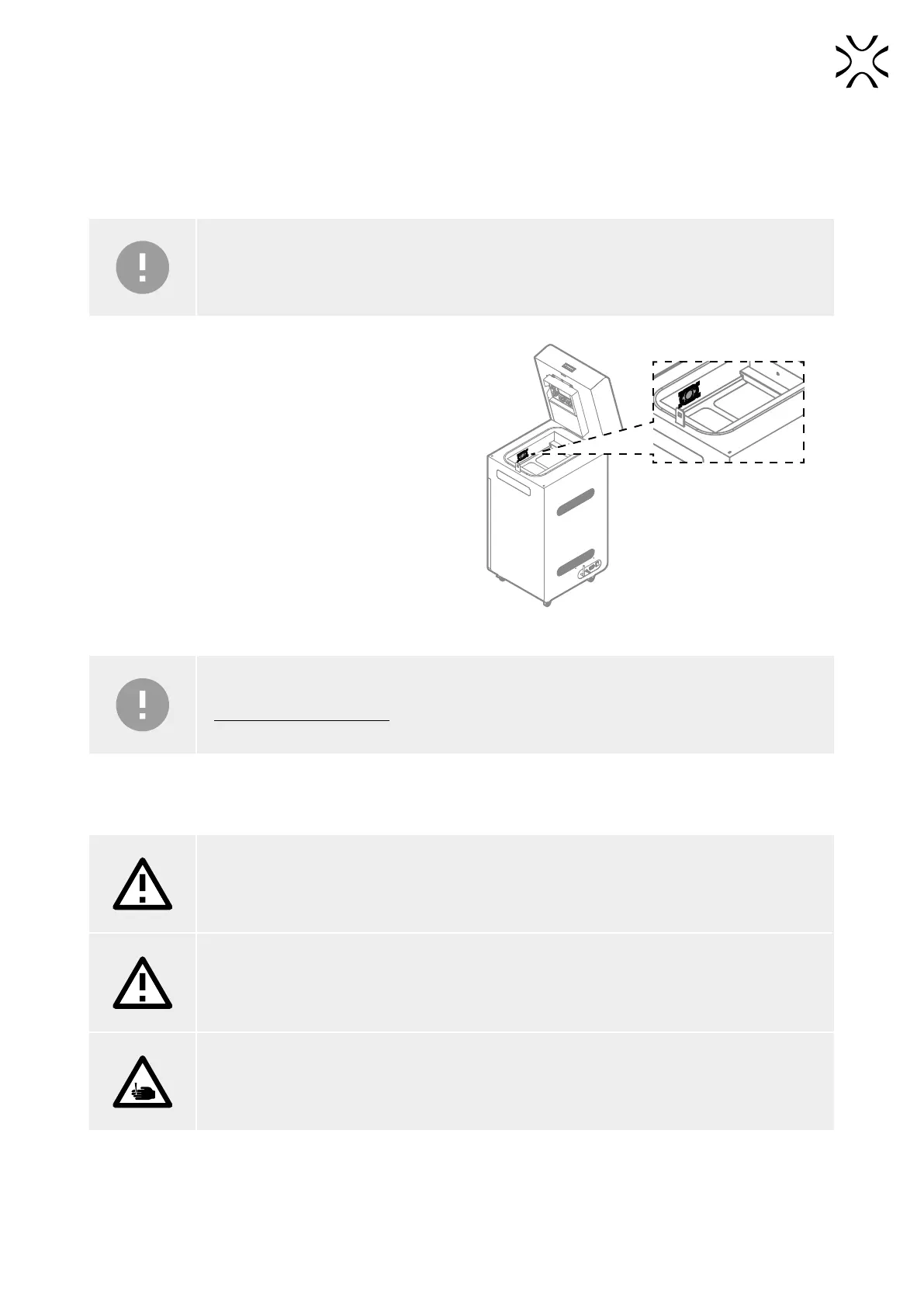
3. Delicately wipe the pyrometer window with a cotton
cloth soaked in 2% salicylic spirits (ethanol solution)
or another ethanol-based cleaning solution. You may
also use cleaning wipes provided in Dedicated Powder
Tools.
4. Wipe the pyrometer window again with a dry cotton
cloth, in order to remove any alcohol residue.
Fig.12.5 Location of the pyrometer in the print chamber.
IMPORTANT!
Do not use isopropyl alcohol to clean the pyrometer window!
12.3 CLEANING THE LASER PROTECTIVE GLASS
ATTENTION!
If the laser protective glass is damaged (visible scratches, cracks), replace it with a new one.
ATTENTION!
It is necessary to clean the laser protective glass immediately after each printing of rubber-like
materials.
ATTENTION!
Beware of sharp edges.



 To Next Page