Sinterit LISA X User Manual | 35
12. Basic maintenance
12.1 BASIC MAINTENANCE
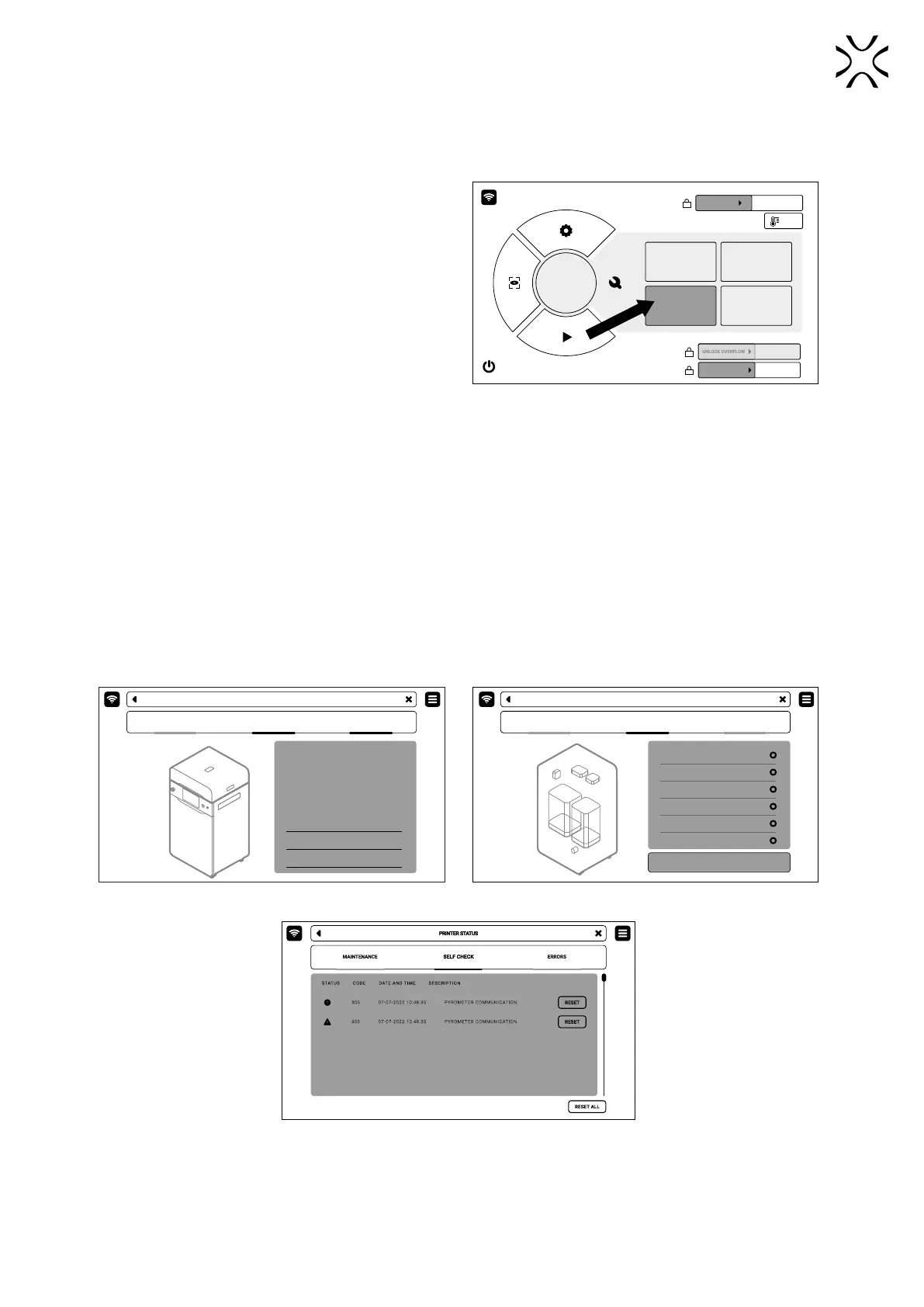
1. To determine if it is time to service the printer
components, from the Main Menu, select
MAINTENANCE and then select PRINTER STATUS.
MAINTENANCE
CLEAN
THE PRINTER
REMOVE
PRINTOUT
PRINTER
STATUS
PRINT JOB
HISTORY
UNLOCK LID
UNLOCK OVERFLOW
UNLOCK DOOR
25°C
Fig. 12.1 MAINTENANCE and PRINTER STATUS screen which
contains all the basic printer maintenance.
2. The PRINTER STATUS screen includes:
a) PRINTER STATUS tab, in which you can check the current status of the printer and the condition of the printer
components (g. 12.2). Components requiring maintenance and cleaning are:
• Laser protective glass
• Recoater cord
• Print Bed sealing
• Feed Bed sealing
• F-Theta scanning lens
• Reector sealing
• Recoater drive cord
• Infrared bulbs
• Recoater roller.
b) SELF CHECK tab, in which it is possible to check that all components in the printer are working correctly (motors,
laser, heaters, etc. Fig. 12.3).
c) ERRORS tab, in which you will see possible errors and messages of damage to printer components (g. 12.4).
PRINTER STATUS
PRINTER STATUS
CURRENT MATERIAL
RECENT PRINT JOB
PRINTER TEMPERATURE
MAINTENANCE STATUS
LASER PROT. GLASS
REOCATER CORD
PRINT BED SEALING
PA12 SMOOTH
PUMP_01
100°C
16/80 h
30/200 h
30/200 h
SEFL CHECK ERRORS
PRINTER STATUS
PRINTER STATUS
MOTORS
HEATERS
INFRARED BULBS
LASER
FAN
INERT GAS
SEFL CHECK ERRORS
SELF CHECK
Fig. 12.2 PRINTER STATUS screen. Fig. 12.3 SELF CHECK screen
Fig. 12.4 ERRORS screen.



 To Next Page