Sinterit LISA X User Manual | 24
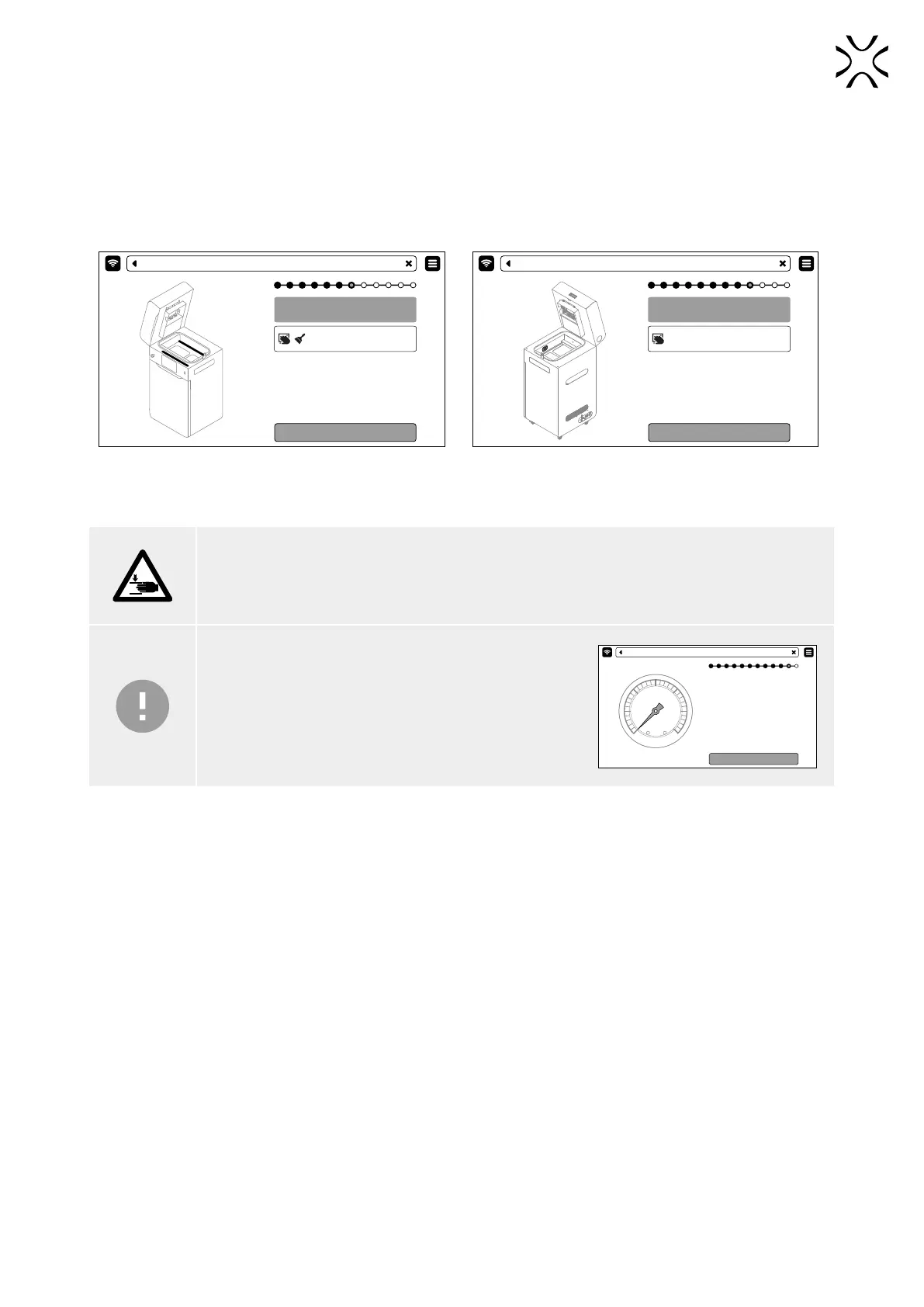
4. Remove powder from the guide bars. Use a brush or a cotton cloth. Press DONE (g. 6.10).
5. Apply silicone oil (available in the Dedicated Powder Tools) on the Recoater guide bar. A few drops along the whole
length is enough. Press DONE.
6. Delicately wipe the pyrometer window with a wipe soaked in 2% salicylic spirits (ethanol solution) or another ethanol
- based cleaning solution. You may also use cleaning wipes provided in Dedicated Powder Tools.
7. Wipe the pyrometer window again with a dry cotton cloth, in order to remove any alcohol residue. Press DONE (g.
6.11)
Use brush or cloth to clean the guide bars
from powder.
Use cloth and brush
DONE
PRINTING - CLEAN GUIDE BARE
Use a cloth soaked in ethyl alcohol to
clean the pyrometer window.
Use a cloth soaked in ethyl alcohol.
DONE
PRINTING CLEAN GUIDE BAR
Fig. 6.10 Clean and lubricate the Recoater guide bars. Fig. 6.11 Wipe the pyrometer window.
8. Make sure no miscellaneous items (i.e. spatulas) remain in the print chamber, then close the lid. Press DONE.
ATTENTION!
Be careful not to crush your hands when closing the printer lid.
IMPORTANT!
• If the printout requires it, connect the source of inert
gas to the inlet nipple.
• Press the CHECK PRESSURE button to verify the
inert gas control system.
• If the inert gas control system is incorrectly
connected, a proper message will appear.
CHECKING PRESSURE
PRINTING - CONNECT THE INERT GAS SOURCE



 To Next Page