Sinterit LISA X User Manual | 49
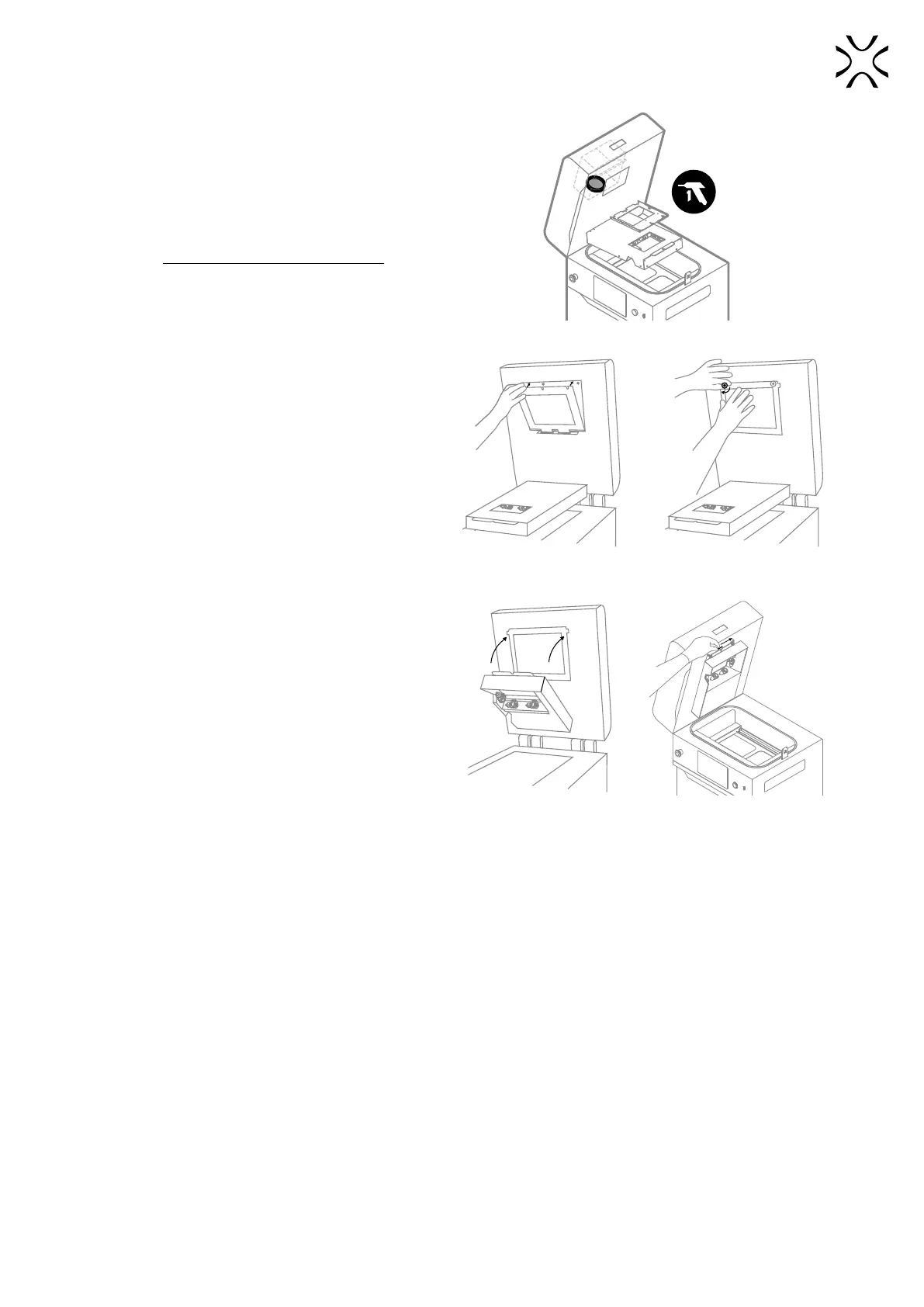
11. Take the laser protective glass out to get access to the
F-Theta scanning lens.
12. Use compressed air to clean the lens surface (g.
12.44). Do not touch the lens with anything!
Fig. 12.44 Cleaning F-Theta scanning lens.
13. Insert the laser protective glass into mounting brackets
and tighten the two quick release nuts (g 12.45).
Fig. 12.45 Reinstall the laser protective glass
and quick release nuts.
14. Lift the heating module (g. 12.46).
15. Reinsert the heating module split pin (g. 12.46).
16. Good job. The printer is ready to work again.
Fig. 12.46 Reinstall the heating module.



 To Next Page