Sinterit LISA X User Manual | 51
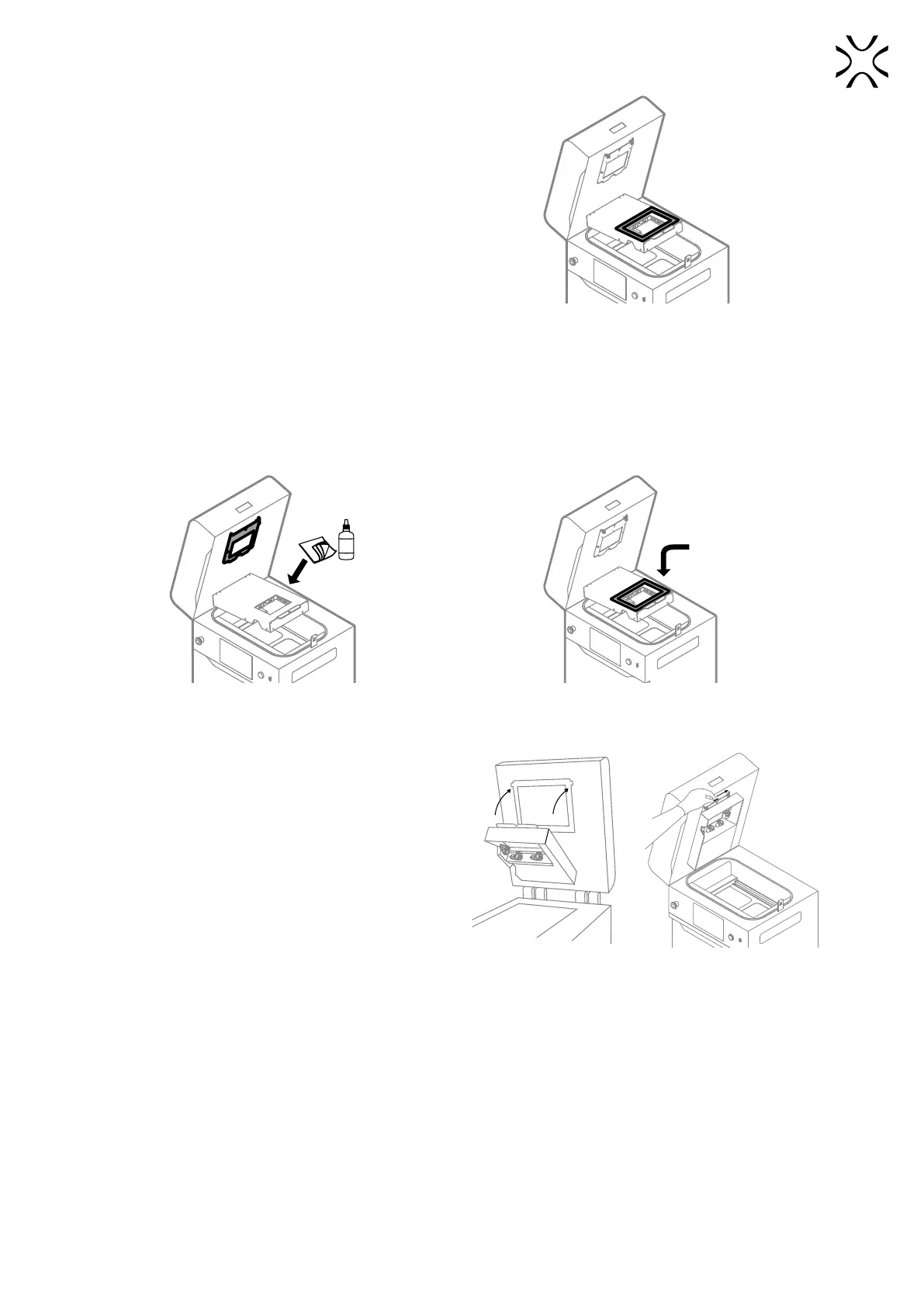
10. The reector sealing is located in the heating module
(g. 12.49). Check its condition for any damage,
deformation or tearing. If needed, replace it.
11. Remove the old sealing.
Fig. 12.49 Location of the reector sealing.
12. Use a cotton cloth soaked in alcohol to remove the sealing residues (g. 12.50).
13. Take the new reector sealing.
14. Remove the plastic paper and place the sealing carefully around the hole (g. 12.51). Do not stretch the seal when
glueing!
15. Press the seal carefully on each side.
%
NEW
SEALING
Fig. 12.50 Clean the reector thoroughly
before applying a new sealing.
Fig. 12.51 Apply the new reector sealing.
16. Lift the heating module (g. 12.52).
17. Reinsert the heating module split pin (g. 12.52).
18. Good job. The printer is ready to work again.
Fig. 12.52 Reinstall the heating module.



 To Next Page