INTEGRATION WITH SKF @PTITUDE OBSERVER
@ptitude Observer overview and prerequisites
SKF Enlight Collect IMx-1 System
User Manual
Revision F
2.1.2 Users and security role rights
All personnel undertaking on-site installation and commissioning tasks using the app
must be added as @ptitude Observer users with appropriate rights. There is a
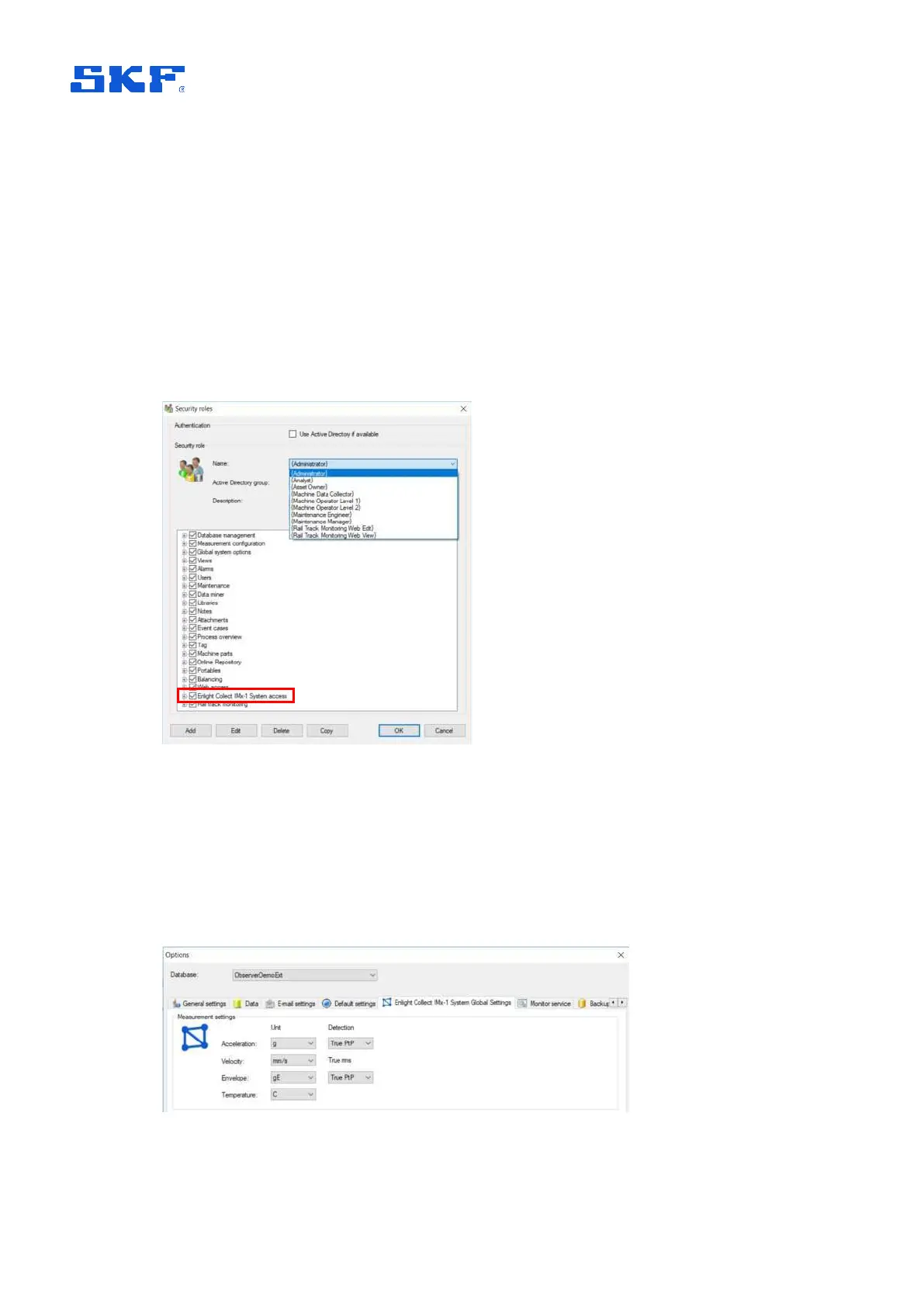
specific, single, right that applies to IMx-1 System access and the Enlight Collect
Manager app.
Multiple security roles such as Administrator, Maintenance Manager and Machine
Operator Level 2 have this right. These roles differ significantly however in their
overall scope. For example, the role “Machine Operator Level 2” has otherwise very
limited rights so would not allow the user to perform IMx-1 system configuration and
maintenance tasks, within @ptitude Observer.
Figure 7 Security roles – IMx-1 System access, user rights
2.1.3 Enlight Collect IMx-1 System global settings
The selection of engineering units for IMx-1 measurements and the detection
methods used, are global settings found under Database > Options > Enlight Collect
IMx-1 System Global Settings tab:
Figure 8 Enlight Collect IMx-1 System global settings



 To Next Page