MAINTENANCE FUNCTIONS
Troubleshooting
SKF Enlight Collect IMx-1 System
User Manual
Revision F
as necessary, sync with Monitor and then use the app to update the network
settings of affected gateways.
4.3.7 Gateway interfaces for SKF personnel
The gateway main enclosure should only be opened by or under the direction of
appropriate SKF Application Engineers or TSG personnel. To access the main
gateway compartment first remove the lower cover and then unscrew the two Torx
T10 screws that are now visible and lift the main enclosure lid away. Be aware that
with the lid removed the LEDs will be very bright, it may be useful to have something
to cover them temporarily whilst working on the gateway.
Note, on reassembly ensure that the main lid seal is correctly in place to preserve the
enclosure IP rating.
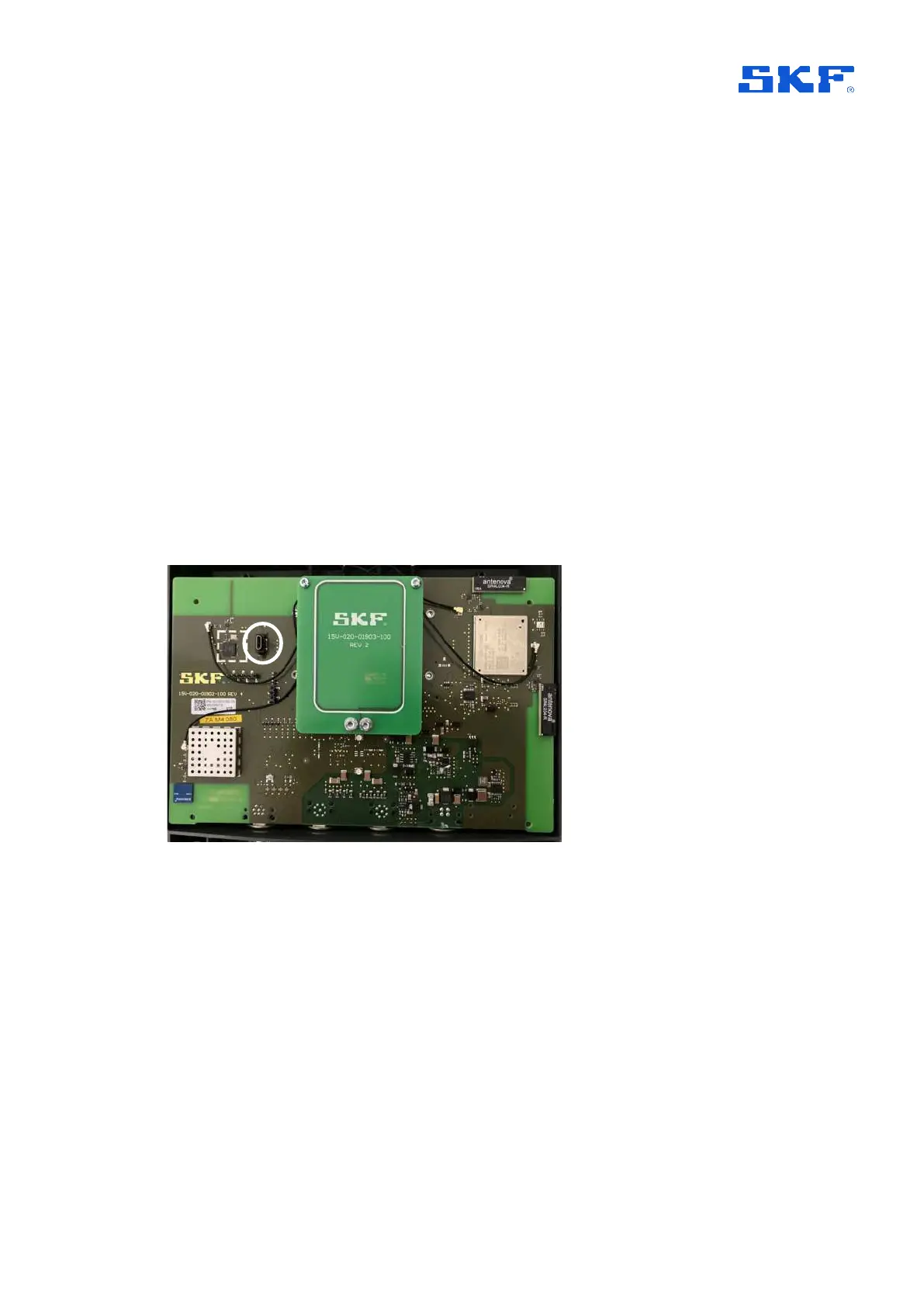
4.3.7.1 USB service interface
A micro USB header provides access to the service interface. This interface is
identified, circled, in the figure below.
Figure 58 Location of USB service interface connector
Important: Whilst the procedure for a factory reset of the gateway is described below
it is always recommended to first attempt to achieve that, by decommissioning a
gateway using the app.
Access USB service interface
Prerequisites for this work:
• Have available a PC with a terminal emulator, like Tera Term or PuTTY
• Connect the micro-USB cable between PC and gateway
• If not already powered, power the gateway



 To Next Page