INTEGRATION WITH SKF @PTITUDE OBSERVER
Enlight Collect IMx-1 System View
SKF Enlight Collect IMx-1 System
User Manual
Revision F
2.2.1 On-demand measurements
On-demand measurement requests data acquisition to the gateway and is activated
in the @ptitude Observer Hierarchy. Request can be triggered at the machine level,
sub-machine level or measurement point level.
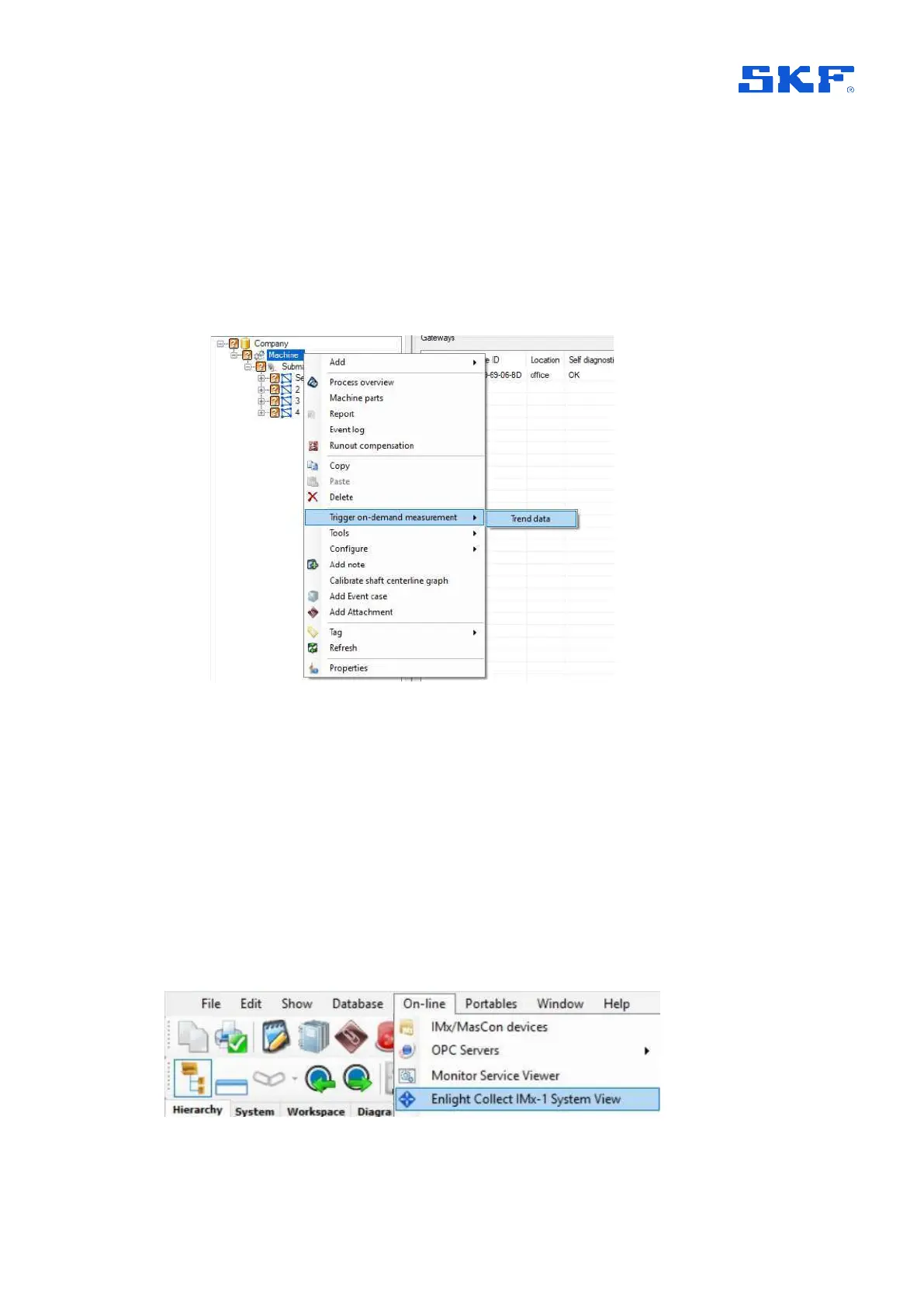
Right-click on the desired level in the hierarchy and select Trigger on-demand
measurement > Trend data.
Figure 12 Access the Enlight Collect IMx-1 System view
When the measurement is collected, it can be seen in the Trend List.
For more information about On-demand measurements and other Hierarchy right-
click functions, refer to the Observer user manual.
2.3 Enlight Collect IMx-1 System View
This is a dedicated window that provides gateway and sensor information and access
to IMx-1 system configuration functions. Get to this system view from On-line >
Enlight Collect IMx-1 System view:
Figure 13 Access the Enlight Collect IMx-1 System view



 To Next Page