INTEGRATION WITH SKF @PTITUDE OBSERVER
Hierarchy view – adding sensors and measurements
SKF Enlight Collect IMx-1 System
User Manual
Revision F
Engineering units for each of the four measurement types can be chosen and the
following alternatives are available:
• Acceleration: g or m/s^2
• Velocity: mm/s or ips
• Envelope: gE or m/s^2E
• Temperature: C or F
Whilst for Acceleration and Envelope measurements the sensor itself always
operates with a true peak-to-peak detection (True PtP), in @ptitude Observer the
detection can also be configured as half the true peak to peak value (True PtP/2). If
this option is chosen, measurement data and any alarm thresholds are automatically
adjusted in interactions with the sensor.
Being global settings, these apply to all IMx-1 sensors in the database and also to
the units used for the gateway, internal temperature measurement. Pressing the
default settings button, on the lower left edge of the dialog, selects the choices in
bold above.
2.2 Hierarchy view – adding sensors and measurements
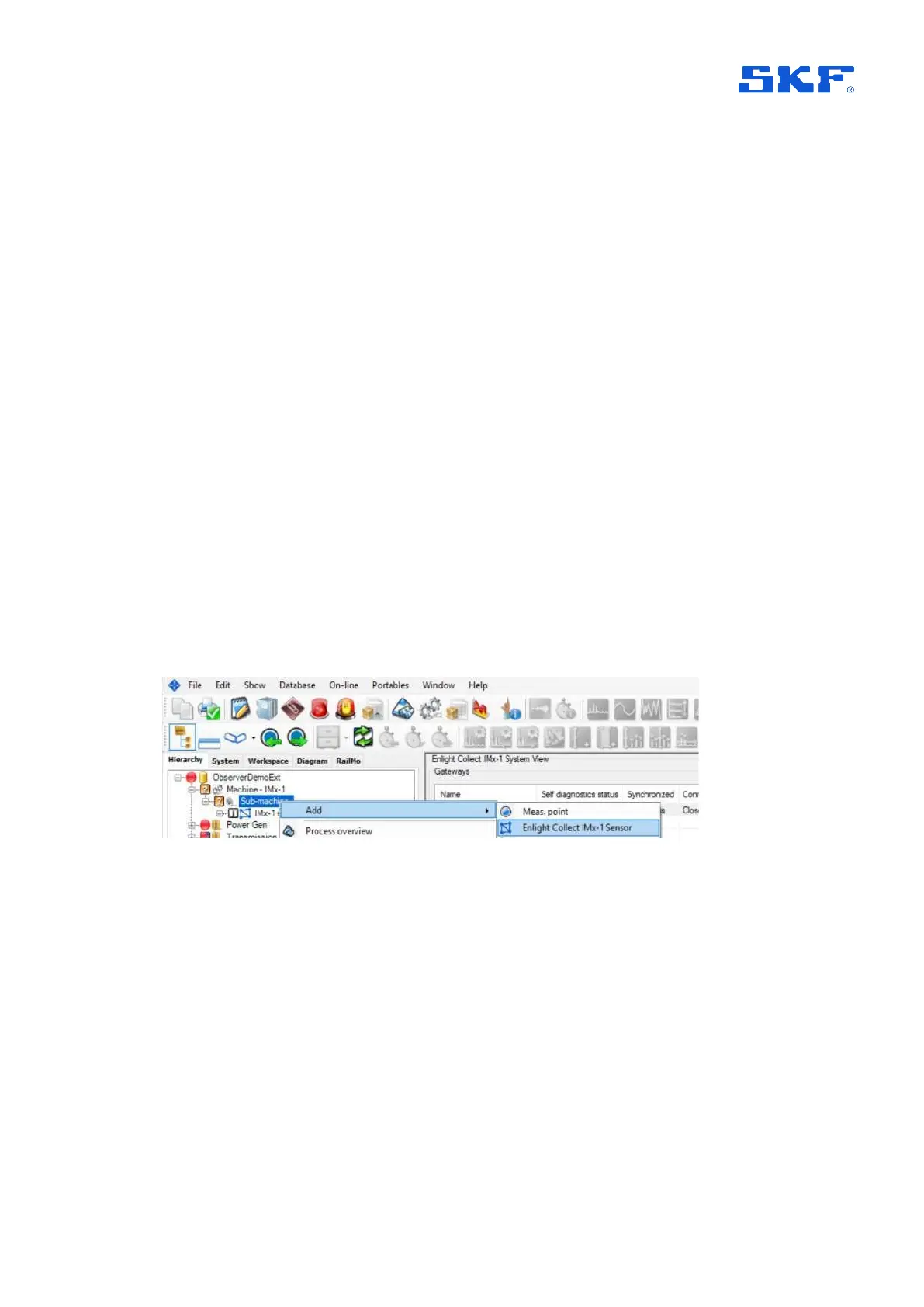
IMx-1 sensors are added to sub-machines in the @ptitude Observer Hierarchy. Right
click on the appropriate asset node and select "Enlight Collect IMx-1 Sensor" from
the "Add" sub-menu:
Figure 9 Add – IMx-1 Sensor
When added to the hierarchy a node for the IMx-1 sensor is created along with a four
point ‘cluster’ of Temperature, Acceleration, Velocity and Envelope measurements,
refer the figure below.



 To Next Page