INTEGRATION WITH SKF @PTITUDE OBSERVER
IMx-1 system configuration
SKF Enlight Collect IMx-1 System
User Manual
Revision F
mesh statistics are only updated when a particular sensor is communicating, the
time/date provided in the Last reading column will convey when that was.
Selecting a particular entry in the main table populates the Sensor parent history.
For the selected sensor this will show not just the last parent but all parents within the
selected interval. For each a Parent name, Parent average link metric and
Connection share (%) will be shown. The connection share shows the proportion of
the total connections that were made through that particular parent. Similar to the
main table, a Location column is displayed for identification purposes, this time of
the parent device.
2.4 IMx-1 system configuration
2.4.1 Gateway
Being part of the mesh infrastructure, gateways are mostly configured in the
@ptitude Observer, IMx-1 system view.
Select a gateway from the upper gateway table/list then double click or right click and
select properties or for a new gateway, press New. When a new gateway is created,
where appropriate, the properties of the last gateway created/modified will be re-
used.
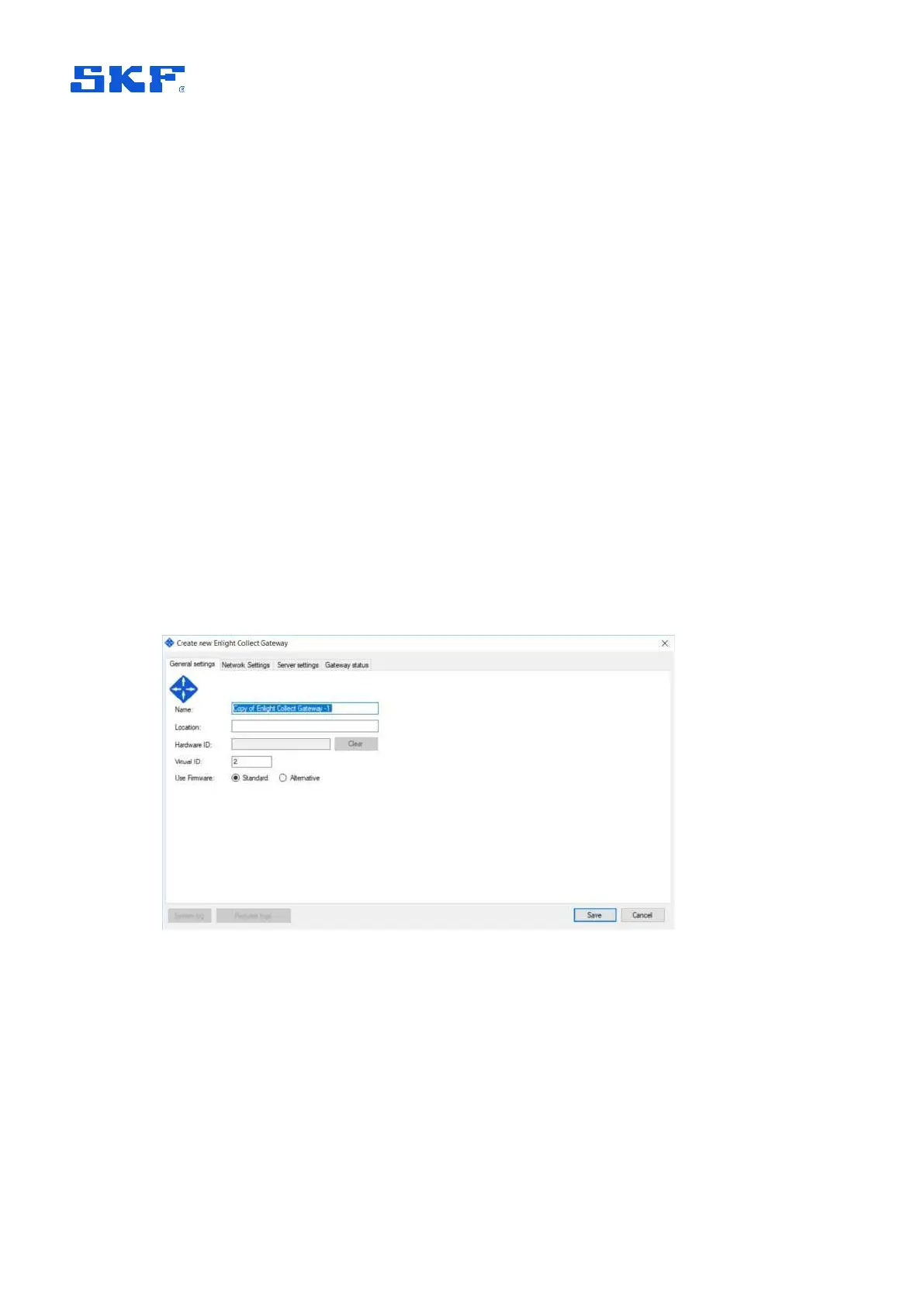
Figure 17 Configuring a new gateway – General settings tab
The General settings tab has user editable areas for a gateway descriptive Name, a
descriptive Location, a Virtual ID and a choice of using Standard or Alternative
firmware. Refer to the SKF @ptitude Observer user manual or help file for an
understanding of why Alternative firmware might be used in some circumstances.
Virtual ID is a unique identifying number for each gateway in the database. Valid
assignments are in the range 1 to 65 535, the system will suggest the lowest
available Virtual ID.



 To Next Page