INTEGRATION WITH SKF @PTITUDE OBSERVER
IMx-1 system configuration
SKF Enlight Collect IMx-1 System
User Manual
Revision F
The Virtual ID can be thought of as a reference to a specific ‘slot or position’ in the
database. During commissioning an individual gateway’s Hardware ID is assigned to
that position to ensure that data reaches the intended destination. If a gateway has to
be replaced, that assignment of Hardware ID to Virtual ID has to be cleared before
the new gateway can connect to that Virtual ID.
If a user has appropriate rights, the Request logs button can be used to upload log
files from the gateway to the file system on the @ptitude Observer computer. The log
files can be useful for IMx-1 system troubleshooting and are uploaded as a single,
password protected, zip file. The file transfer dialog will confirm the location where
the file has been stored.
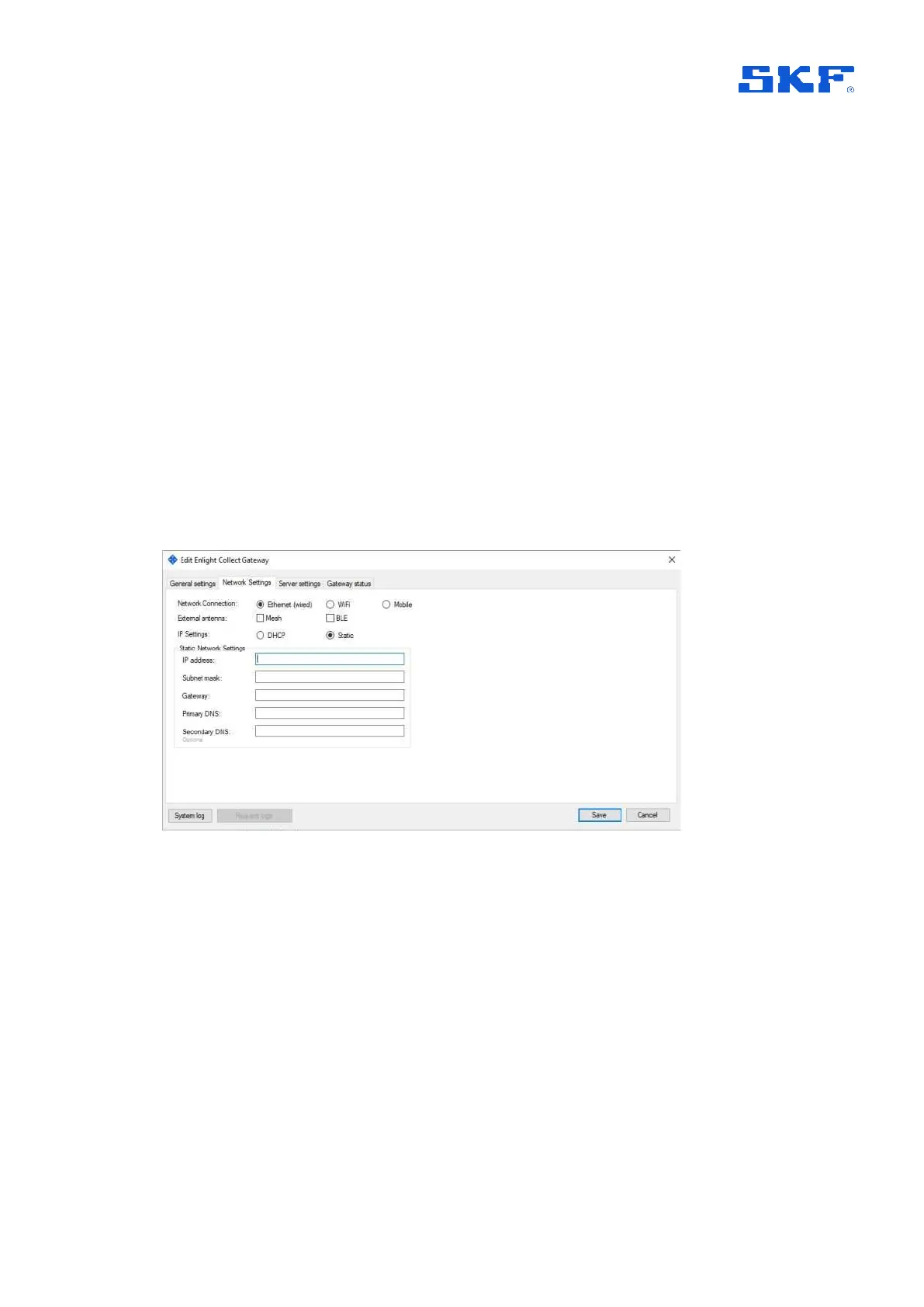
The Network settings tab allows the gateway network connection to be selected as:
Ethernet (wired) and to be set for dynamic (DHCP) or static addressing and as
appropriate to allocate static settings for its IP Address, Subnet mask, the
network Gateway address, DNS addresses, etc. Use of external antenna
Mesh or/and BLE (Bluetooth low energy) is also selected in this menu.
Figure 18 Network settings – Ethernet
Wi-Fi specific selections include a SSID and Security type protocol for the wireless
network. For security, there is a choice between WPA2-Personal and WPA2-
Enterprise. Being a certificate based authentication, be aware that
selecting WPA2-Enterprise will require additional configuration fields to be completed
over and above those shown in the WPA2-Personal example below. These
include CA (Certificate Authority) certificate, EAP (Extensible Authentication
Protocol), user Identity etc. If external antenna is used, it can be selected in this
window.



 To Next Page