MAINTENANCE FUNCTIONS
Troubleshooting
SKF Enlight Collect IMx-1 System
User Manual
Revision F
4.3.2 Logs and viewers
Event log
@ptitude Observer maintains a time stamped event log and this supports the SKF
Enlight Collect Gateway and its associated sensors. Always check this event log for
evidence of errors, activity or status changes that might explain any functional issues.
For the Event Log the following notes apply:
• Access the Event log from On-line > Event Log.
• For an Enlight Collect IMx-1 System, class will be shown as ‘S’.
• Event types cover a range of different conditions related to firmware update,
configuration change, loss of connectivity, gateway restart or reset, user log-
in to the gateway and integrity checks, etc.
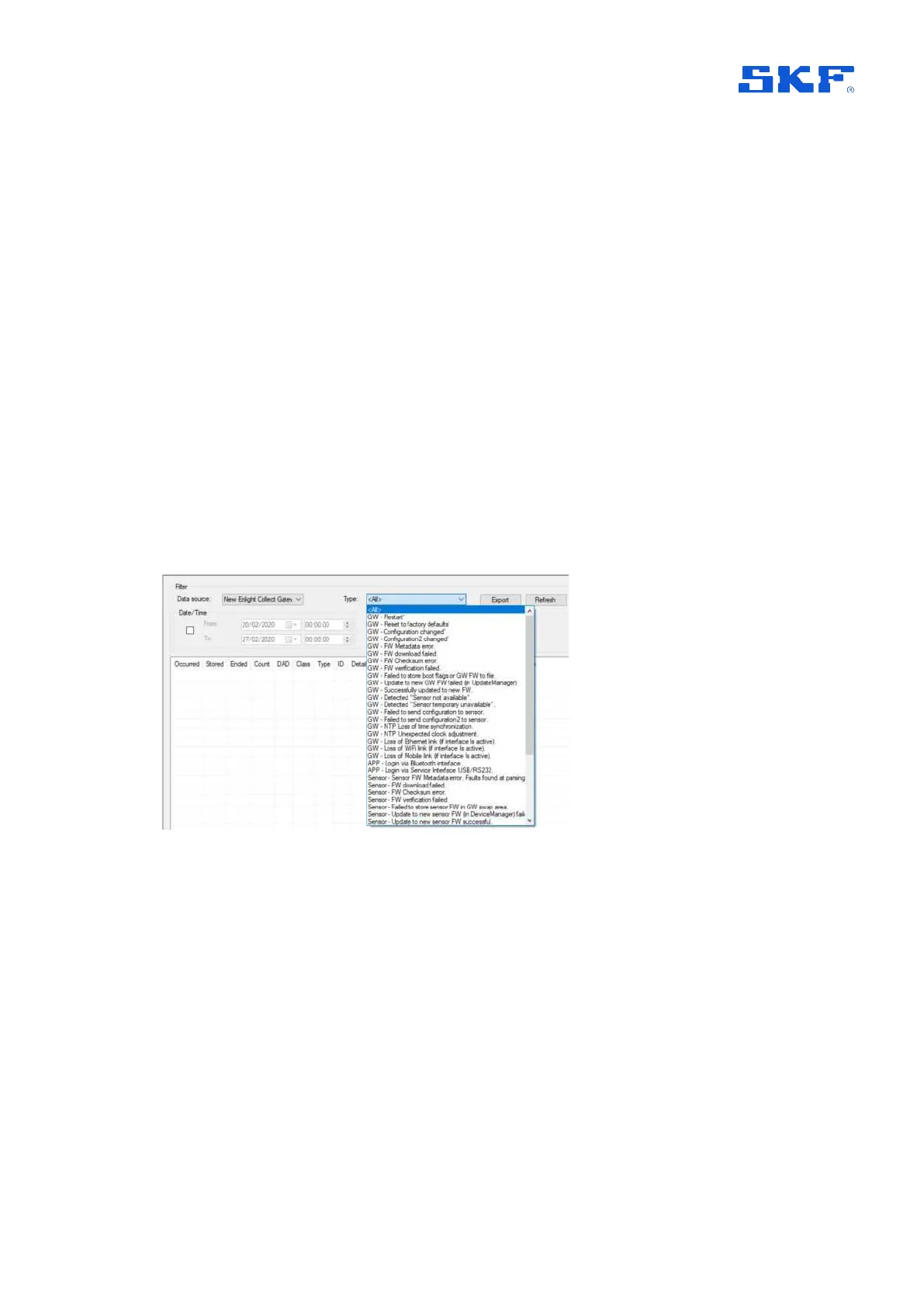
• The display can be filtered by the DAD that is the source of the event, for
example a specific gateway, by date range and by event Type:
Figure 46 Event log filtering
• Count is related to the duration of an event:
o 0 for an event without duration, for example gateway restarted.
o 1 event ‘start’ for example log-in or loss of connectivity.
o -1 for event ‘end’ for example log-out or connectivity regained.
• Some event types are ‘adapted’ for a wireless sensor:
o A gateway detecting that a sensor has not responded to a
communication results in a ‘Sensor temporarily unavailable’ event.
This causes @ptitude Observer to set a sensor ‘Not measured’,
status.



 To Next Page