MAINTENANCE FUNCTIONS
Troubleshooting
SKF Enlight Collect IMx-1 System
User Manual
Revision F
o A gateway detecting that a sensor has been unavailable for 24-hours
results in a ‘Sensor not available’ event that causes @ptitude
Observer to set a sensor ‘Sensor fault’ status.
o Note also that in terms of the status displayed in the @ptitude
Observer hierarchy, receiving no measurement data for twice the
expected interval will also cause the sensor and its measurement
points to be set to ‘Not measured’ status.
• An Export function allows the export of events to an Excel file for further
analysis or sharing.
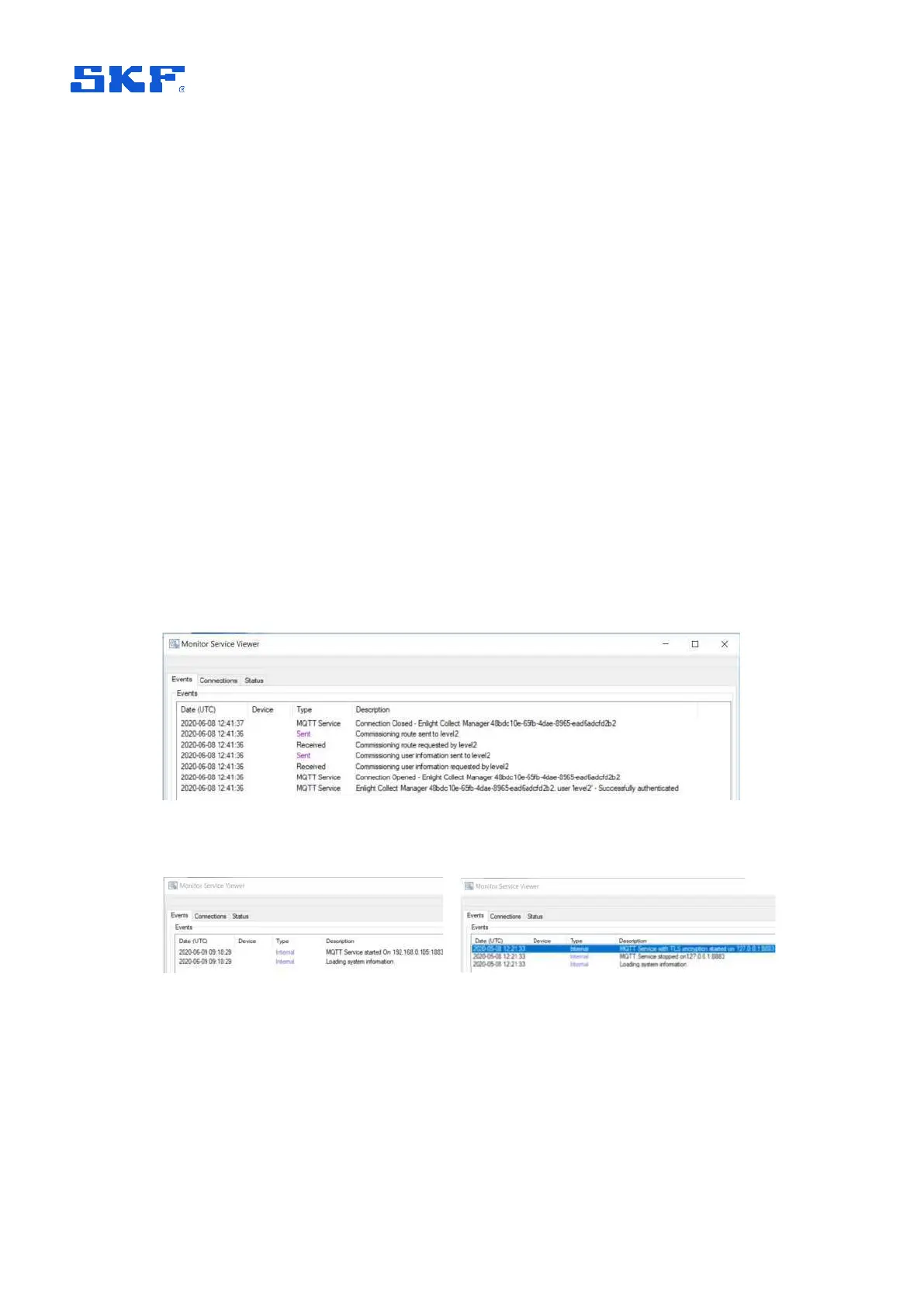
Monitor service log and viewer
As it is the Monitor service that receives the data from the IMx-1 system, that
interface can contain relevant information regarding the system performance and
MQTT connection status.
To view current Status and recent Events, open the @ptitude Observer Monitor
service viewer:
• From @ptitude Observer, access it from On-line > Monitor service viewer
• Or, double click the Monitor area in the lower status bar
Figure 47 Monitor Service Viewer – Events – EC Manager app sync request – non-TLS
Figure 48 Monitor Service Viewer – Events – MQTT service started



 To Next Page