Section 4
4.1
PROGRAMMING USING LOCAL
ADJUSTMENT
The Magnetic Tool
The digital display enables the local adjustment function.
The local adjustment function may be used only through the digital display. The LD301 on transmitter
mode, without display and jumper-configured for simple mode, executes only the calibration function.
If it is on controller mode and without display, the local adjustment cannot be executed. On this
situation and with the display connected, only the OPER and TOTAL functions may be executed.
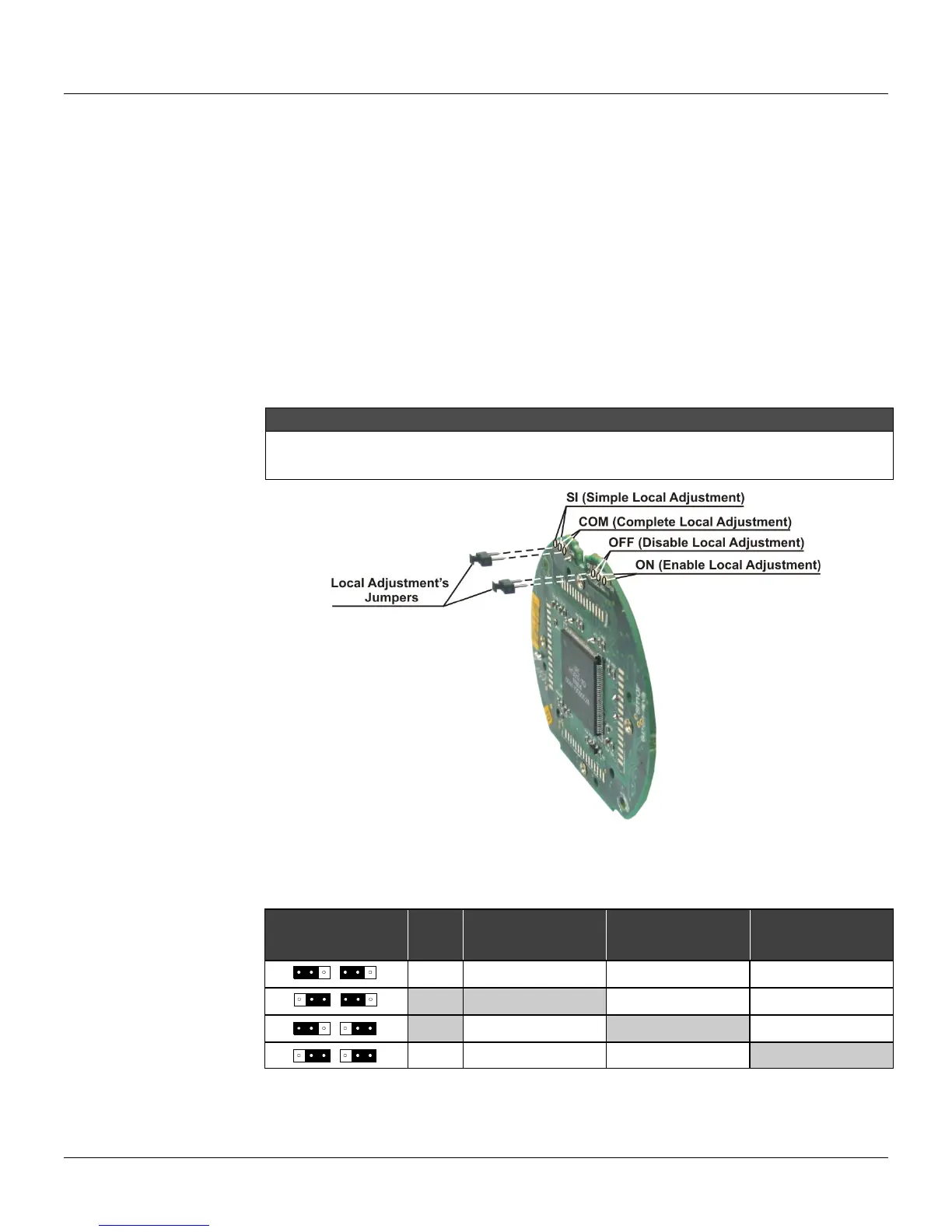
Figure 4.1 shows the location of the local adjustment female pins to connect the Local Adjustment
Jumpers.
NOTE
For the transmitter configuration to be totally available, the configurators should be based on PC to be
utilized (e.g., DDL – device description language), like for instance the CONF401, or the hand held
configurator, such as the Palm Top (HPC401).
Figure 4.1 - Main Board with Jumpers
To select the function mode of the magnetic switches configure the jumpers located at the top of the
main circuit board as indicated in Table 4.1.
SI/COM OFF/ON NOTE
WRITE
PROTECT
SIMPLE LOCAL
ADJUSTMENT
COMPLETE
LOCAL
Disables Disables Disables
1 Enables
Disables Disables
2
Disables
Enables
Disables
Disables Disables
Enables
Notes: 1 - If the hardware protection is selected, the EEPROM will be protected.
2 - The local adjustment default condition is simple enabled and write protect disabled.
Table 4.1 – Local adjustment Selection



 To Next Page