Programming Using Local Adjustment
4.9
Display 2 (LCD_2)
Z: Moves to the RANGE function.
S: Starts selection of variable to be indicated as secondary display.
The procedure for selection is the same as for LCD_1, above.
CO Analog Output Current in mA
MV (%) Output in percentage
PR Pressure in pressure unit
PV (%) Process Variable in percentage
PV Process Variable in user unit
TE Temperature in Celsius degree
SP (%) Setpoint in percentage
SP Setpoint in user unit
ER Error or Deviation in percentage
TO Totalization in totalization unit
NONE - No variable on display (only LCD_2)
ESC Escape
Table 4.3 - Display Indication
NOTE
In the transmitter mode, only the PV%, CO, TE, TO and PV may be displayed. Besides, it is also
possible to select option None for Display 2.
Range (RANGE)
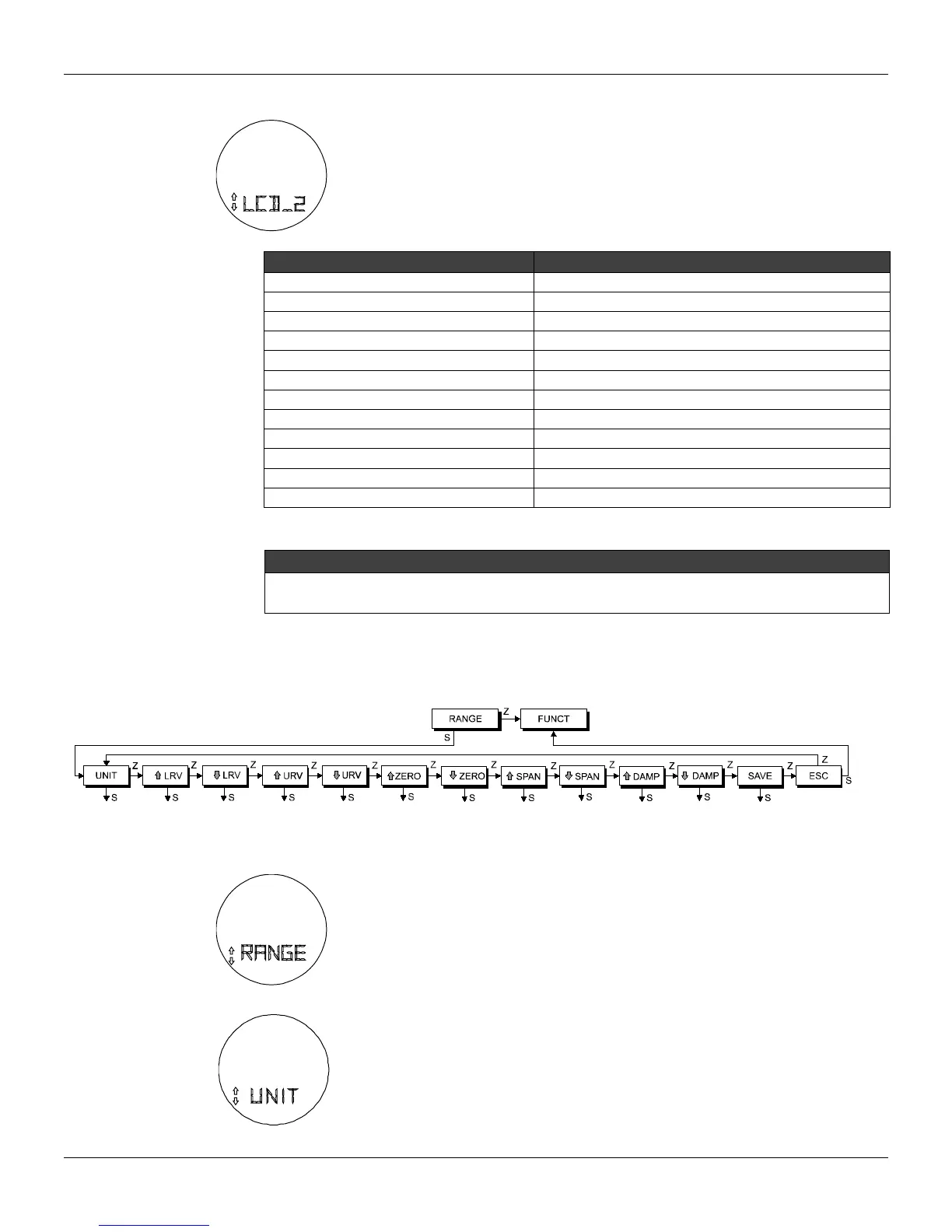
Function Calibration (RANGE) presents the calibration options as a tree branch, as described on Figure
4.7.
Figure 4.7 – Local Range Tree
RANGE BRANCH (RANGE)
Z: Moves to the FUNCT function, CONF branch.
S: Enters the RANGE branch, starting with the function UNIT.
Unit (UNIT)
Z: Moves to the LRV function, LRV decrease option.
S: Starts selection of engineering unit for process variable and setpoint indication. After
activating (S), you can move around the options available in the table below by activating
(Z). Using (S) activates the desired unit. Escape leaves the unit unchanged.



 To Next Page