15
D735 User Manual Setting up the Phone
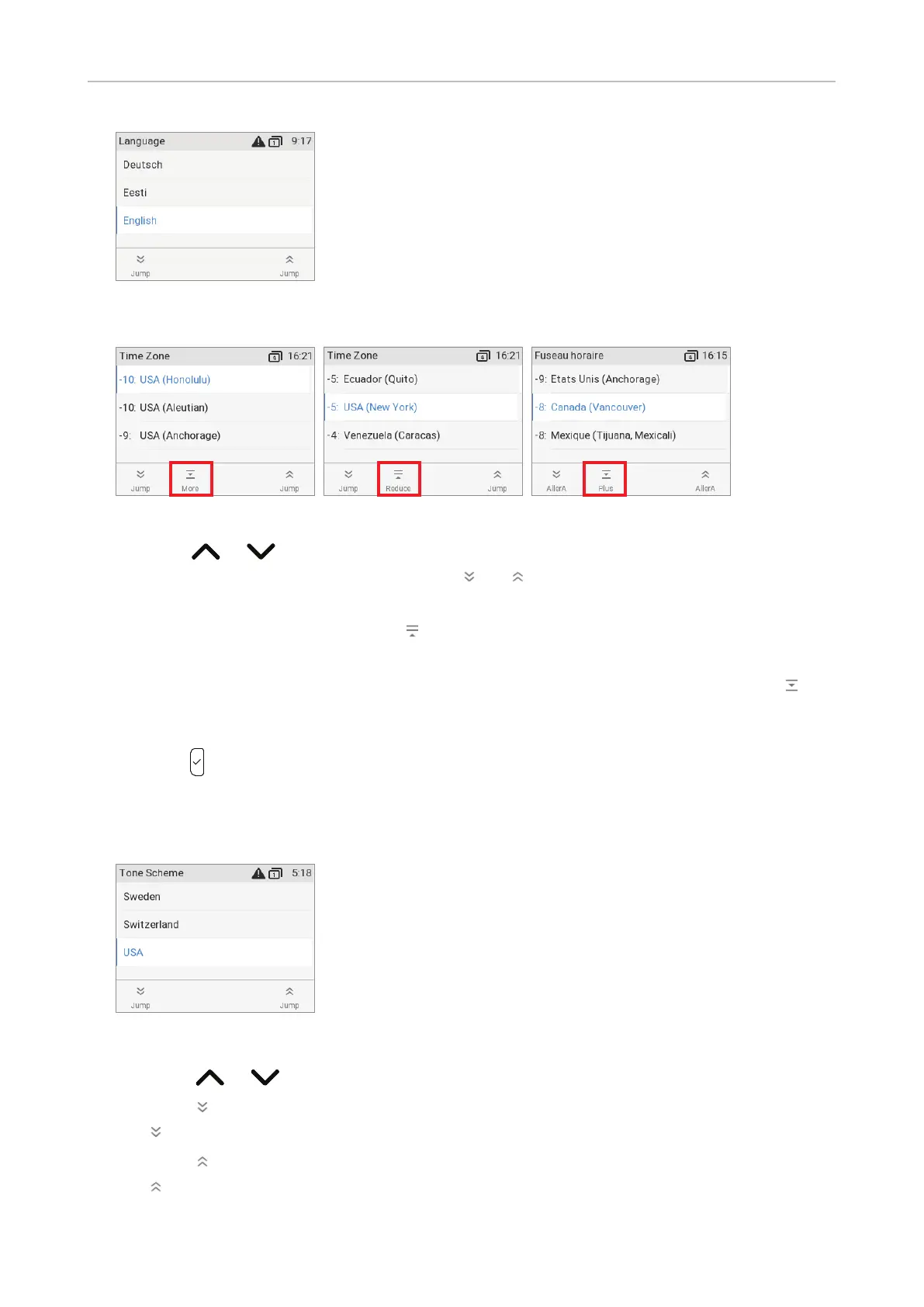
2. Next, you will be prompted in the language of your choice to select a time zone. This aects the
time shown on your display.
Fig. 1 Fig. 2 Fig. 3
◦ Press or , respectively, on the navigation key to move up or down the list one item at
a time; press the function key underneath
or , respectively, to jump to the beginning of
the next or the previous time zone.
◦ Press the function key underneath
(Fig. 2) to show only those time zones where the
selected phone language is spoken. If you have selected English, all time zones are shown.
◦ If you have selected a time zone other than English, press the function key underneath
to
show all time zones and all countries or cities within the individual time zones, if there are any
(Fig. 3).
◦ Press
to save the selected time zone, indicated by the white bar.
3. Next, you will be prompted to select the tone scheme of a country. This aects the dial tone you
hear when you pick up the receiver. Dierent countries use dierent dial tones.
Fig. 4
◦ Press or to move up or down the list one item at a time.
◦ Press
to jump to the last country on the screen; when the last country is selected, press
to jump to the last country on the next screen.
◦ Press
to jump to the first country on the screen; when the first country is selected, press
to jump to the first country on the preceding screen.



 To Next Page