16
D735 User Manual Setting up the Phone
◦ Press to save the selected country's tone scheme.
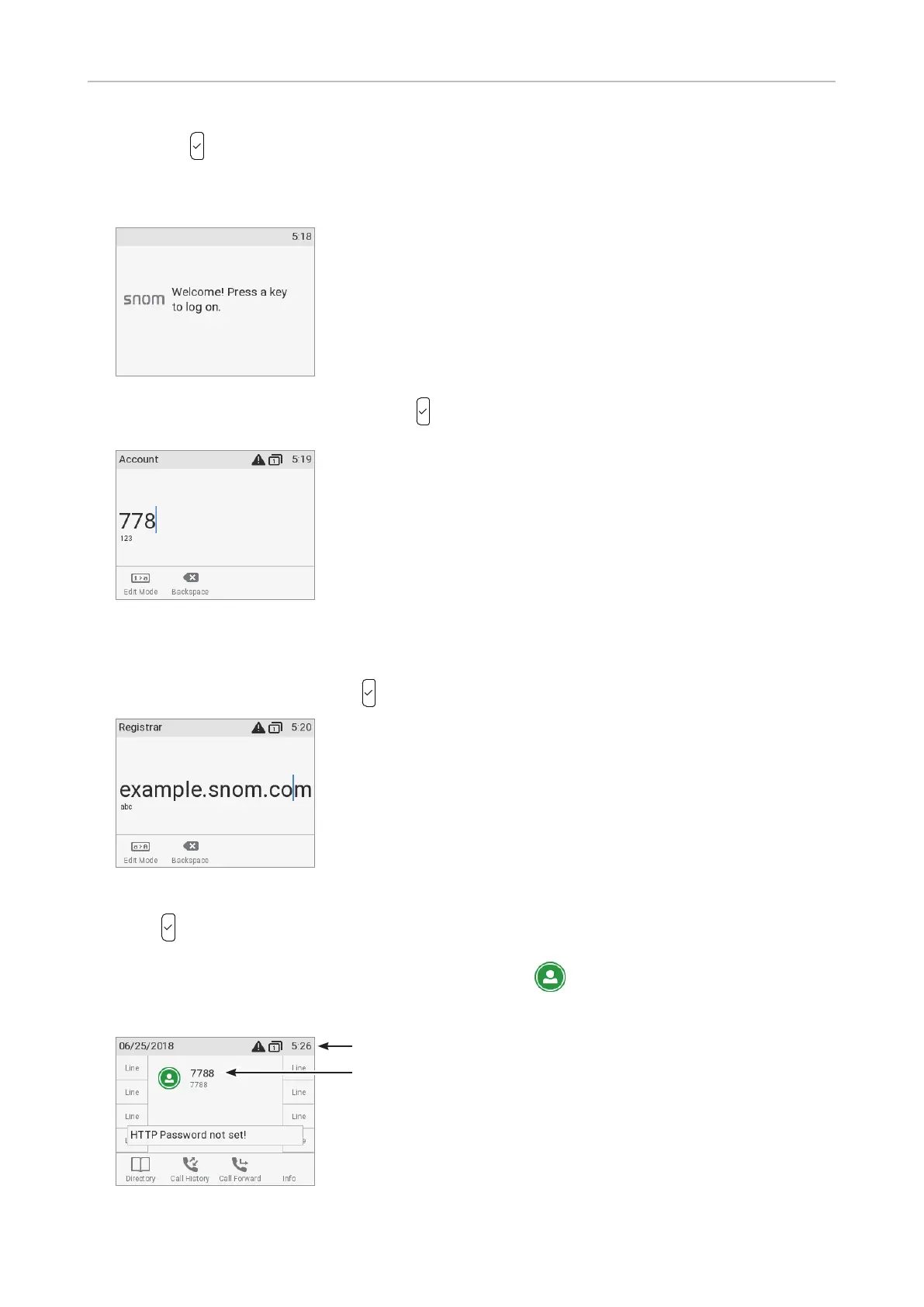
4. The display shows the "Welcome" screen. Press any key to log on.
5. Enter the account number and save with .
Note: See "Entering numerals, letters, special characters, and symbols" on page 24
on how to enter numbers and letters.
6. Enter the registrar and save with
.
7. If required, enter the password received from your Internet service provider or administrator and
press
.
After successful registration you will see the identity symbol
and the registered account (identity)
in the identity line underneath the date/time bar:
Infobar with date& time
Identity



 To Next Page