Levelogger Series User Guide
Page 45
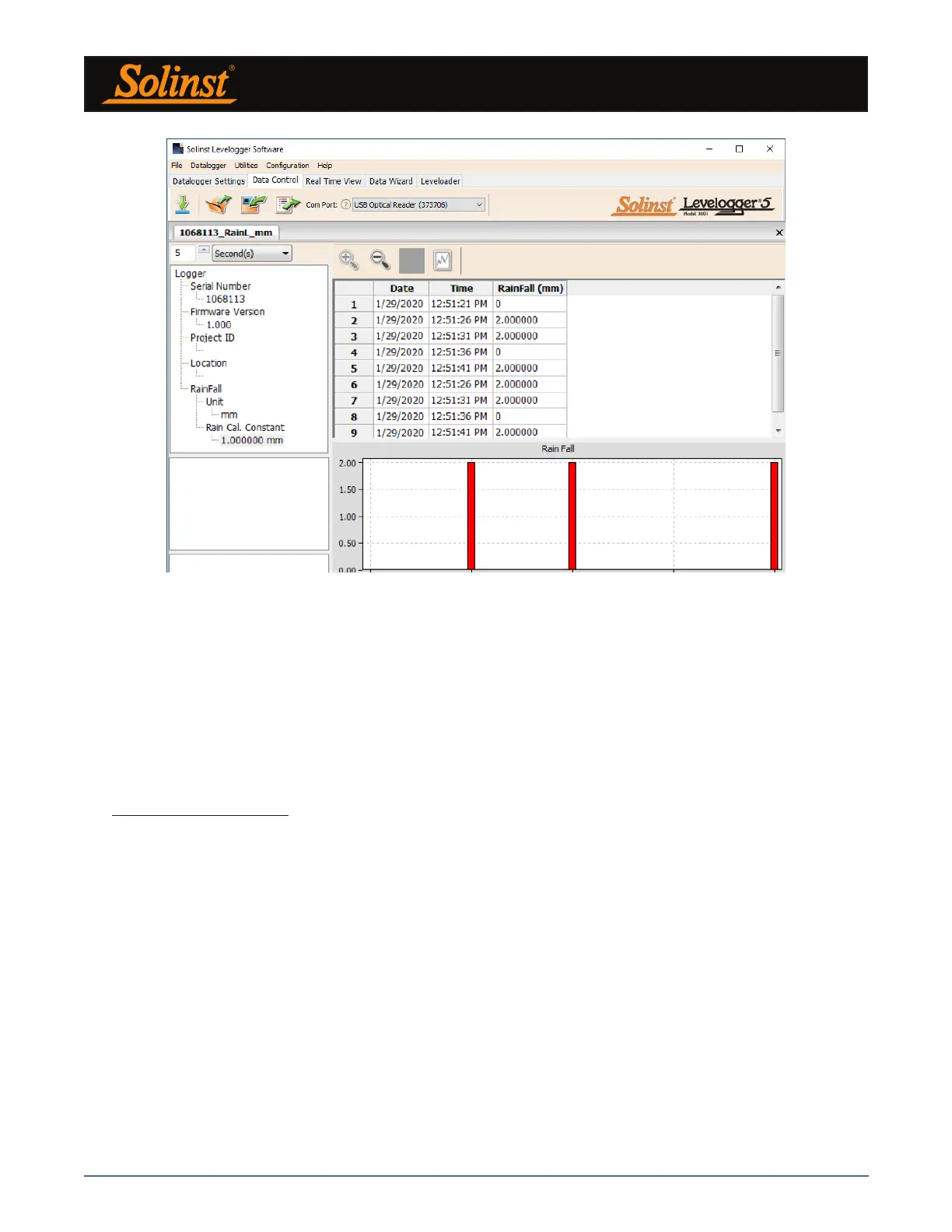
Figure 7-2 Rainlogger Data
When you view data downloaded from a Rainlogger, the RainFall data will be shown in a table and in a bar
graph. A drop-down menu appears that allows you to select the time interval at which you would like the data
shown, from 1 to 99 seconds, minutes, hours, days, or weeks (this acts like a zoom function). Figure 7-2 shows
the data every 5 seconds from the start date and time.
Note: As there is only one channel of data for Rainloggers, there are no graphing options.
7.1 Downloading Options and Saving Data Files
7.1.1 Default File Format
The default file type for Levelogger Software Version 4 and up is *.xle, unless changed to *.lev in the Application
Settings (see Section 4.2.4). Previous Levelogger Software used *.lev files as the default. The *.xle file type is
a *.xml format, which allows for enhanced functionality. The *.xle files can be exported as *.xml files, which
can be integrated into external database programs.
Note: The default file type is *.xle, unless changed in the Application Settings (see Section 4.2.4).
The *.lev files of previous Levelogger downloads are compatible with Levelogger Software Version 4 and
up, however, *.xle files are not compatible with previous software versions. To ensure compatibility, all
Levelogger Software versions allow data to be exported as *.csv files for use in external spreadsheet programs.
See Section 7.3 for Export options.



 To Next Page