Levelogger Series User Guide
Page 64
9 Real Time View
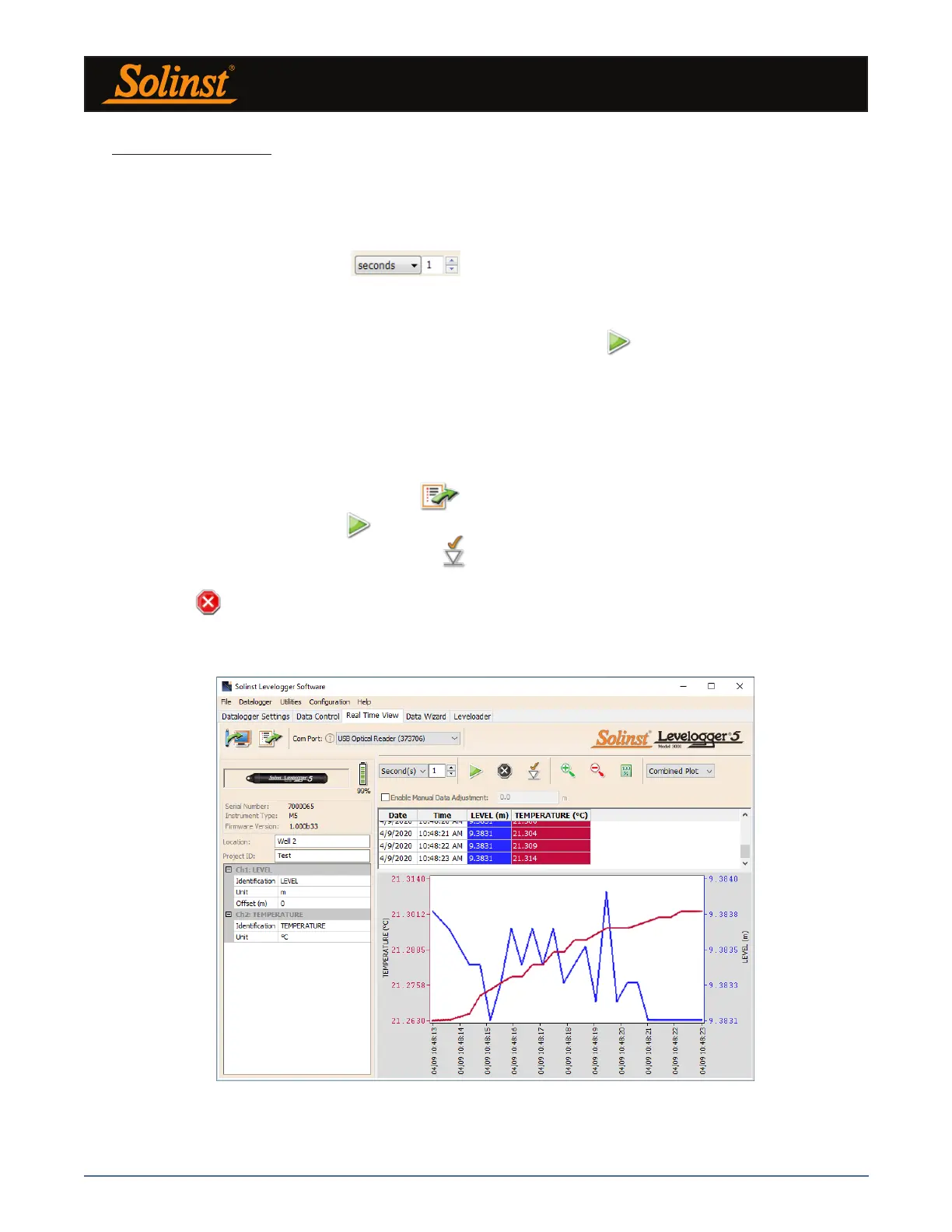
Click the Real Time View tab from the main software window (Figure 9-1). The purpose of this tab is to
provide on-screen measurement as data is being recorded by the connected datalogger. The data is displayed
in tabular and graphical format. All the channel information and Levelogger settings are displayed on the left
of the window.
First, select a non-logged view rate . This rate can be set independently of the logging period
of the Levelogger and does not interfere with any logging taking place in the Levelogger itself.
Note: Datalogger settings can not be changed in the Real Time tab. Changes must be made in the Datalogger
Settings tab. The changes are applied when the Real Time readings are started.
Checking, Enable Manual Data Adjustment, allows you to enter a datum/ field zero (e.g. depth to water level)
to which the change in Real Time View level measurements are then adjusted against. This is only available
when you are taking readings in m, cm, or ft.
Real Time View readings can be displayed as a graph or in tabular format. The same graphing options as the
Data Control tab are available for Real Time View readings. Real Time View readings are being recorded
within the Levelogger Software and prior to closing the window, they can be saved by exporting the data into
a *.csv file, by choosing the file export option .
To start the current readings, click . Immediately the readings will be displayed.
To take a reading at any specific time, click the button and that reading will be added to the displayed
data. To turn the Real Time View monitoring off, decide if you want to save the data as described above, and
simply click .
Note: You can also view Real Time readings from a Rainlogger 5, Rainlogger Edge, or a Rainlogger using firmware
version 2.000 or higher.
Figure 9-1 Real Time View Window



 To Next Page