Levelogger Series User Guide
Page 68
10.1.1.2 Direct Read Cable Assembly Installation
When using a Direct Read Cable, the Solinst Levelogger can be deployed before it is programmed and started
with the software. The Direct Read Cable threads to the Levelogger, while the surface connector at the
opposite end of the Direct Read Cable fits into the specially designed Well Cap insert. The PC Interface Cable
connects to the surface connector, allowing the Levelogger to communicate with a laptop PC (see Section 2).
While use of the Model 3001 Well Cap Assembly (see Section 10.1.1.3) is recommended and convenient, it
is optional as long as a satisfactorily secure alternative tie off point is found for the Direct Read Cable.
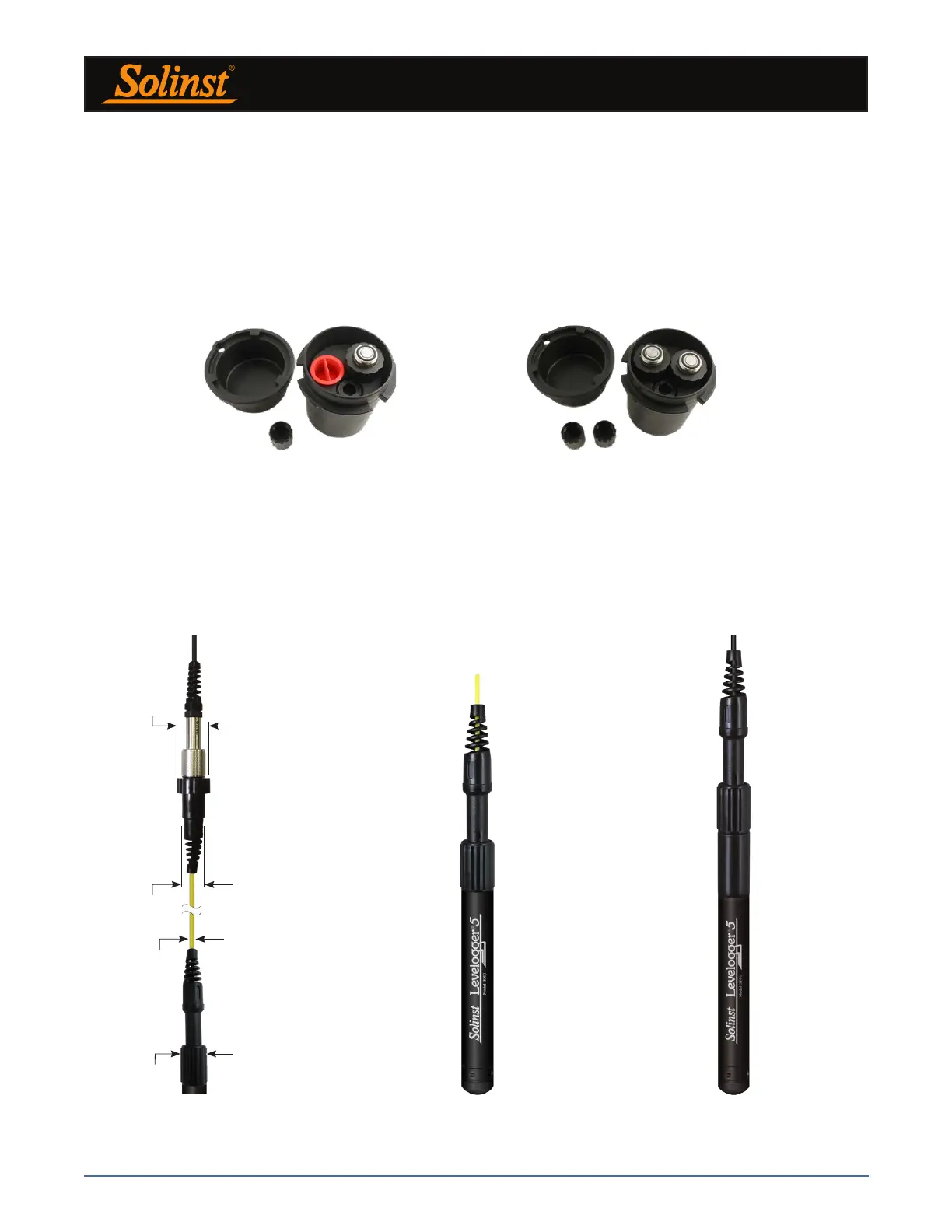
Dual Well Cap OptionSingle Well Cap Option
Figure 10-7 Solinst 2" Locking Well Caps for Direct Read Cable Installation
Figure 10-8
L5 Direct Read Cable Dimensions
Figure 10-9
Levelogger 5 Connected to L5 Direct Read Cable
Figure 10-10
Levelogger 5 Connected to Older Style
Direct Read Cable Using an L5–Edge DRC Adaptor
30.46 mm
(1.200")
21.5 mm
(0.810")
3.2 mm
(1/8")
22.23 mm
(0.875")
PC Interface Cable
Direct Read Cable
Note: There is also the option to communicate with a DataGrabber 5 or Levelogger 5 App Interface (see separate
User Guides).
Solinst supplies L5 Direct Read Cable assemblies in lengths up to 1500 ft. The cable has a durable, flexible,
abrasion-resistant polyurethane jacket.



 To Next Page