Levelogger Series User Guide
Page 18
2 Communicating with Solinst Dataloggers
Levelogger Software is Windows based, and is therefore used with a desktop or laptop PC. Dataloggers
connect to a PC with an Optical Reader or PC Interface Cable. The Optical Readers and PC Interface Cable
use an optical data reader/port connected to the datalogger and a USB (or RS-232 Serial Com Port) to
transfer information between the datalogger and computer.
Note: There is also the option to communicate with a DataGrabber 5 or Levelogger 5 App Interface (see separate
User Guides).
2.1 Optical Readers
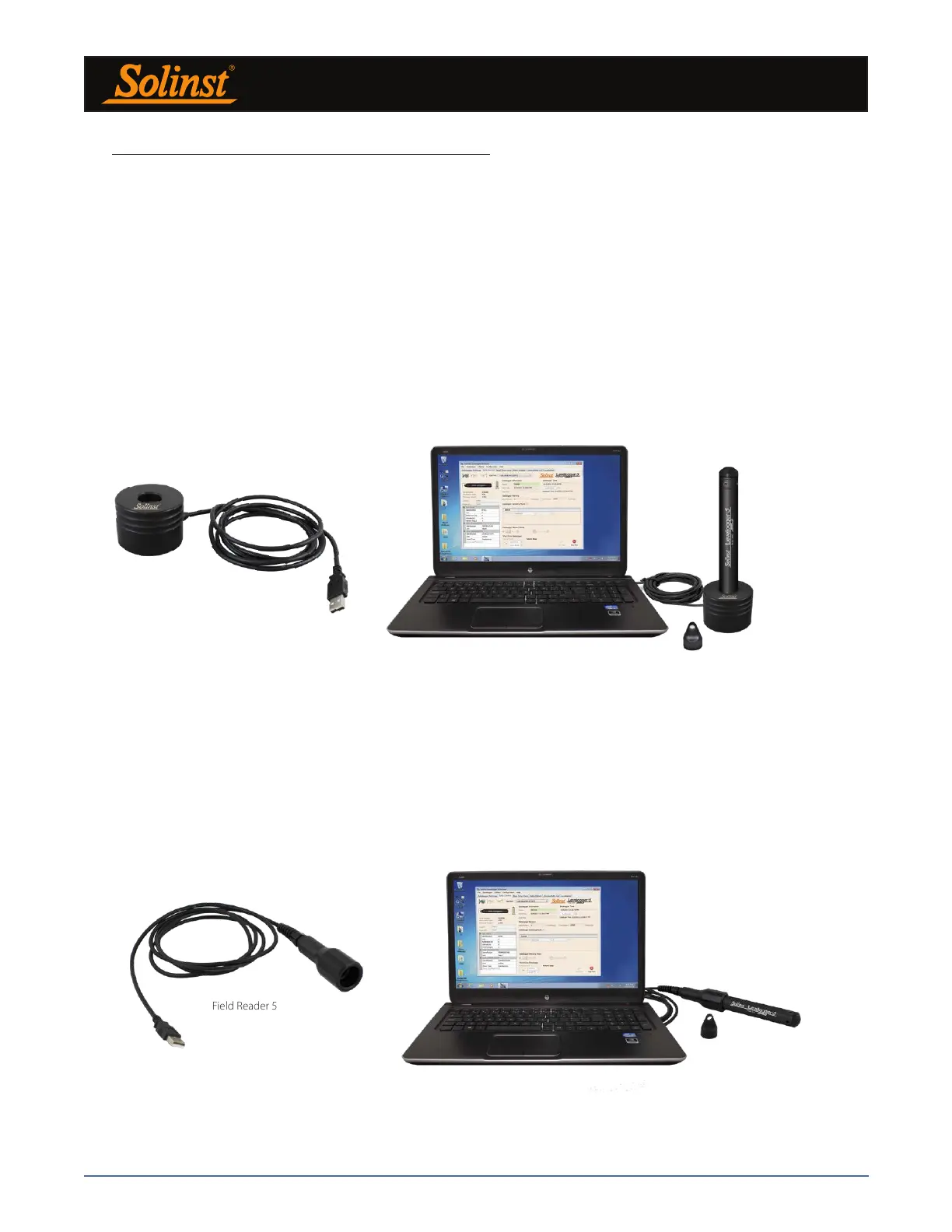
If you are programming 5 Series dataloggers in the office, the Optical Reader most commonly used for
communication with a PC is a Desktop Reader 5.
Desktop Reader 5
Figure 2-1 Levelogger 5 Connected to a PC Using a Desktop Reader 5
Desktop Reader 5
Note: Always plug in the USB device before starting the Software. See Section 4.1.2 for more information on
communication with USB ports.
If you have deployed your Levelogger 5 in the field using wireline or cord (not on a L5 Direct Read Cable), a
Field Reader 5 is most commonly used for communication with a PC.
Field Reader 5
Figure 2-2 Levelogger 5 Connected to a PC Using a Field Reader 5
Field Reader 5



 To Next Page