C:\d830100111\d830100111ILCE9UC2\01GB-ILCE9UC2\030BAS.indd
2019/02/19 10:01
ILCE-9
d-830-100-11 (1)
GB
123
Shooting
3
When a lens other than a power zoom lens is mounted, select
MENU
(Camera Settings 2) [Zoom] desired value.
Press the center of the control wheel to exit.
• You can also assign the [Zoom] function to the desired button by
selecting MENU
(Camera Settings 2) [ Custom Key] or
[
Custom Key].
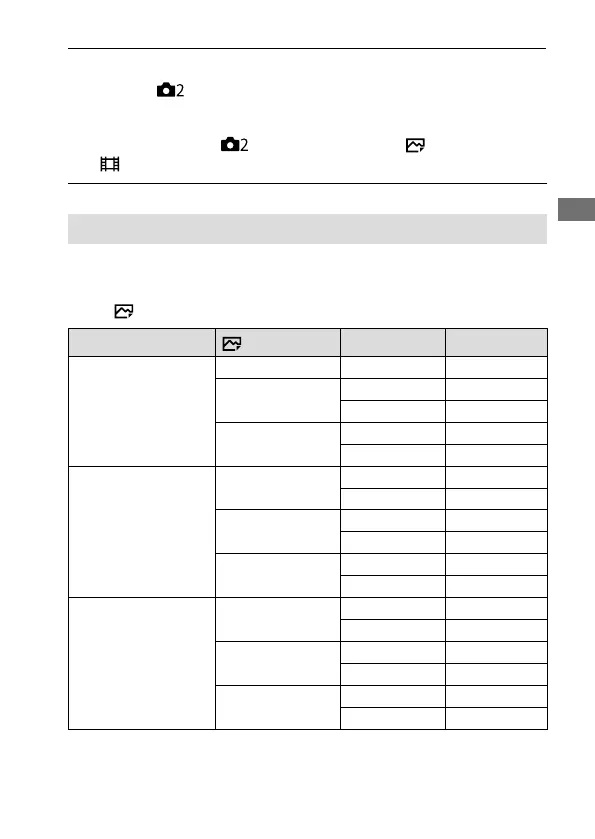
About zoom scale
The zoom scale that is used in combination with the zoom of the lens
changes according to the selected image size.
When [ Aspect Ratio] is [3:2]
Zoom Setting
JPEG Image Size
Full-frame/APS-C Zoom scale
Optical zoom only
(including smart zoom)
L — —
M
Full-frame
Approx. 1.5×
APS-C
Approx. 1.3×
S
Full-frame
Approx. 2×
APS-C
Approx. 2×
ClearImage Zoom
L
Full-frame
Approx. 2×
APS-C
Approx. 2×
M
Full-frame
Approx. 3×
APS-C
Approx. 2.6×
S
Full-frame
Approx. 4×
APS-C
Approx. 4×
Digital Zoom
L
Full-frame
Approx. 4×
APS-C
Approx. 4×
M
Full-frame
Approx. 6.1×
APS-C
Approx. 5.2×
S
Full-frame
Approx. 8×
APS-C
Approx. 8×



 To Next Page