C:\d830100111\d830100111ILCE9UC2\01GB-ILCE9UC2\040MOV.indd
2019/02/19 10:01
ILCE-9
d-830-100-11 (1)
Shooting movies
GB
143
Shooting movies
Shooting movies
Shooting movies
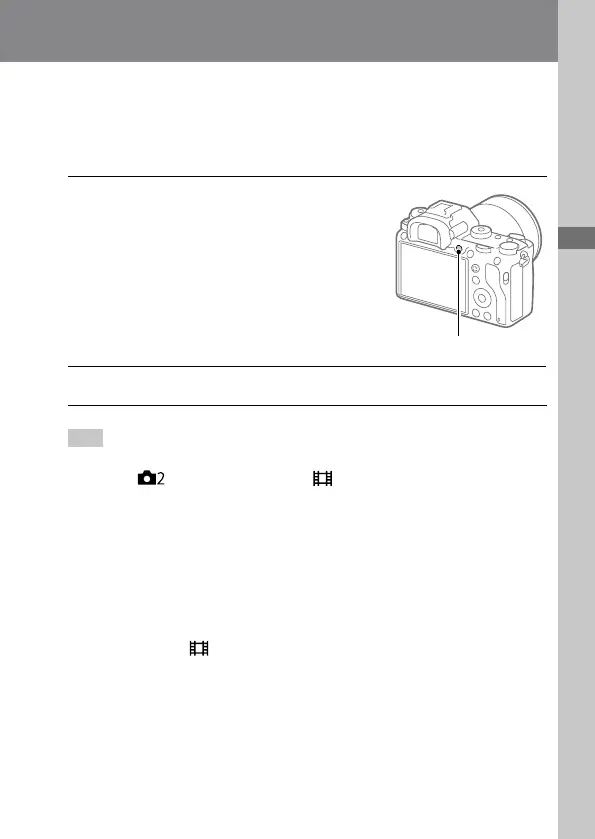
You can record movies by pressing the MOVIE (Movie) button.
1
Press the MOVIE button to
start recording.
• Since the [MOVIE Button] is
set to [Always] in the default
setting, movie recording can
be started from any shooting
mode.
MOVIE button
2
Press the MOVIE button again to stop recording.
Hint
• You can assign the start/stop movie recording function to a preferred key.
MENU
(Camera Settings 2) [ Custom Key] set [MOVIE] to the
preferred key.
• When you want to specify the area to be focused on, set the area using
[Focus Area].
• To keep the focus on a face, arrange the composition so that the focusing
frame and face detection frame overlap, or set the [Focus Area] to [Wide].
• You can focus quickly while shooting movies by pressing the shutter button
halfway down. (The sound of auto focus operation may be recorded in some
cases.)
• To adjust the shutter speed and aperture value to the desired settings, set the
shooting mode to
(Movie) and select the desired exposure mode.
• An icon indicating that data is being written is displayed after shooting. Do
not remove the memory card while the icon is displayed.



 To Next Page