ILCE-9
d-830-100-11 (1)
C:\d830100111\d830100111ILCE9UC2\01GB-ILCE9UC2\020PRE.indd
2019/02/19 10:01
GB
36
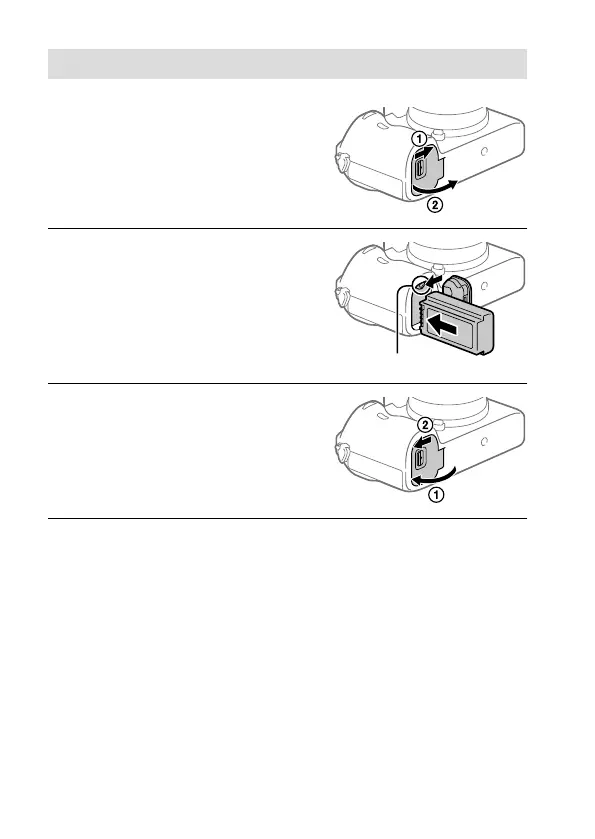
Step 2: Inserting the battery pack into the camera
1
Open the battery cover.
2
Insert the battery pack while
pressing the lock lever with
the tip of the battery until the
battery locks into place.
Lock lever
3
Close the cover.



 To Next Page