ILCE-9
d-830-100-11 (1)
C:\d830100111\d830100111ILCE9UC2\01GB-ILCE9UC2\030BAS.indd
2019/02/19 10:01
GB
74
Using the electronic shutter
Using the electronic shutter lets you perform various kinds of shooting
that are difficult to achieve using the mechanical shutter, such as shooting
without sounds or shaking, shooting with a super-fast shutter, and
blackout-free shooting*.
* During blackout-free shooting, the screen does not black out or drop frames
and you can keep looking at the subject through the viewfinder or monitor
while shooting images.
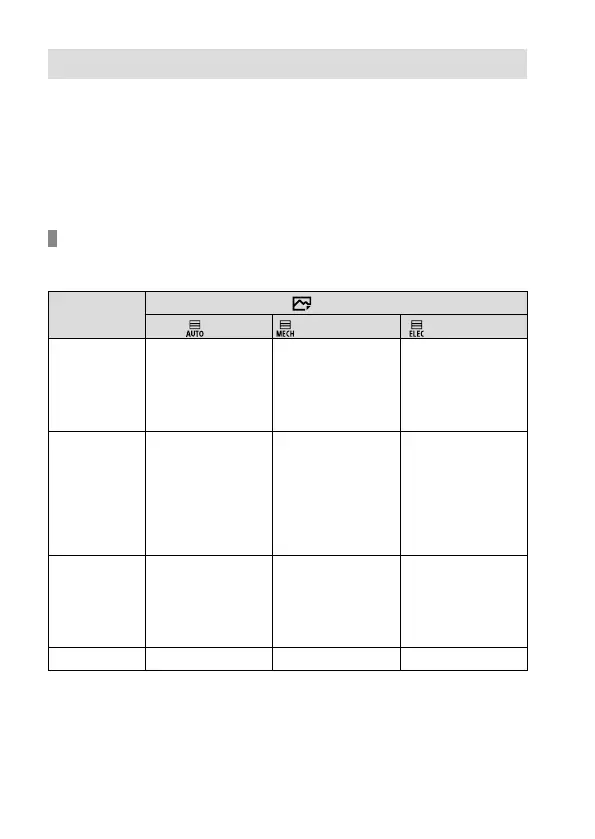
Shutter types and camera performance
The camera’s shutter speed range, shutter sound, occurrence of blackout,
and availability of the flash for each setting are as follows:
Shutter Type
Auto
Mechanical Shutter
Electronic Shutter
Shutter speed
Single shooting:
BULB – 1/32000
*
1
*
2
Continuous
shooting:
1/8 – 1/32000
*
1
*
2
Single shooting:
BULB – 1/8000
Continuous
shooting:
30 – 1/8000
Single shooting:
30 – 1/32000
*
1
*
2
Continuous
shooting:
1/8 – 1/32000
*
1
*
2
Shutter sound
Single shooting:
Mechanical shutter
sound
Continuous
shooting:
Electronic shutter
sound
Mechanical shutter
sound
Electronic shutter
sound
Blackout
Single shooting:
Occurs
Continuous
shooting: Blackout-
free
*
3
Occurs
Blackout-free
*
3
Flash
Available
*
4
Available Unavailable



 To Next Page