Help Guide
Color Video Camera
BRC-AM7
Inserting Memory Cards
This topic describes the precautions when inserting memory cards.
Open the media cover of the card slot section.
1
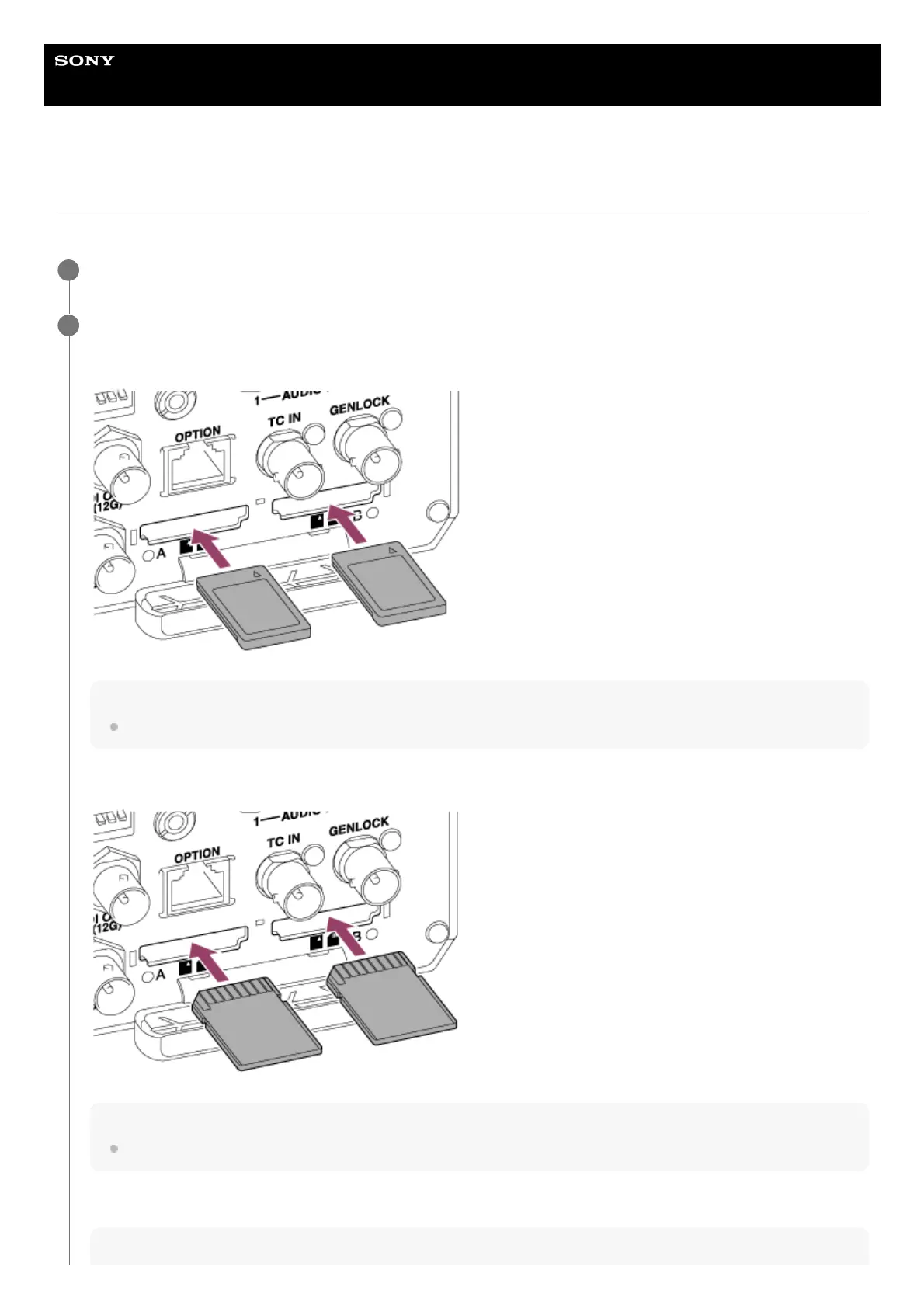
Insert a memory card.
For CFexpress cards, the label faces up.
Note
On a ceiling mounted unit, the label faces down.
For SD cards, the label faces down.
Note
On a ceiling mounted unit, the label faces up.
The access indicator is lit red, then changes to green if the card is usable.
Note
2



 To Next Page