Help Guide
Color Video Camera
BRC-AM7
Camera Menu
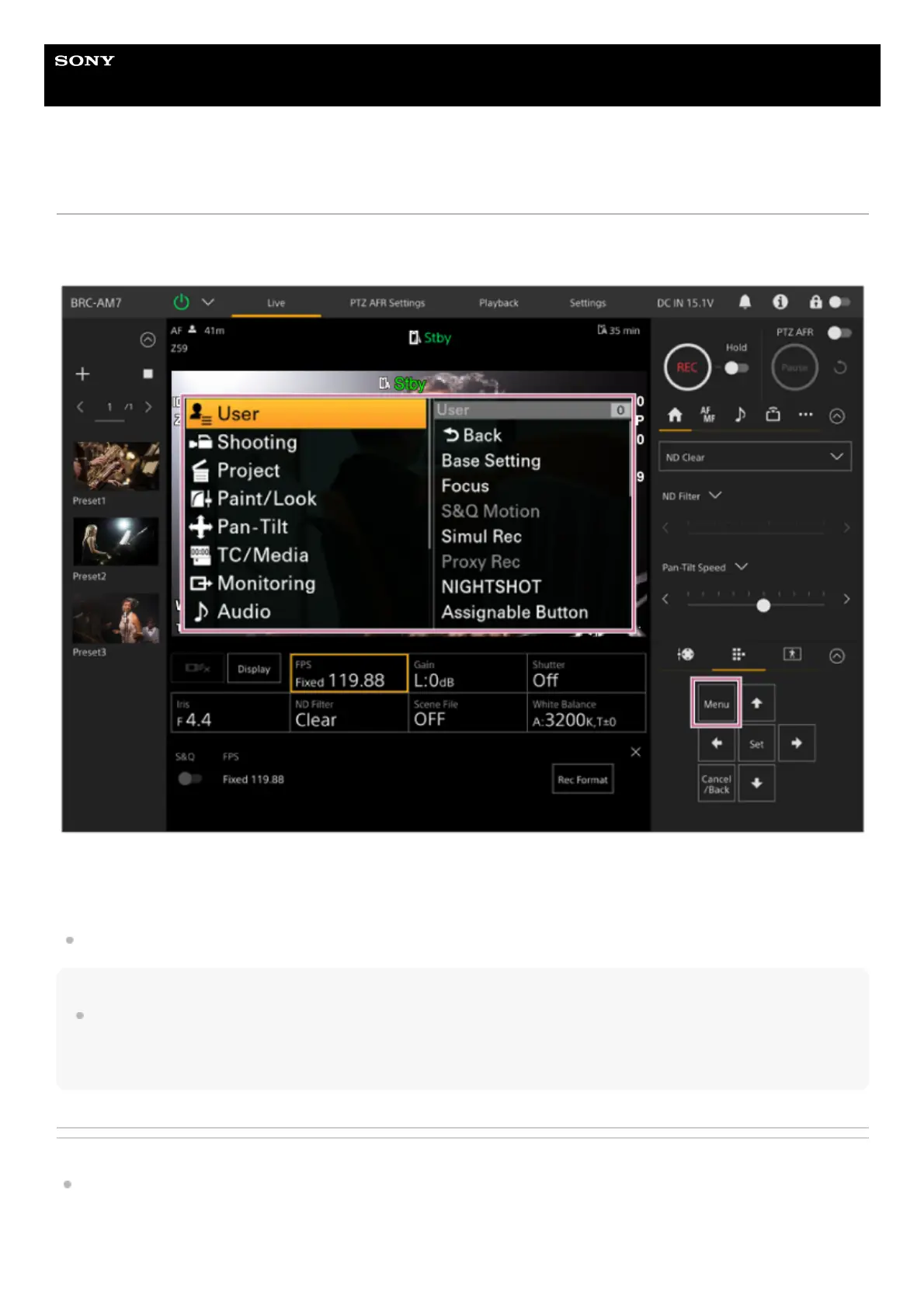
Press the [Menu] button in the GUI control panel of the live operation screen or playback operation screen to display the
camera menu in the camera image panel.
You can configure the settings required for shooting and playback using the camera menu.
Press the [Menu] button while the camera menu is displayed to hide the camera menu.
The camera menu is operated using the GUI control panel.
For details about the camera menu, see “Web Menu Configuration.”
Note
When [Monitoring] – [Output Display] – [SDI2/HDMI/Stream] is set to off in the web menu (disables information overlay on the screen
display), the camera menu is no longer displayed in the camera image panel. However, be aware that menu operations in the GUI
control panel are still active. To avoid inadvertent operation, take care to not perform any menu operations using the GUI control panel
when [SDI2/HDMI/Stream] is set to off.
Related Topic
Camera Menu Configuration
TP1001804466



 To Next Page