Help Guide
Color Video Camera
BRC-AM7
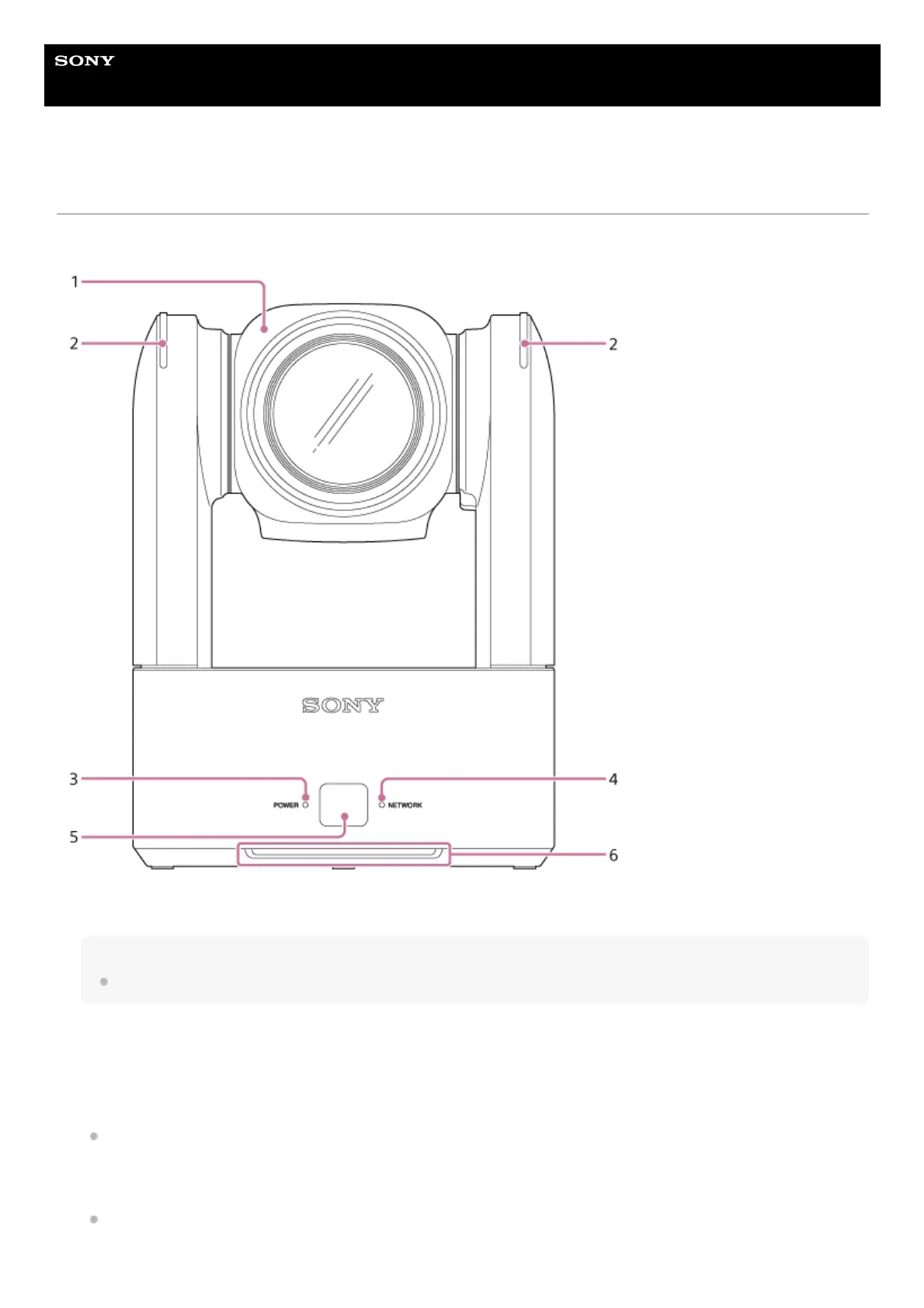
Front View
This topic describes the location and function of parts on the front of the unit.
Camera head
Note
Do not subject the camera head to strong impacts.
1.
Recording/tally lamp
For details about configuration, see [Technical] – [Tally] – [Tally Control] in the web menu or camera menu.
When set to [Internal] (recording lamp), the lamp lights up red when recording to a memory card. The lamp blinks when
the remaining free space on the recording media is low or when an error occurs.
For details, see “Error/Warning Messages.”
When set to [External] (tally lamp), the lamp lights up red, green, or yellow according to the external tally signal.
For details, see “Connecting a Tally Signal.”
2.



 To Next Page