Help Guide
Color Video Camera
BRC-AM7
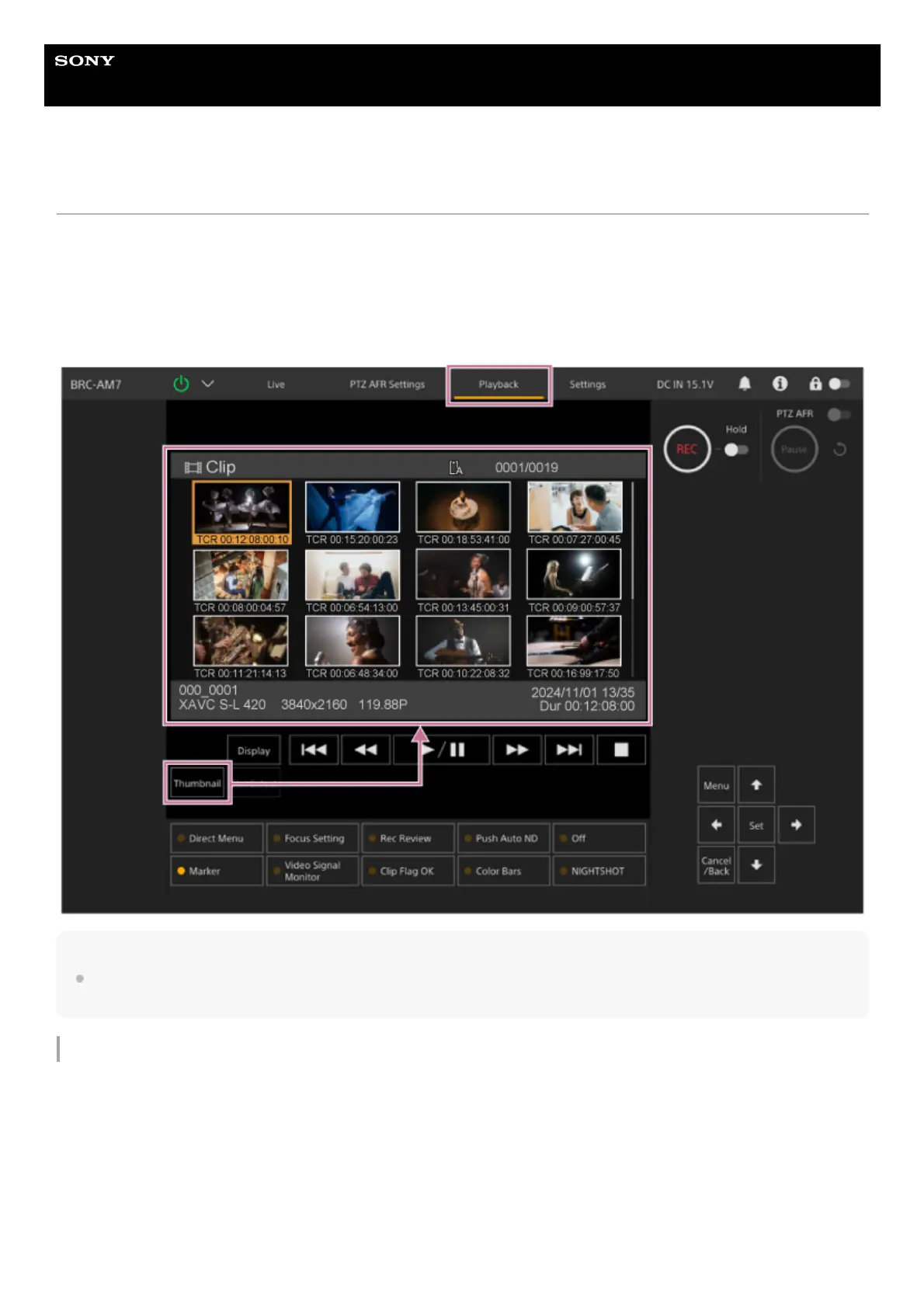
Thumbnail Screen
When you press the [Thumbnail] button on the playback operation screen or the THUMBNAIL button on the infrared remote
control, clips recorded on the memory card are displayed in the camera image panel. This display on the camera image panel
is referred to as the thumbnail screen.
You can select a clip on the thumbnail screen and start playback of that clip.
Pressing the [Thumbnail] button during thumbnail screen display closes the thumbnail screen and returns to the shooting
image display.
Note
Only the clips recorded in the currently selected recording format are displayed on the thumbnail screen. If an expected recorded clip
is not displayed, check the recording format. Take special note of this fact before formatting (initializing) media.
Screen layout
The thumbnail of a selected clip is displayed with an orange background.
Information for the selected clip is displayed at the bottom of the screen.



 To Next Page