Note
Some functions are restricted during PoE++ operation. For details, see “Using PoE++ Power.”
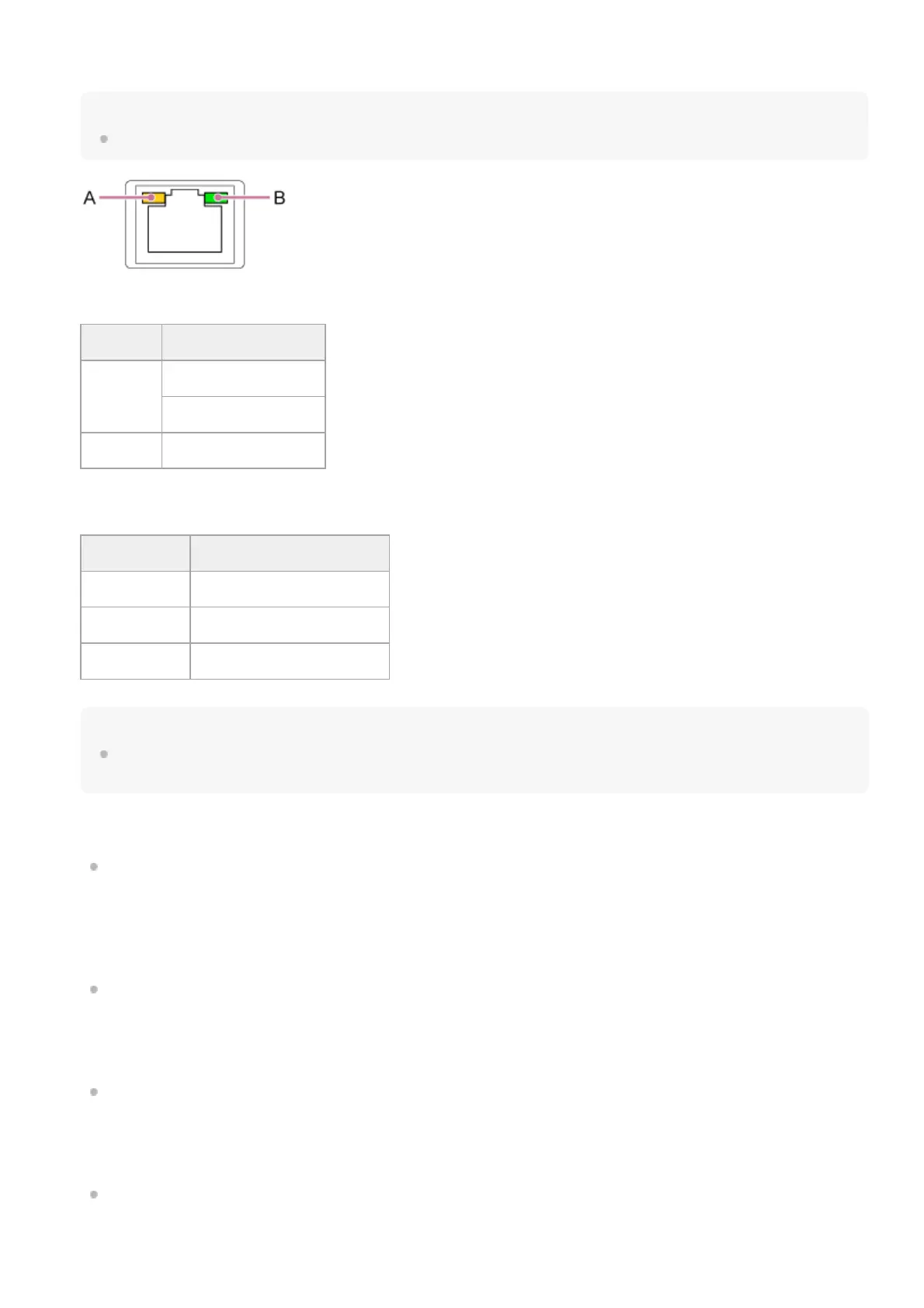
A: Speed LED status indication
B: Link/ACT LED status indication
Note
When connecting this product to the Internet, connect via a system that provides a protection function, such as a router or firewall.
If connected without such protection, security issues may occur.
PoE++: Power over Ethernet Plus Plus. Conforms to IEEE802.3bt (Type 4 Class 8). For details about connecting, refer to the operating
instructions for the power supply device.
*
Display Connection speed
Not lit
10 Mbps connection
100 Mbps connection
Lit orange 1000 Mbps connection
Display Connection status
Not lit No link
Blinking green Link established, data active
Lit green Active link
HDMI connector
Outputs the video from the unit as an HDMI signal.
For details, see “HDMI OUT connector (Type A connector)” in “Connecting External Monitors and Recording Devices.”
13.
SDI OUT 1 (12G) connector / SDI OUT 2 connector
SDI OUT 1 (12G) connector: Outputs the video from the unit as a 12G/6G/3G/1.5G SDI signal.
SDI OUT 2 connector: Outputs the video from the unit as a 3G/1.5G SDI signal.
For details, see “SDI OUT connector (BNC type)” in “Connecting External Monitors and Recording Devices.”
14.
OPTION connector
Use to connect a tally signal from an external device.
For details, see “Connecting a Tally Signal.”
15.
GENLOCK connector
Use to input an external sync signal.
For details, see “Synchronizing the Phase of the Video Signal (Genlock).”
16.
TC IN connector
Input an external reference timecode signal.
17.



 To Next Page