Setting Description
ON
Sets the IP address of the unit to 192.168.0.100 at startup (fixed IP address mode).
Note
If the IP address is changed after startup in the web menu, set this switch to the OFF position.
MIC connector (stereo ø3.5 mm)
Connect to a ø3.5 mm stereo mini jack (3-pole) microphone.
7.
AUDIO IN 1 connector (XLR type 3-pin connector)8.
AUDIO IN 2 connector (XLR type 3-pin connector)
Use to input the signal from an external microphone or audio device.
For details, see “Connecting an External Microphone or External Audio Device.”
9.
RESET switch
Press for at least 5 seconds using the tip of a pen or similar device to reset the settings of the unit to the factory default
values.
You can select whether to reset the network connection settings only or all settings using SETUP switch 3.
10.
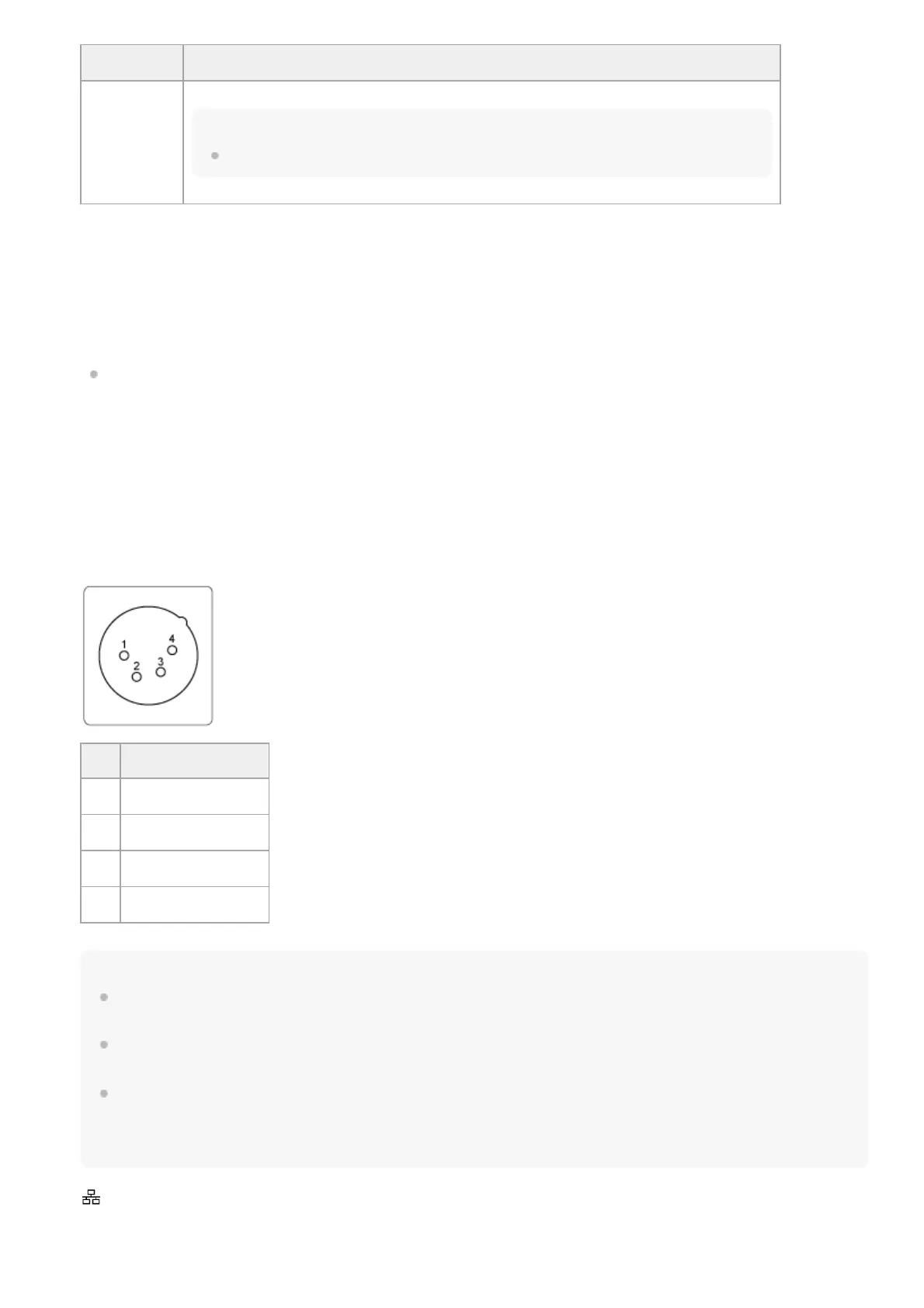
DC IN connector (XLR type 4-pin connector)
DC IN (DC power input) connector (XLR 4-pin, male) for connecting an external power supply to the unit. Supports an
input voltage of 12 V DC (11 V to 17 V).
Note
If the power cable is extended to a long distance, a voltage drop will occur due to the load. Check that the input voltage at the
power connector does not fall below 12 V before operating the unit.
The unit monitors the voltage. If it falls below 11.5 V, [Voltage Low] is detected and a warning is displayed using the Web App, tally,
and front LED.
If it falls below 11.0 V, [Insufficient Voltage] is detected, various functions are stopped, and a warning is displayed using the Web
App, tally, and front LED. When [Insufficient Voltage] is detected, the unit will not return to normal operating state if the voltage
subsequently rises. Make sure that the power supply is stable, then disconnect the power cable and connect the power supply
again.
11.
No. Signal
1 GND
2 NC
3 NC
4 DC IN (11 V to 17 V)
LAN (network) connector (RJ-45)
Connect a network cable (category 5e or higher) for network communication and PoE++
*
power supply to the unit.
12.



 To Next Page