Help Guide
Color Video Camera
BRC-AM7
Adjusting the Audio Recording Level Manually
You can adjust the audio recording level manually.
TP1001804548
5-065-326-11(1) Copyright 2024 Sony Corporation
Set the channel for which you want to adjust the audio recording level manually to [Manual] on the [Audio]
page of the web menu or using [Audio] – [Audio Input] – [CH1 Level Control] to [CH4 Level Control] in the
camera menu.
1
Press the
(Audio) tab in the camera control panel.
2
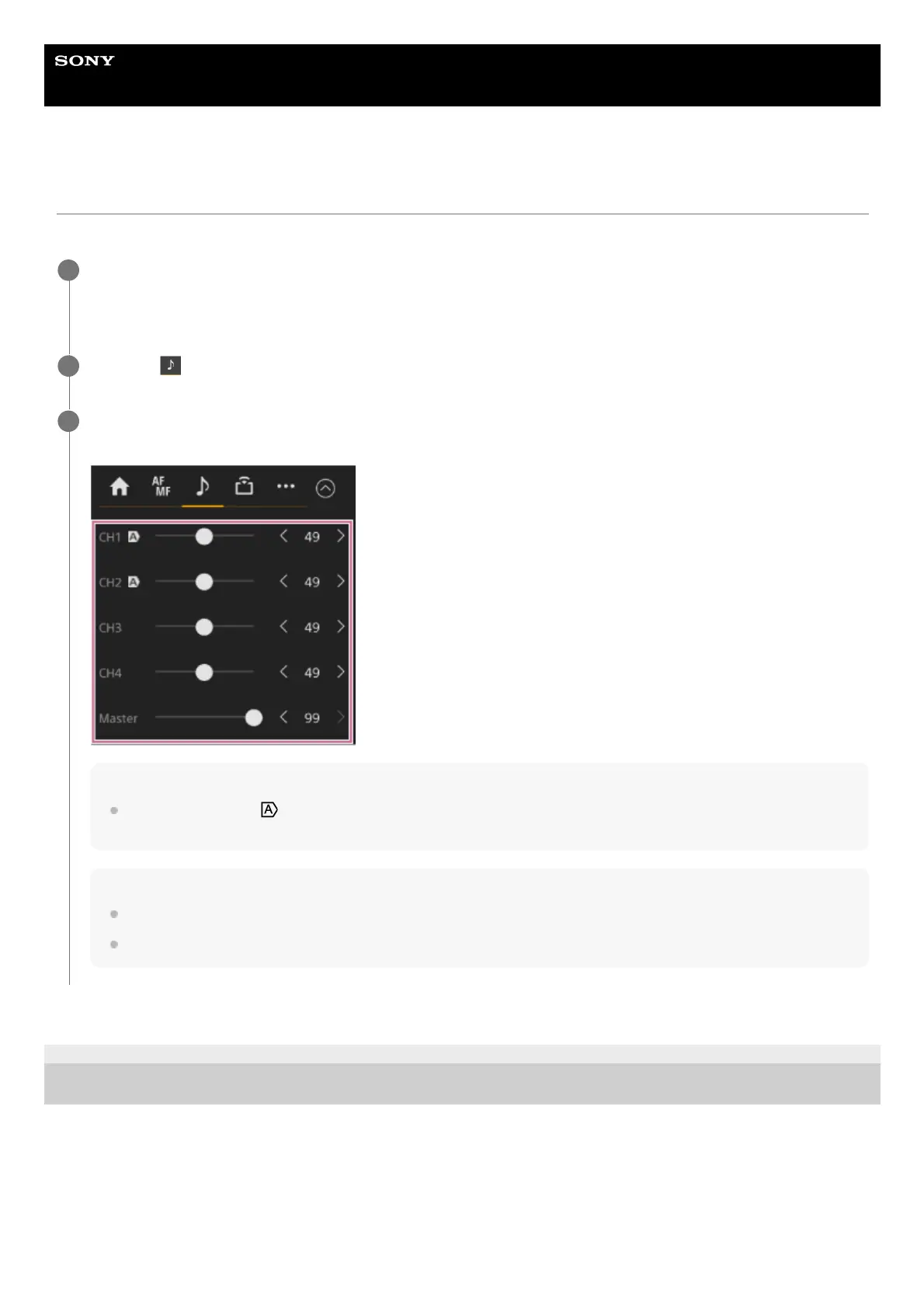
On the [Audio] screen in the camera control panel, set the audio recording level using the slider or adjustment
buttons for the channel whose audio recording level you want to set manually.
Note
Channels for which the
(Auto) icon is displayed are adjusted automatically. Changes to values using the slider or buttons are
not applied to the recorded audio.
Hint
The slider and adjustment button settings in each row are linked.
You can check the audio input level in realtime using the audio level meter display on the shooting screen.
3



 To Next Page