Help Guide
Color Video Camera
BRC-AM7
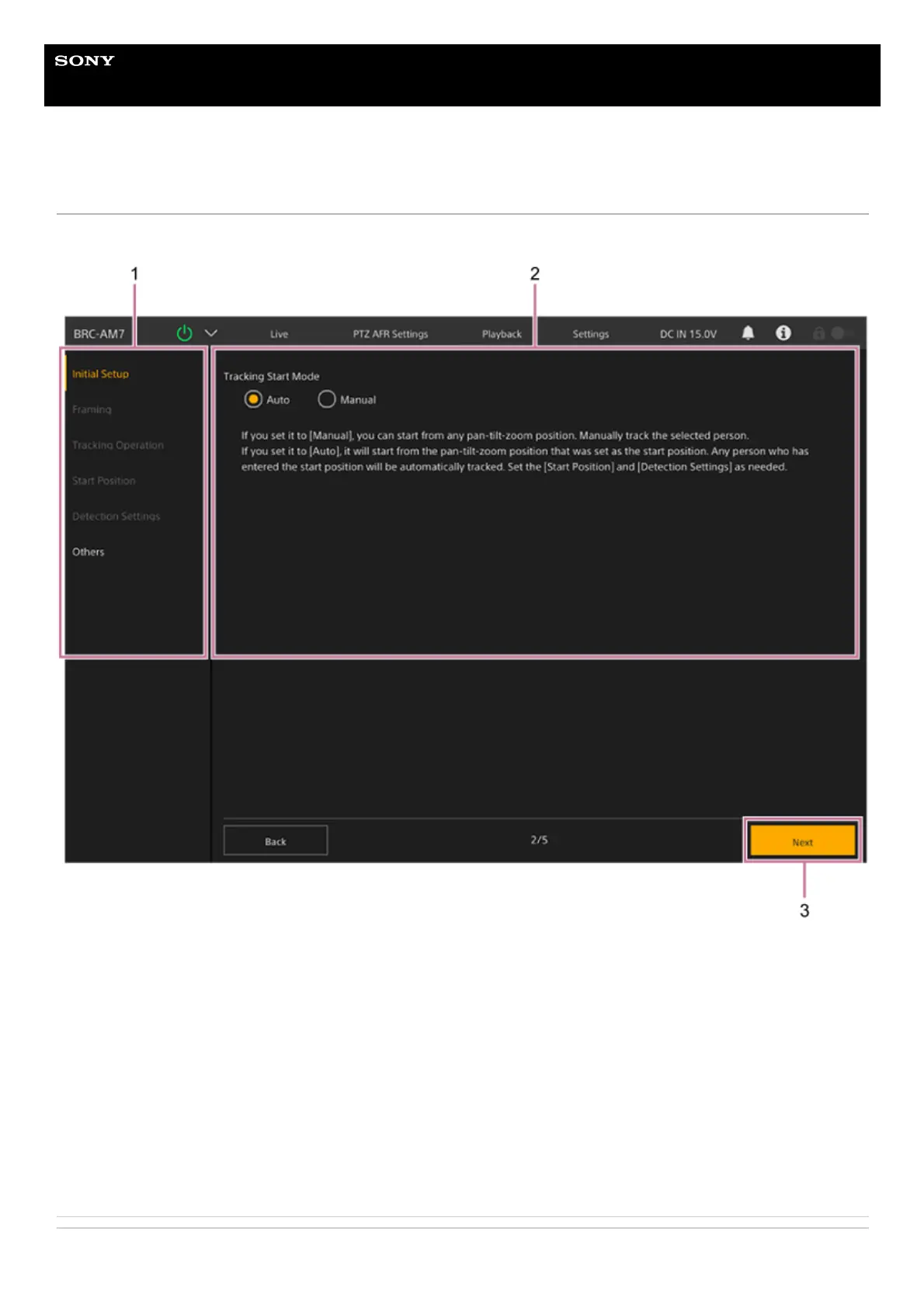
Structure of the PTZ AFR Settings Screen
This screen is used to configure the PTZ auto framing initial settings.
Related Topic
Setup item tabs
Displays the setup items. When configuring PTZ auto framing initial settings, only [Initial Setup] and [Others] can be
selected. After the initial settings are completed, they can be set individually.
1.
Settings screen
Displays the settings screen and configuration guidance.
2.
[Start] button
Displayed only when configuring PTZ auto framing settings for the first time.
Press the [Start] button to start configuring PTZ auto framing settings. Follow the on-screen guidance to configure each
setup item in order.
For details, see “Configuring PTZ Auto Framing Initial Settings.”
3.



 To Next Page