Help Guide
Color Video Camera
BRC-AM7
Using DC Power
This topic describes the procedure to power the unit using DC power.
The unit supports DC power input.
The supported input voltage range is 11 V to 17 V. If the input voltage drops, a [Voltage Low] or [Insufficient Voltage] alarm
will be displayed.
Note
If [Insufficient Voltage] is displayed, the unit must be restarted to restore full normal operation. Prepare a power source that provides
stable voltage and current.
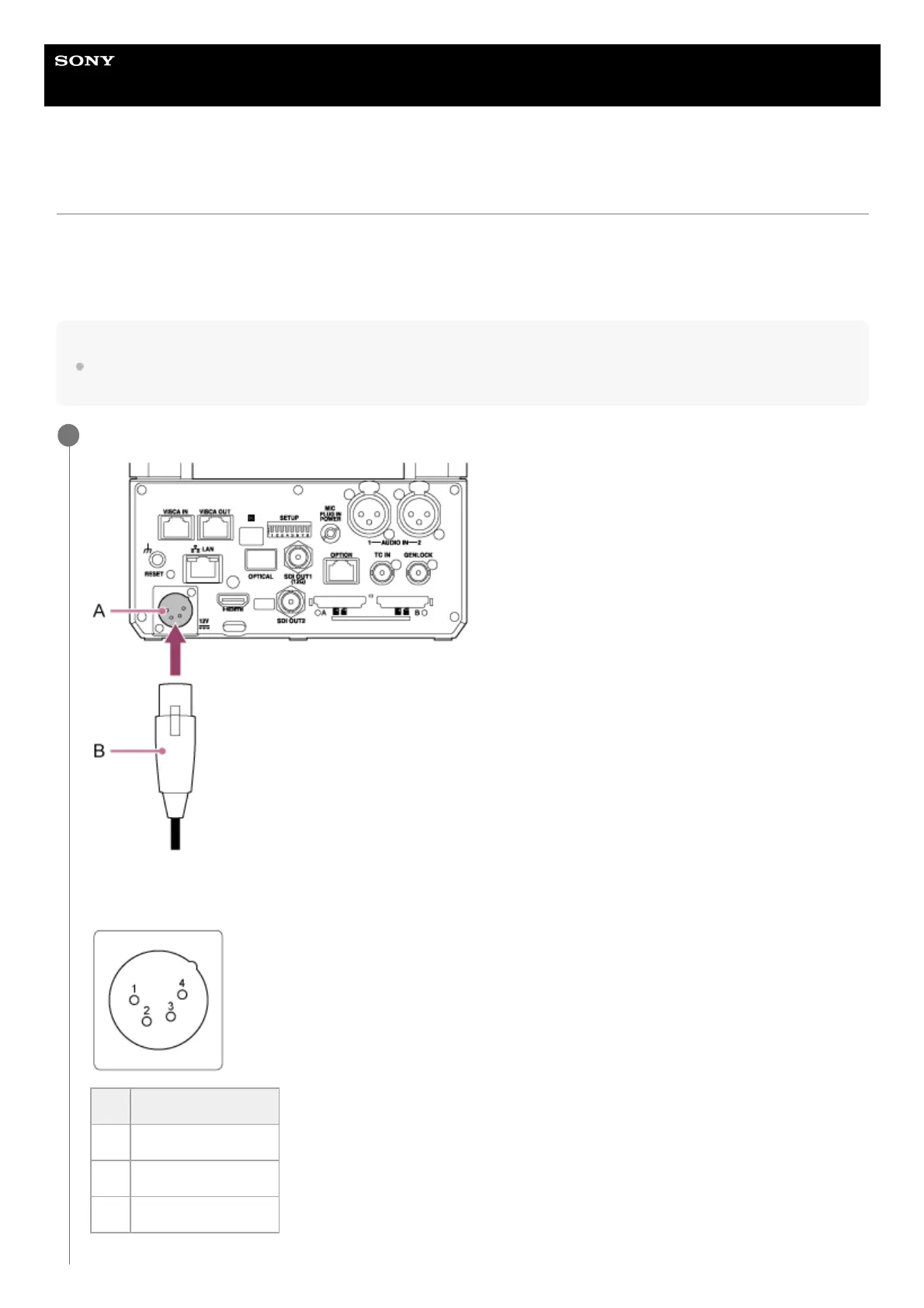
Connect a DC power cable (sold separately) to the DC IN connector on the connector block.
A: DC IN connector
B: DC power cable (sold separately)
1
No. Signal
1 GND
2 NC
3 NC



 To Next Page