Help Guide
Color Video Camera
BRC-AM7
Resetting Unit Settings
This topic describes how to reset the settings of the unit.
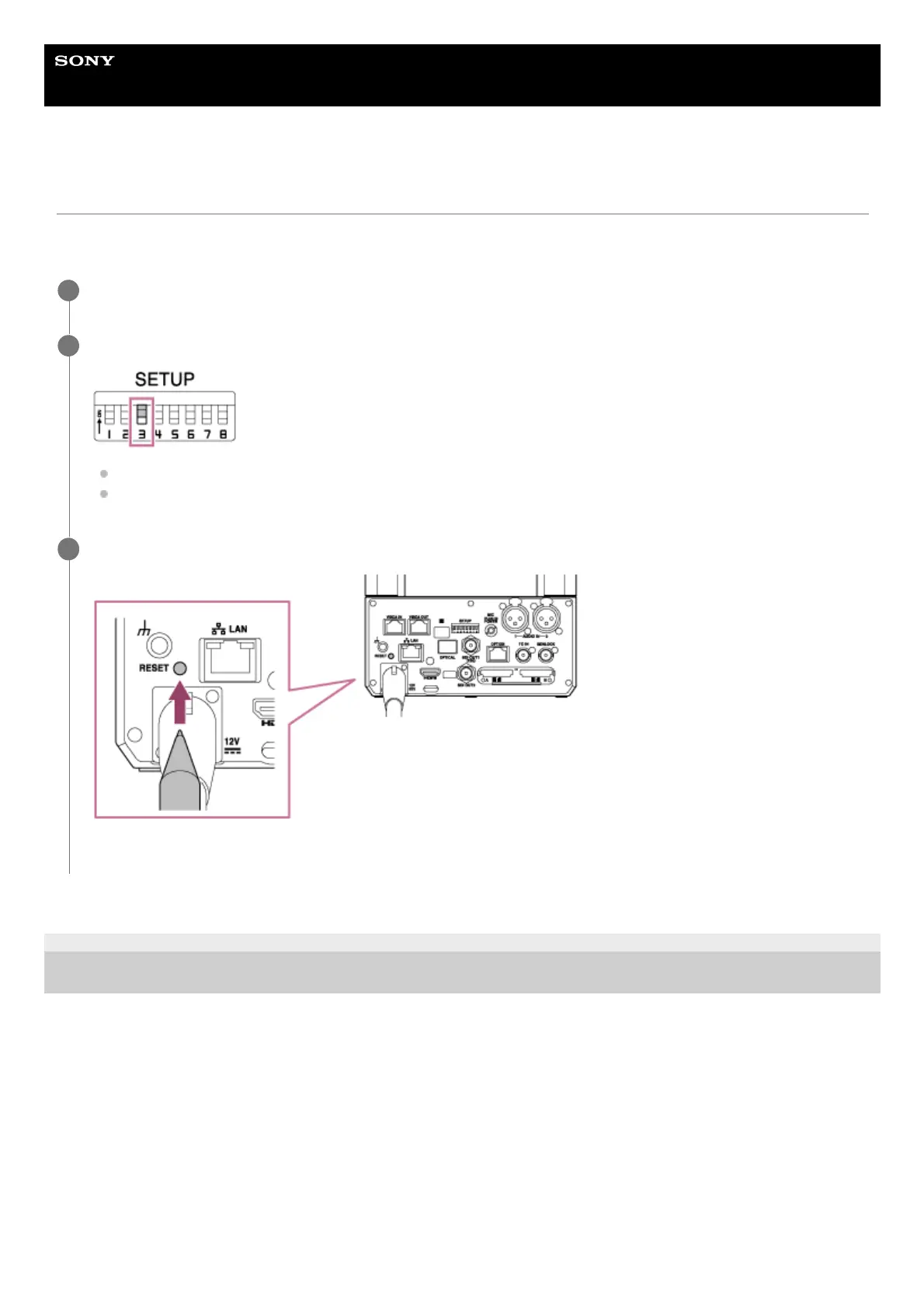
The settings that are reset vary depending on the setting of SETUP switch 3 on the connector block.
TP1001804479
5-065-326-11(1) Copyright 2024 Sony Corporation
Connect the power supply to the unit.
1
Set SETUP switch 3 on the connector block of the unit.
To restore only the network settings to the factory default state, set switch 3 to OFF.
To restore all settings of the unit to the factory default state, set switch 3 to ON.
2
Use the tip of a pen or other narrow object to press and hold the RESET switch for at least 5 seconds.
The settings are reset and the unit reboots.
3



 To Next Page