Help Guide
Color Video Camera
BRC-AM7
Adjusting the Zoom Using the Supplied Infrared Remote Control
You can adjust the zoom of the unit using optical zoom or Clear Image Zoom. This topic describes how to make adjustments
using the supplied infrared remote control. For details about Clear Image Zoom, see “Setting the Zoom Type.”
Note
Depending on the direction of the camera and the zoom position, part of the unit or cables connected to the connector block may be
visible. Before shooting, check the range that will be captured. You can also control the pan/tilt range using [Pan-Tilt] – [P/T Range
Limit] in the web menu. When the unit is turned on or pan/tilt reset is executed, this range limit setting is ignored. For details, see [Pan-
Tilt] – [P/T Range Limit] in the web menu.
Related Topic
Setting the Zoom Type
TP1001804500
5-065-326-11(1) Copyright 2024 Sony Corporation
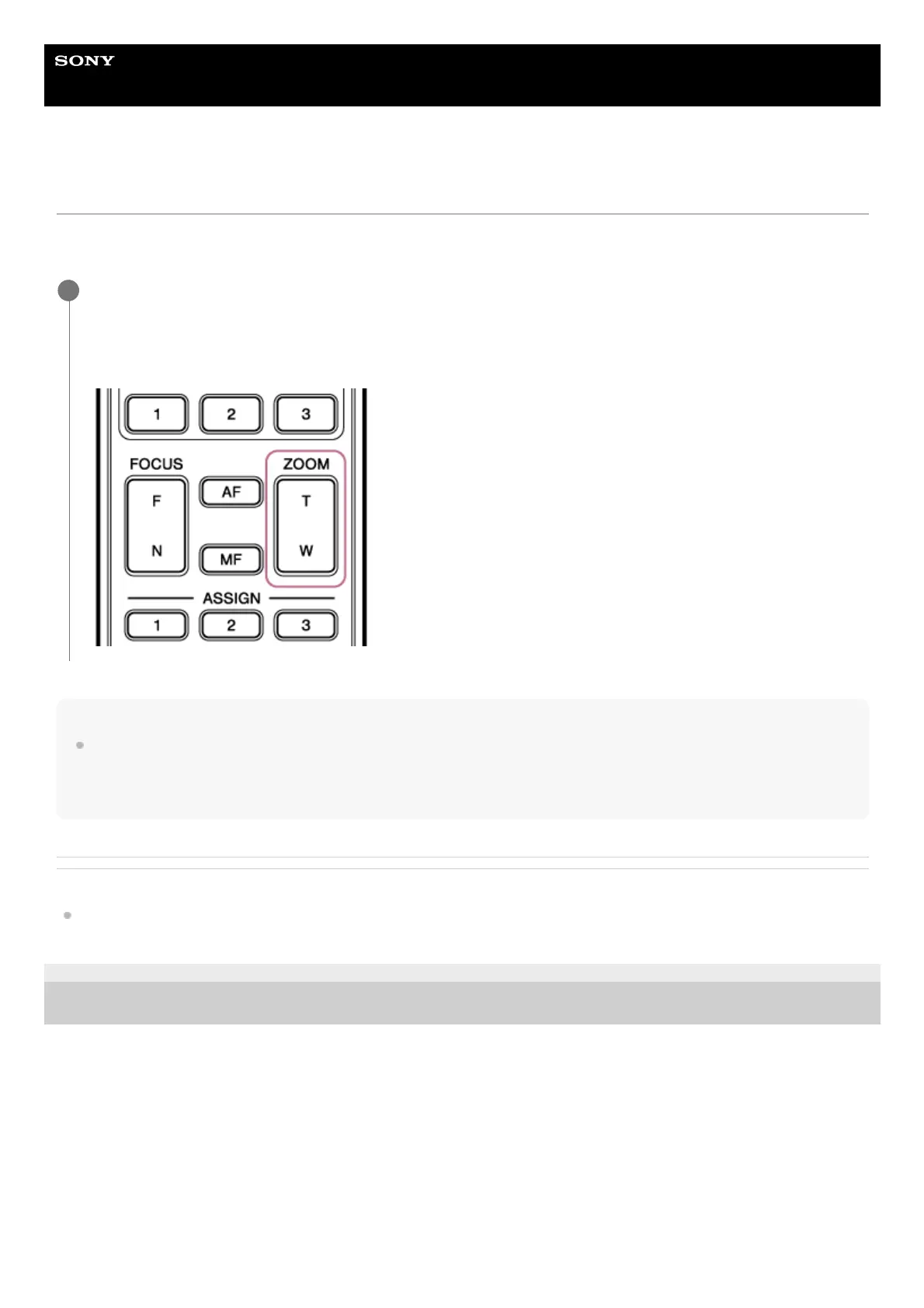
Press the zoom button to adjust the zoom.
Press the T (Telephoto) or W (Wide) button while monitoring the screen to adjust the zoom.
To zoom in, press the T button.
To zoom out, press the W button.
1



 To Next Page