Help Guide
Color Video Camera
BRC-AM7
Changing the Transition Speed (Pan-Tilt/Zoom/Focus) When Restoring a Preset Position
You can change the transition speed (pan/tilt operation, zoom operation, focus operation) when restoring a saved preset
position.
Hint
When [Pan-Tilt] – [P/T Preset] – [Pan-Tilt Speed] – [Setting Way] is set to [Common] in the web menu, all preset positions will be
restored at the speed set using [Pan-Tilt] – [P/T Preset] – [Pan-Tilt Speed] – [Common Speed].
You can also set the default value when [Pan-Tilt] – [P/T Preset] – [Pan-Tilt Speed] – [Setting Way] is set to [Separate] in the web
menu.
After zoom movement is completed, the camera moves to the saved focus position.
After the movement is completed, [AF Transition Speed] returns to its original setting.
TP1001804506
Set [Pan-Tilt] – [P/T Preset] – [Pan-Tilt Speed] to [Setting Way] to [Separate] in the web menu.
1
Press the image for the preset position for which you want to change the transition speed.
The
(Preset position menu) button appears at the top right of the image.
2
Press the
(Preset position menu) button and select [Edit…] from the displayed menu.
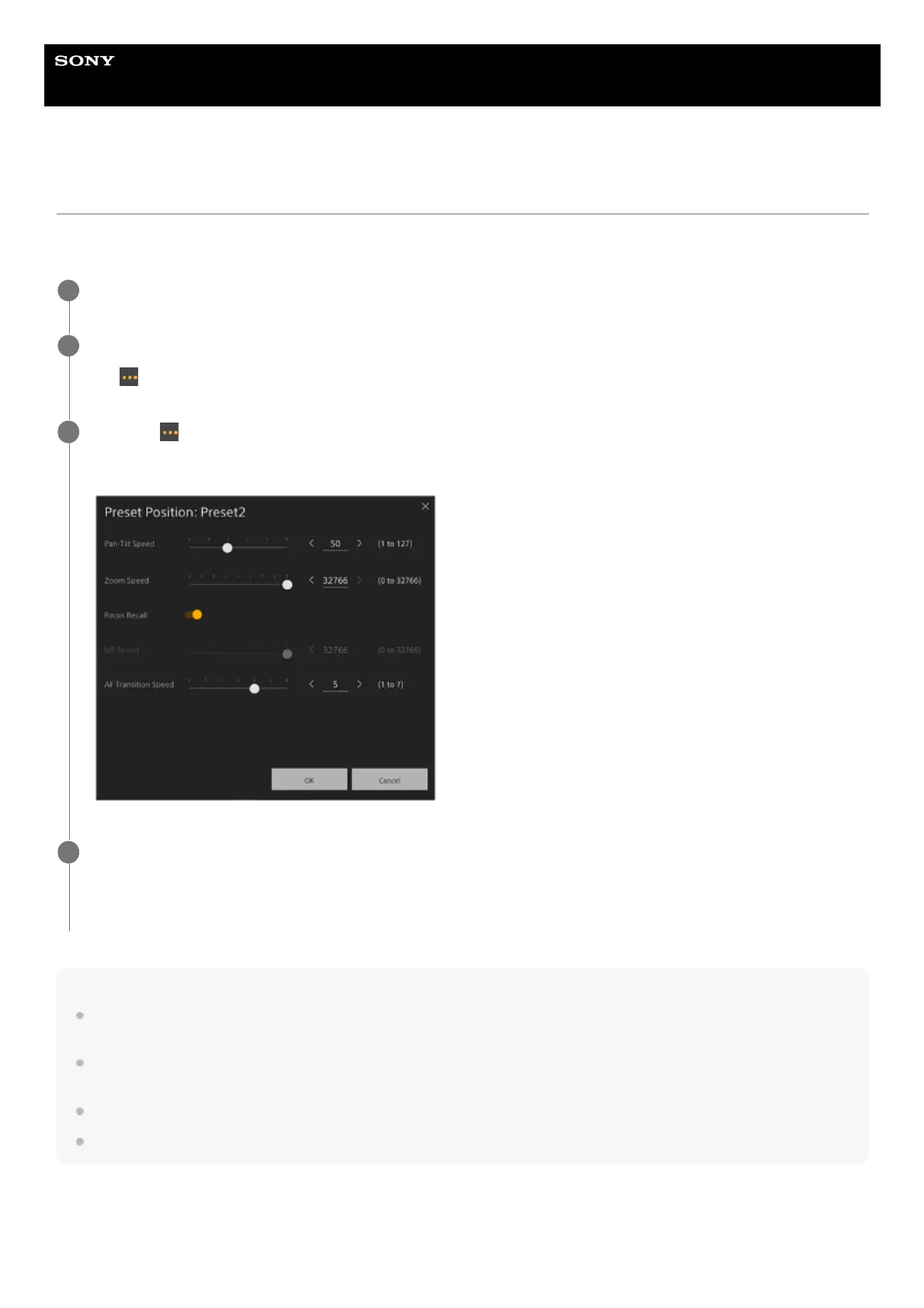
The setup screen for the selected preset position appears.
3
Set the transition speeds (Pan-Tilt/Zoom/Focus) you want to change using the sliders or enter values directly
and press the [OK] button.
The next time a saved position is restored, the camera will move at the configured speed.
4



 To Next Page