Help Guide
Color Video Camera
BRC-AM7
Using Auto Focus Temporarily (Push Auto Focus (AF))
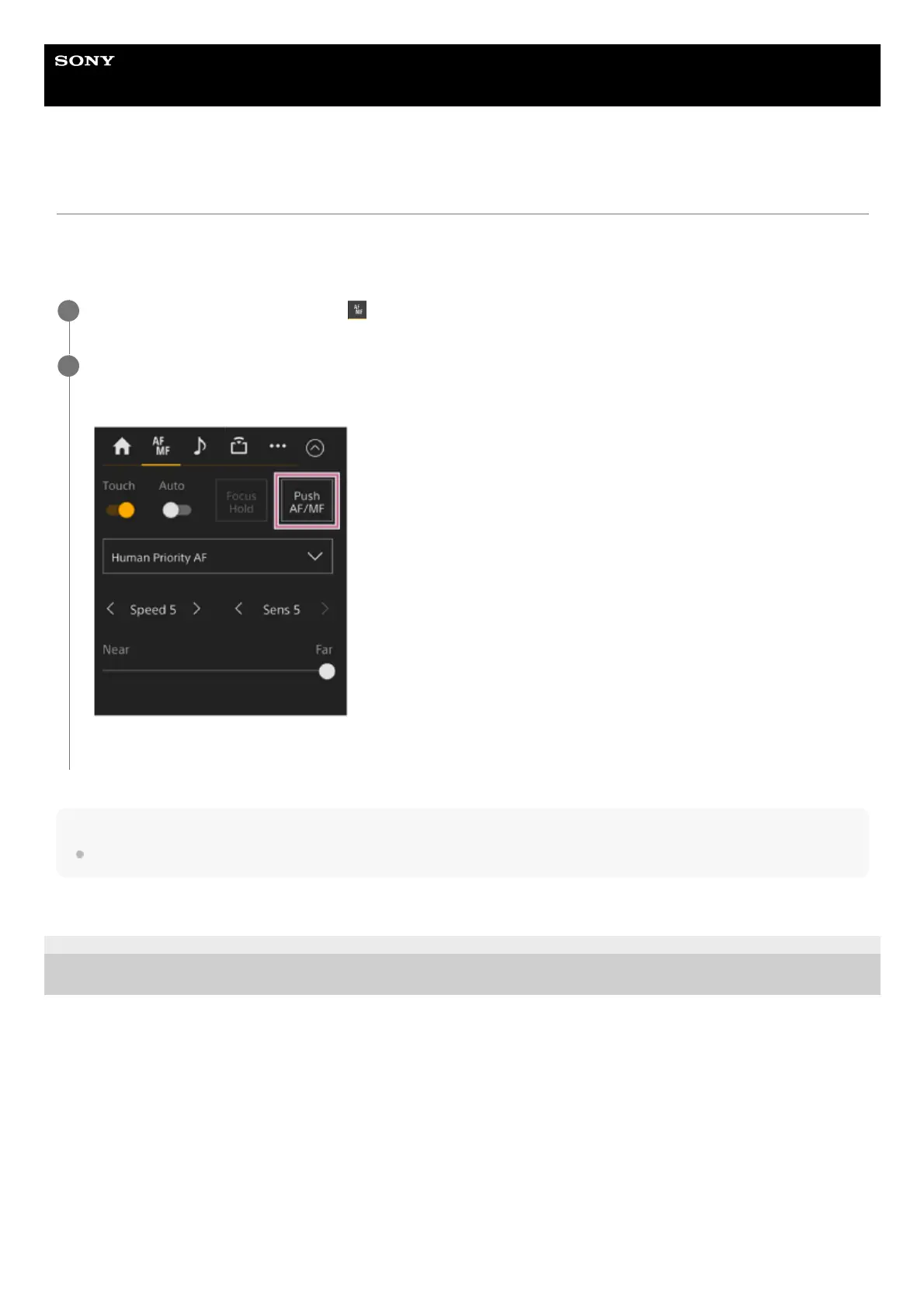
When in manual focus mode, you can adjust the focus temporarily using auto focus by pressing the [Push AF/MF] button to
focus automatically while the button is pressed.
This is useful when you want to move the focus slowly from one subject to another subject during manual focus.
Hint
The same operation is supported using an assignable button assigned with [Push AF/MF].
TP1001804517
5-065-326-11(1) Copyright 2024 Sony Corporation
Slide the [Auto Focus] switch on the
(Focus) tab to the left position to turn it off.
1
Press the [Push AF/MF] button.
Auto focus is active while the button is pressed.
Push auto focus is released and the focus returns to manual focus when you release the button.
2



 To Next Page