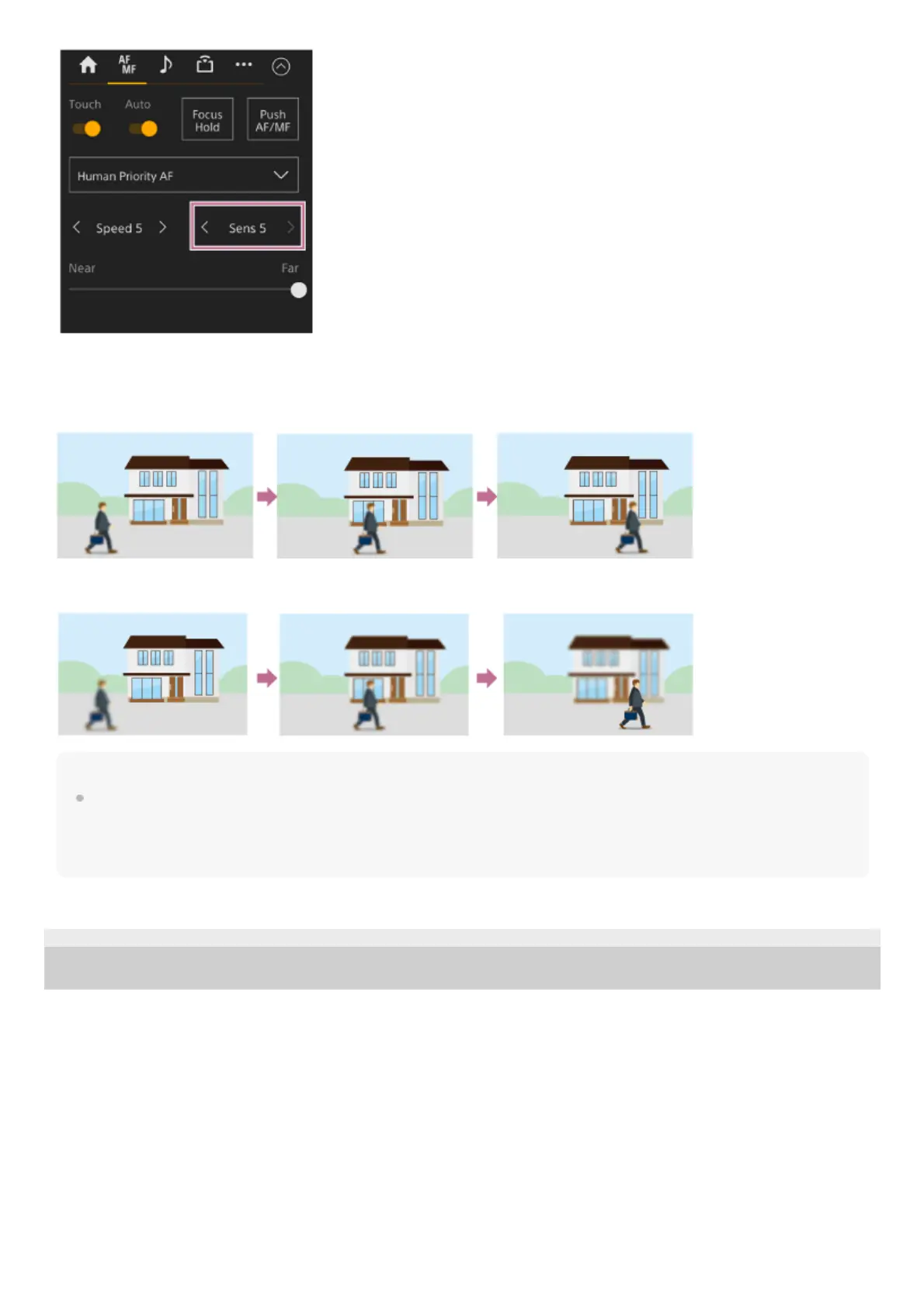
Select the sensitivity from the range [Sens 1] (Locked On) to [Sens 5] (Responsive) in increments of 1. Press the < button to
decrease the value (change slowly) or the > button to increase the value (change rapidly).
When set to a low sensitivity, the focus does not readily shift even if another subject moves in front of the in-focus subject.
When set to a high sensitivity, the focus shifts to give priority to the subject that moves in front.
Hint
If [AF Speed/Sens.] is assigned to an assignable button, the level bars for adjusting values are displayed in the camera image panel in
the following order each time the button is pressed, allowing you to change the AF transition speed and AF subject shift sensitivity
settings.
AF transition speed → AF subject shift sensitivity → No display …
TP1001804523
5-065-326-11(1) Copyright 2024 Sony Corporation



 To Next Page