Help Guide
Color Video Camera
BRC-AM7
Setting the Target Level for Automatic Brightness Adjustment
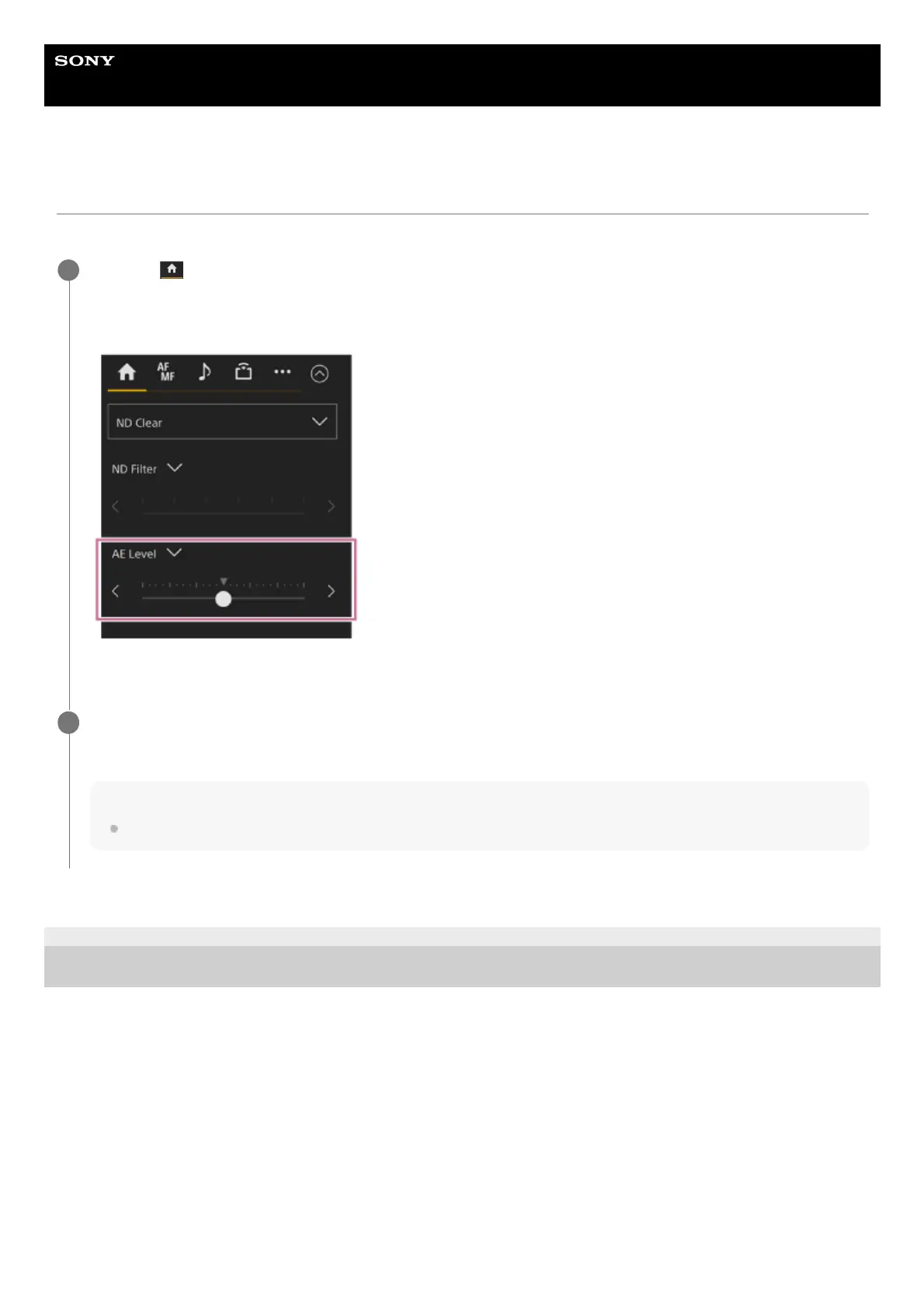
The target level for automatic brightness adjustment is set using the [AE Level] slider in the camera control panel.
TP1001804530
5-065-326-11(1) Copyright 2024 Sony Corporation
Press the
(Main) tab in the camera control panel.
If the [AE Level] slider is not displayed, select either of the two slider function selection buttons and select the [AE Level]
slider from the list.
The [AE Level] slider appears.
1
Set the target level using the slider.
Move the slider knob to the left to make the image darker. Move the slider knob to the right to make the image brighter.
Hint
Can also be set using [Shooting] – [Auto Exposure] – [Level] in the camera menu.
2



 To Next Page